Roundup
The Best TPU Filament
TPU is the plastic that bends and springs back, and it is the one filament that most punishes a machine or a habit that suits PLA. Buy the right spool, print it slower than feels necessary, and keep it away from the AMS.
By Scooter M. · Published · Last reviewed
How this page is funded: the buy links below are affiliate links. If you buy through one we earn a commission, at no extra cost to you. It does not change the order of the picks or a word of what we say about them. Full disclosure.
Printers we claim to have tested: 0. Everyone in this category says they tested twenty machines. We have not tested any, and we would rather say so. What we did instead is on this page: the manufacturer’s own published specification for every pick, cited and dated; the arithmetic on what it costs to run, with the inputs shown; a live price rather than a remembered one; and a plain answer on who should skip each machine.
The short answer
Buy Overture High Speed TPU 95A, print it well below your machine’s rated speed, and feed it from an external spool holder rather than a multi-spool unit. Overture publishes a 60-90 mm/s range, a PLA-like 25-60 °C bed and — importantly — states that it is not AMS or AMS lite compatible. If you own a Bambu printer and want TPU through the AMS, that is a different product entirely, covered below.
TPU is a genuinely useful third material and a poor second one. What follows is what it is for, the two hardware questions that decide whether it will work on your printer, and three spools judged on what their manufacturers actually publish. We have not printed any of them.
What TPU is actually for
It is the filament for parts that need to bend, grip, cushion or seal. A short, concrete list is more useful than a description of the polymer:
Phone and device cases. The classic TPU print, and the reason many people buy a first spool. A case has to flex to go on, then grip.
Bumpers, feet and anti-slip pads. The rubber foot under a printed box, the bumper on a drawer, the pad that stops something sliding on a desk.
Grips and handles. A soft overgrip on a tool or a controller, or a strap that has to take repeated bending.
Gaskets and seals. Parts that compress to close a gap.
Wearables. Watch straps, bands and anything that wraps around something else. Polymaker names protective covers, flexible connectors and wearable accessories as the applications its TPU95 is chosen for.
What TPU is not for: anything rigid, anything you want to sand smooth, and anything that has to hold a precise shape under load. For those, the answer is still PLA or PETG.
Is TPU actually the material you need?
Worth checking before you buy, because people reach for TPU when a different filament would do the job with far less trouble.
If the part needs to survive being dropped but does not need to bend, you probably want PLA+ or PETG. Both are tougher than plain PLA and both print on an ordinary profile. Neither is elastic, and neither needs to be.
If the part needs to flex slightly - a clip that snaps shut, a living hinge - PETG often covers it. It bends further than PLA before it breaks.
If the part needs to deform and spring back repeatedly - a case that stretches over a phone, a strap, a gasket that compresses - that is TPU, and nothing else on this site does it. Polymaker describes its TPU95 stretching over three times its original length, and that elasticity is the whole reason the material exists.
The honest test is the phrase “spring back.” If your part does not need to, you are about to buy the hardest common filament to print for a property you will not use.
Two hardware questions to answer first
1. Is your extruder direct drive or Bowden? This is the one that decides whether TPU is easy or miserable. A direct-drive extruder pushes filament a short distance straight into the hot end. A Bowden setup pushes it through a long tube first, and a soft filament compresses and buckles inside that tube like a wet noodle pushed through a straw. Creality publishes the Ender-3 V3 SE’s Sprite extruder as direct and says it works well with flexible TPU. Bambu Lab rates the A1 series ideal for TPU. Elegoo lists TPU as supported on the Centauri Carbon, which uses a published dual-gear direct extruder. If your printer is an older Bowden machine, read the spec sheet before you order a spool.
2. Will it go through a multi-spool feeder? Usually not, and this is the catch almost nobody mentions until the first jam. A multi-spool unit pushes filament a long way through tubes and selectors, which is exactly the path soft filament cannot follow. Overture’s High Speed TPU page says so directly: AMS and AMS lite not compatible. Treat any standard TPU as external-spool only unless its manufacturer states otherwise.
If you want TPU through a Bambu AMS
Bambu Lab makes a separate product for exactly this: TPU for AMS. Its own store page lists it as compatible with all AMS series, including the AMS lite, on a high-temperature reusable spool, with a published 1.75 mm +/- 0.05 mm diameter. The same page carries two cautions worth reading before you buy: it is not compatible with a 0.2 mm nozzle, and it should be dried before use. Bambu Lab does not publish a hardness figure or a temperature range on that product page, so we cannot compare it on those numbers.
It is not one of our ranked picks, for a buyer-first reason rather than a quality one. When we searched Amazon for it, every listing under that name came from a third-party reseller, several spelling the brand “Bamboo.” We will not send you to a listing we cannot confirm is the genuine product. If you want TPU for AMS, buy it direct from Bambu Lab’s own store. We earn nothing on that and it is still the right advice — the reasoning behind that kind of call is on where to buy a 3D printer.
How we picked
Four criteria, in this order. Every figure is the manufacturer’s own published number, read from their product page on 2026-09-16.
1. Does the manufacturer tell you how flexible it is? “Flexible” on a label means nothing. A shore hardness or an elongation figure means something. Every pick publishes at least one; Polymaker publishes the hardness as a number and explains where it sits in their range.
2. Does it publish a realistic speed range? TPU printed too fast is the most common failure. A manufacturer that publishes a speed window is giving you the most useful setting on the sheet.
3. Is it honest about multi-spool feeders? We ranked up the spool that states its AMS incompatibility plainly, because that sentence prevents the most expensive mistake a TPU buyer makes.
4. Is the drying routine published? All three publish one, and all three are long, which tells you something about the material.
Published figures, read from each manufacturer's own product page on 2026-09-16.
| Spool | Hardness | Nozzle | Speed | Elongation | Drying |
|---|---|---|---|---|---|
| Overture High Speed TPU | 95A | 200 - 240 C | 60 - 90 mm/s | 301.8 percent | 70 C for 7 h |
| Polymaker PolyFlex TPU95 | 95A (published) | 210 - 230 C | 20 - 40 mm/s | Over 3x length | 65 C for 8 h |
| Overture Matte TPU | 95A | 210 - 240 C | Not published | 332.1 percent | 70 C for 7 h |
What 95A means, and why all three picks share it
The number after TPU is shore hardness on the A scale. Higher is harder. Polymaker explains its own range usefully: TPU90 is its softest, TPU95 sits in the middle, and its high-flow TPU95 is closer to 98A than 95A.
95A is the sensible first hardness for the same reason 1.75 mm PLA is the sensible first filament: it is soft enough to be genuinely rubbery and firm enough to push through an ordinary extruder without buckling. Softer grades flex more and fight your printer harder. We deliberately kept all three picks at 95A so the comparison is about the spool, not the grade.
One nuance Polymaker makes explicitly: hardness is only an indication. The flexibility of a finished part also depends on infill, wall count and layer height. A TPU part with heavy infill is stiff; the same model with few walls and low infill is floppy.
Why “high speed TPU” is still slow
Overture calls its pick “High Speed” and publishes 60-90 mm/s. That is genuinely fast for TPU — Polymaker publishes 20-40 mm/s for its TPU95 — and it is still a fraction of what the machines themselves are rated for. The Bambu Lab A1 series is rated to 500 mm/s. Soft filament simply cannot be pushed as fast as rigid filament without the extruder slipping or the filament buckling.
The practical consequence: a TPU part takes noticeably longer than the same part in PLA, and the right response is patience, not a faster profile. Our Ender-3 filament page calls TPU the material most likely to jam a direct-drive extruder when printed fast, and that is the failure these published speed windows exist to prevent.
Drying: longer than anything else you own
Look at the drying column in the table: 70 °C for 7 hours, 65 °C for 8 hours, 70 °C for 7 hours. Overture goes further on its High Speed TPU page and says it must be dried before use. Wet TPU strings badly and prints with a rough, bubbled surface.
That has a practical implication for which dryer you own. The budget box on our filament dryer roundup tops out at a published 65 °C, which covers Polymaker’s routine and falls short of Overture’s 70 °C. If TPU is part of your plan, that 5 °C difference is worth knowing before you choose a dryer, not after.
Keeping an opened spool usable
Because all three manufacturers publish long drying routines, the cheapest way to own TPU is to dry it once and keep it dry, rather than drying it before every print.
In practice that means one of two things. Either return the spool to a sealed bag or box with fresh desiccant the moment a print finishes, or keep it permanently in a dry box that you can print from directly. The second option matters more for TPU than for PLA, because a long, slow TPU print leaves the spool sitting in room air for hours. The full case for both approaches, and what desiccant actually does, is on filament storage and drying.
Before your first TPU print
Dry it first. Every manufacturer here publishes a drying routine, and Overture says it is required. Skipping it is the fastest route to stringing.
Start at the bottom of the published speed range. Not the top, and never your PLA speed.
Feed it from an external holder. Keep it out of any multi-spool unit unless the product explicitly says otherwise.
Pick a simple first model. A flat bumper or a small pad, not a phone case with thin walls and tight tolerances. Stringing is also more visible on TPU than on PLA; the stringing page orders the fixes, starting with the drying you have already done.
Quick picks
Ranked on how well each one fits the job in this page's title, read off the manufacturer's own published specifications. Tap any row for the full write-up, including who should skip it.
| # | Product | Best for | Beginner fit | Price |
|---|---|---|---|---|
| 1 | 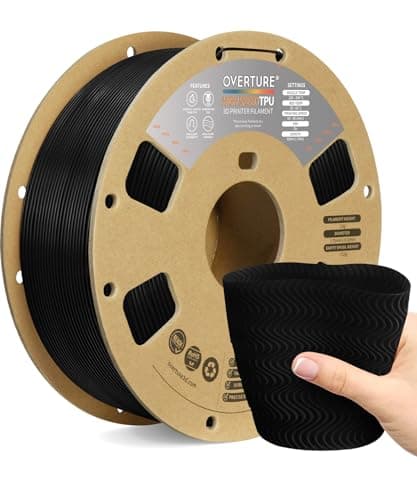 Overture High Speed TPU 95AOverture Overture High Speed TPU 95AOverture | Best overall | 8.6 | $24.99 - Check price on Amazon |
| 2 | 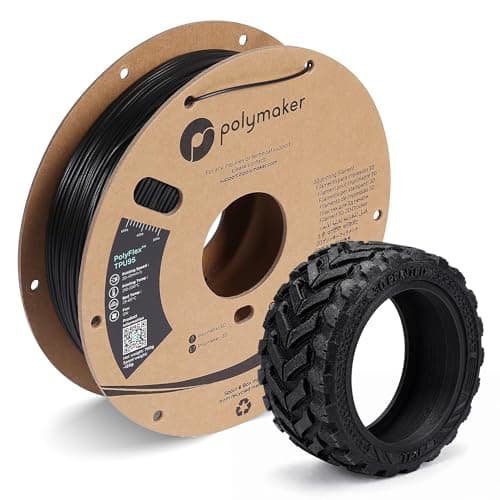 Polymaker PolyFlex TPU95Polymaker Polymaker PolyFlex TPU95Polymaker | Best documented | 8.4 | $22.99 - Check price on Amazon |
| 3 | 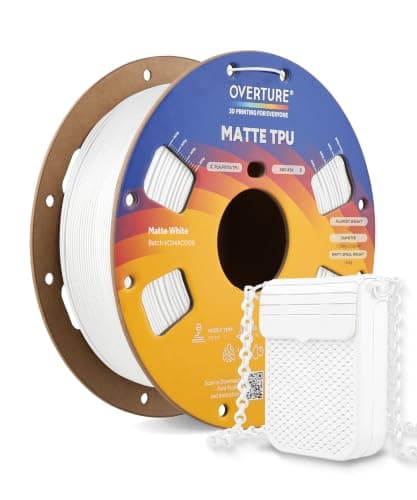 Overture Matte TPU 95AOverture Overture Matte TPU 95AOverture | Best finish | 8.3 | $28.99 - Check price on Amazon |
#1 · Best overall
Overture High Speed TPU 95A
Overture · A first spool of flexible filament
The TPU to start with. Overture publishes a 60-90 mm/s speed range - brisk for a flexible filament - alongside 301.8 percent elongation and a normal 25-60 C bed, and it says plainly on its own page that it is NOT compatible with the AMS or AMS lite. That honesty is worth more than the speed.
#ad Price as of September 17, 2026, from Amazon. Prices change. How we make money.
What it actually is
A 1 kg spool of 1.75 mm TPU at 95A hardness - rubbery enough to bend and spring back, firm enough to print on an ordinary direct-drive machine. It is what phone cases, bumpers, grips and gaskets are made of.
Does it fit this page?
Overture publishes a 60-90 mm/s speed range - the fastest of the three - with 301.8 percent elongation and a PLA-like 25-60 C bed. It also states plainly that it is not compatible with the AMS or AMS lite, which is the single most useful sentence on any TPU product page.
What the manufacturer states
| Figure | Value | Source |
|---|---|---|
| Nozzle temperature | 200 - 240 C | Overture High Speed TPU published print data |
| Bed temperature | 25 - 60 C | Overture High Speed TPU published print data |
| Printing speed | 60 - 90 mm/s | Overture High Speed TPU published print data |
| Elongation | 301.8 +/- 12.6 percent | Overture High Speed TPU published print data |
| Cooling fan | On | Overture High Speed TPU published print data |
| Drying | 70 C for 7 hours; must be dried before use | Overture High Speed TPU published print data |
| Multi-spool feeders | AMS and AMS lite NOT compatible | Overture High Speed TPU published print data |
Read from Overture, High Speed TPU product page and published print data on 2026-09-16. Where a manufacturer does not publish a figure, there is no row for it here.
What is good about it
- A published 60-90 mm/s speed range, which is fast for TPU and forgiving of a beginner who does not want to slow everything down
- Prints on an ordinary 25-60 C bed, the same range as PLA, so no plate changes
- Overture publishes measured elongation rather than just calling it flexible
- Tells you up front it will not feed through an AMS, which saves a jam and an afternoon
What is not
- Not AMS or AMS lite compatible, per Overture - on a Bambu machine it feeds from an external spool holder
- Overture says it must be dried before use, so a dryer or a sealed box is part of the real cost
- No shore hardness figure beyond the 95A in the name, and no toughness or layer-adhesion numbers on the spec sheet
- Any TPU strings more than PLA; this one is no exception
Skip this one if
Skip it if your printer uses a Bowden extruder - a long tube between the motor and the nozzle - and you have never printed TPU before. Flexible filament buckles inside that tube. The machines we recommend are rated for TPU by their own manufacturers, and a direct-drive extruder is the setup TPU wants.
What we cannot tell you
We have not printed this filament. Whether 90 mm/s holds up on your particular extruder, how much it strings after a correct dry, and how the finished parts wear are all questions for a spool and a printer.
How it scored for a beginner
- Ease for a beginner8.0
- Published data8.5
- Flexibility9.0
- Print speed9.0
- Value8.5
Beginner fit 8.6 / 10. That is our editorial read of how well this suits someone buying their first printer, taken off the published specifications — not a test result, and not a verdict on absolute quality. It is deliberately not marked up as a rating in this page’s structured data. How we pick.
#2 · Best documented
Polymaker PolyFlex TPU95
Polymaker · Anyone who wants the print settings handed to them
The best-documented TPU here. Polymaker states the 95A shore hardness outright, says it stretches over three times its original length, and publishes a full profile - including a deliberately slow 20-40 mm/s speed range that tells you exactly how to succeed with it.
#ad Price as of September 17, 2026, from Amazon. Prices change. How we make money.
What it actually is
A spool of 1.75 mm TPU at shore 95A, part of a range Polymaker documents openly: TPU90 is its softest, TPU95 sits in the middle, and a high-flow TPU95 is firmer still. That ladder is useful if you later want something softer or harder.
Does it fit this page?
Polymaker states the 95A shore hardness as a number, says it stretches over three times its length, and publishes a conservative 20-40 mm/s speed range. If you want to be told exactly how to succeed on a first flexible print, this is the spool that tells you. Check the price per kilogram: it ships on a 0.75 kg spool.
What the manufacturer states
| Figure | Value | Source |
|---|---|---|
| Shore hardness | 95A | Polymaker PolyFlex TPU95 published print settings |
| Stretch | Over three times its original length | Polymaker PolyFlex TPU95 published print settings |
| Printing temperature | 210 - 230 C | Polymaker PolyFlex TPU95 published print settings |
| Bed temperature | 25 - 60 C | Polymaker PolyFlex TPU95 published print settings |
| Printing speed | 20 - 40 mm/s | Polymaker PolyFlex TPU95 published print settings |
| Drying | 65 C for 8 hours | Polymaker PolyFlex TPU95 published print settings |
| Spool size | 0.75 kg, 1.75 mm | Polymaker PolyFlex TPU95 published print settings |
Read from Polymaker, PolyFlex TPU95 product page and print settings on 2026-09-16. Where a manufacturer does not publish a figure, there is no row for it here.
What is good about it
- Polymaker publishes the shore hardness as a figure and explains its whole TPU90 / TPU95 range, so you know where this sits
- Stretches over three times its length, per Polymaker - the elasticity that makes a case or a strap actually work
- A narrow, conservative 210-230 C window and a slow speed range, which is exactly the guidance a first flexible print needs
- Same 25-60 C bed as PLA
What is not
- A 0.75 kg spool rather than 1 kg, so compare the price per kilogram before assuming it is the cheaper option
- The published 20-40 mm/s is slow - a TPU part here takes far longer than the same part in PLA
- Polymaker publishes a long 8-hour drying routine at 65 C, the longest of the three picks
- No AMS compatibility claimed, so assume external spool feeding on a Bambu machine
Skip this one if
Skip it if print time matters more to you than a settings sheet. At a published 20-40 mm/s, a large TPU part is an overnight job. If you want speed, the Overture High Speed TPU publishes a much faster range at the same hardness.
What we cannot tell you
We have not printed this filament. How the published stretch figure translates to a thin-walled phone case, and how forgiving the conservative speed range is of a less than perfect extruder, need a printer to answer.
How it scored for a beginner
- Ease for a beginner8.5
- Published data9.5
- Flexibility9.0
- Print speed6.0
- Value7.5
Beginner fit 8.4 / 10. That is our editorial read of how well this suits someone buying their first printer, taken off the published specifications — not a test result, and not a verdict on absolute quality. It is deliberately not marked up as a rating in this page’s structured data. How we pick.
#3 · Best finish
Overture Matte TPU 95A
Overture · Grips, cases and wearables where the surface matters
The TPU for parts people handle and look at. Overture publishes the highest elongation of the three picks at 332.1 percent and describes a frosted matte texture that hides layer lines - which on a flexible part, where you cannot sand, is the only finishing you get.
#ad Price as of September 17, 2026, from Amazon. Prices change. How we make money.
What it actually is
A 1 kg spool of 1.75 mm matte-finish TPU at 95A. It keeps the same soft, elastic behavior as standard TPU and adds a frosted surface texture, so printed parts look less like printed parts.
Does it fit this page?
The highest published elongation here at 332.1 percent and a frosted matte surface that hides layer lines. That matters on TPU specifically, because a flexible part cannot be sanded smooth afterward - the surface it prints with is the surface it keeps.
What the manufacturer states
| Figure | Value | Source |
|---|---|---|
| Nozzle temperature | 210 - 240 C | Overture Matte TPU published print data |
| Bed temperature | 35 - 50 C | Overture Matte TPU published print data |
| Elongation | 332.1 +/- 15.9 percent | Overture Matte TPU published print data |
| Hardness | 95A | Overture Matte TPU published print data |
| Printing speed | Not published on the product spec sheet | Overture Matte TPU published print data |
| Cooling fan | On | Overture Matte TPU published print data |
| Drying | 70 C for 7 hours | Overture Matte TPU published print data |
Read from Overture, Matte TPU product page and published print data on 2026-09-16. Where a manufacturer does not publish a figure, there is no row for it here.
What is good about it
- The highest published elongation of the three picks, at 332.1 percent
- A matte, frosted surface that hides layer lines - valuable on TPU, which cannot be sanded smooth afterward
- A lower 35-50 C bed window than standard TPU
- Same 95A hardness as the other picks, so the flexibility is predictable
What is not
- Overture lists stiffness, toughness and layer adhesion as N/A on the spec sheet, so elongation is the only mechanical figure published
- Overture's spec sheet leaves the printing speed field empty, so we cannot give you a figure
- A matte texture is a cosmetic upgrade - it changes nothing about how the part flexes or wears
- Still needs drying before use, like any TPU
Skip this one if
Skip it for parts that live out of sight - gaskets, feet, internal bumpers. You would be paying for a surface nobody sees. Standard TPU does the mechanical job for less.
What we cannot tell you
We have not printed this filament. How much the matte texture actually hides layer lines on a curved part, and how the finish holds up to daily handling, are things only printed parts can show.
How it scored for a beginner
- Ease for a beginner8.0
- Published data7.5
- Flexibility9.5
- Print speed7.0
- Value7.5
Beginner fit 8.3 / 10. That is our editorial read of how well this suits someone buying their first printer, taken off the published specifications — not a test result, and not a verdict on absolute quality. It is deliberately not marked up as a rating in this page’s structured data. How we pick.
How these were picked
We have not printed on these machines and we do not pretend to have. What we did was read each manufacturer’s own specification page, take their stated build volume, temperatures and speeds, check that every pick genuinely fits the job in this page’s title, confirm it is still being sold, and pull a live price rather than a remembered one. Every figure names the source it came from, so you can check it yourself in about a minute.
How we pick sets out the full method, including what would change a ranking.
Questions people actually ask
+−What is the best TPU filament for beginners?
Overture High Speed TPU 95A, on published figures. It lists a 60-90 mm/s speed range, a 25-60 °C bed the same as PLA, and 301.8 percent elongation, and it states clearly that it is not AMS compatible. 95A is the right first hardness: rubbery, but firm enough to feed reliably.
+−Can I use TPU in a Bambu Lab AMS?
Not standard TPU. Overture’s High Speed TPU page states AMS and AMS lite are not compatible. Bambu Lab sells a separate TPU for AMS that its store lists as compatible with all AMS series, with the caution that it is not compatible with a 0.2 mm nozzle. Buy that direct from Bambu Lab.
+−Do I need a direct-drive extruder for TPU?
It makes TPU far easier. Soft filament buckles inside the long tube of a Bowden setup. Creality publishes the Ender-3 V3 SE’s Sprite extruder as direct and says it works well with TPU, and Bambu Lab rates the A1 series ideal for TPU.
+−What does 95A mean on TPU filament?
Shore hardness on the A scale; higher is harder. Polymaker explains that its TPU90 is softest and TPU95 sits in the middle. 95A is the usual first choice because it is flexible without being so soft that it jams.
+−Why does TPU print so slowly?
A soft filament cannot be pushed as hard as a rigid one without the extruder slipping or the filament buckling. Even Overture’s High Speed TPU publishes 60-90 mm/s, and Polymaker publishes 20-40 mm/s for its TPU95 — far below the 500 mm/s these machines are rated for.