Head to head
3D Printer vs Laser Cutter
A laser cutter is astonishingly fast at flat things and cannot make anything with depth. A 3D printer is the opposite. Almost nobody needs to agonize over this once it is put that way.
By Scooter M. · Published · Last reviewed
How this page is funded: the buy links below are affiliate links. If you buy through one we earn a commission, at no extra cost to you. It does not change the order of the picks or a word of what we say about them. Full disclosure.
Printers we claim to have tested: 0. Everyone in this category says they tested twenty machines. We have not tested any, and we would rather say so. What we did instead is on this page: the manufacturer’s own published specification for every pick, cited and dated; the arithmetic on what it costs to run, with the inputs shown; a live price rather than a remembered one; and a plain answer on who should skip each machine.
The short answer
Buy a laser cutter if your projects are flat. Buy a 3D printer if they have depth. A laser cuts and engraves sheet material in seconds to minutes and cannot produce a third dimension. A printer builds in three dimensions over hours. Your project list answers this, not a spec sheet.
What each one actually does
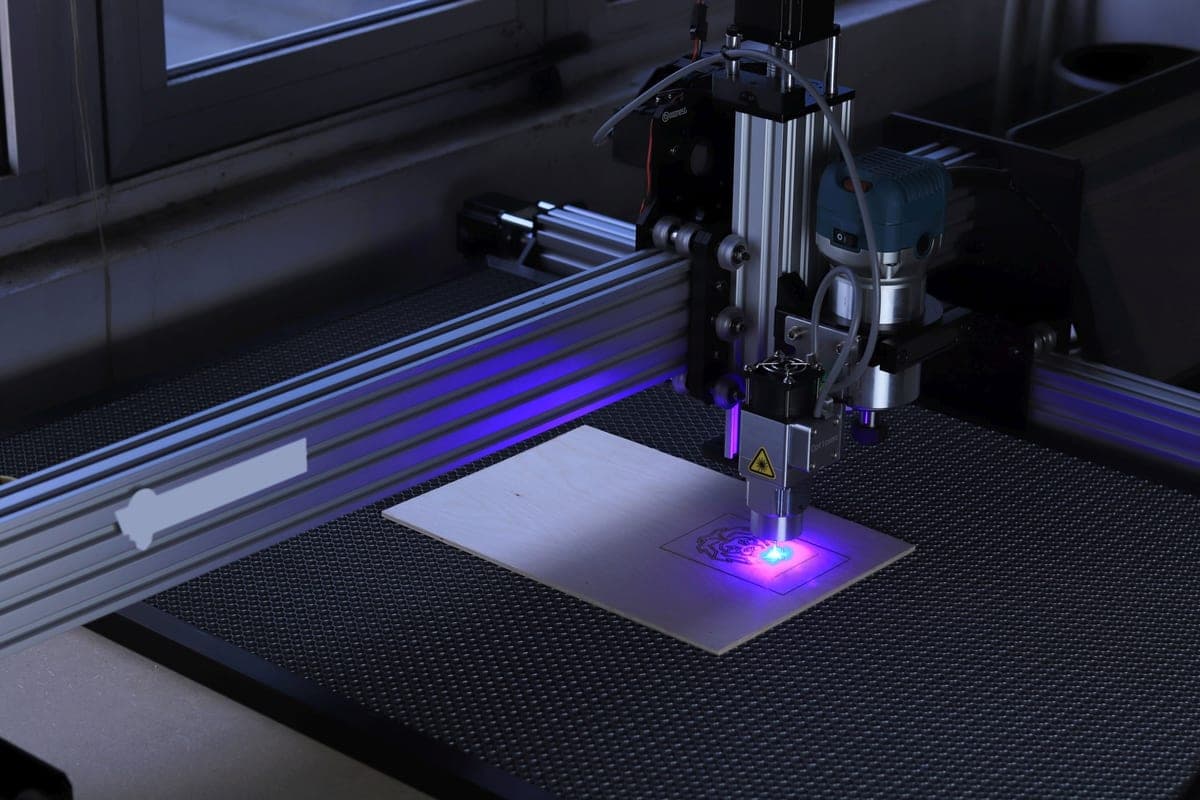
A laser cutter moves a focused beam across flat sheet material, either cutting all the way through or burning a mark into the surface. It works in two dimensions. Depth comes only from assembling flat pieces together — boxes made of interlocking panels, layered signs, stacked shapes.
A 3D printer builds an object up layer by layer in three dimensions. It cannot cut anything, and it is dramatically slower per object.
The speed difference is genuinely striking. A laser cuts a set of box panels in a couple of minutes. A printer making the same box takes hours. But the laser box is made of flat panels you then have to assemble, and the printed one comes off the plate finished.
The practical comparison for a home workshop.
| 3D printer | Laser cutter | |
|---|---|---|
| Dimensions | Three | Two, plus surface engraving |
| Speed per object | Hours | Seconds to minutes |
| Materials | Plastics | Wood, acrylic, leather, card, fabric |
| Metal | No | Marking on some machines; cutting needs industrial power |
| Assembly needed | No - comes off finished | Usually yes - flat parts to join |
| Ventilation | Not needed for PLA | Mandatory. It is a burning process |
| Fire risk | Low | Real. Never leave it unattended |
| Eye safety | None | Enclosed machine or proper goggles, no exceptions |
| Space | A shelf | A bench plus a route for the exhaust duct |
| Consumables | Filament | Sheet stock, and lenses over time |
Which fits your projects
A laser suits: signs and plaques, engraved gifts, boxes and enclosures made from panels, model kits and layered art, leather goods, stencils, anything where you want many identical flat parts quickly.
A printer suits: replacement parts, brackets and mounts, containers and organizers with real depth, figures and models, anything with a complex internal shape, anything that should come off the machine finished.
The clearest test is to picture your next three projects and ask whether each one is essentially flat. If two of the three are, buy the laser. If two of the three have depth, buy the printer.
What a laser demands that a printer does not
- Ventilation, mandatory. A laser cutter works by burning, and burning produces smoke and fumes that must be ducted outside or through a proper filter. This is not a nice-to-have and it materially constrains where the machine can live.
- Supervision, always. It is a fire risk by design. You do not start one and go to bed, which is a real difference from a printer running overnight.
- Eye protection. An enclosed machine with an interlocked lid, or proper wavelength-matched goggles. Not negotiable.
- Material discipline. Some common plastics release genuinely dangerous gases when lasered — PVC in particular — and are corrosive to the machine as well as harmful to you. You have to know what your stock actually is.
A 3D printer running PLA needs a solid surface out of a draft, and that is the whole list. It is the reason a printer lives in a spare room and a laser lives somewhere with a window and a duct.
The honest answer for a first machine
The printer, for most people, for the same reason as in every other comparison on this site: it demands the least from the room it lives in and it makes something useful in the first week. A laser cutter is a genuinely wonderful tool and it is a workshop tool.
The exception is somebody whose projects are already unambiguously flat. If you make signs, or model kits, or engraved gifts, a printer will be a slow and disappointing way to do that work, and the laser is simply the right machine.
What we would buy for this
Chosen from the same registry as our roundups, on the manufacturer’s own published figures and a live price.
Bambu Lab A1 mini
Bambu Lab · A genuine first printer
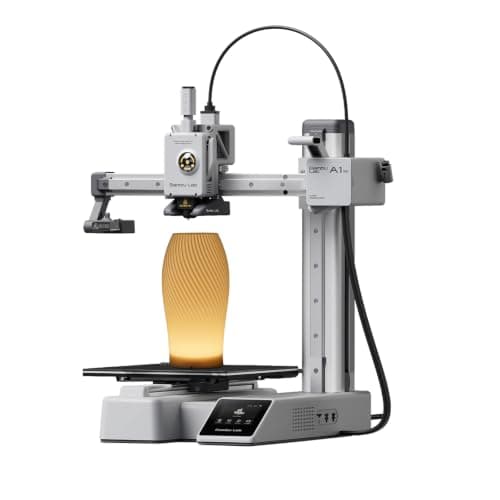
The one to get if you have never done this before. It calibrates itself before every print — bed mesh, Z-offset, flow, resonance — so the part of 3D printing that used to defeat beginners is a step you never see. The build volume is the price you pay.
#ad Price as of October 19, 2026, from Amazon. Prices change. How we make money.
What it actually is
A small open-frame filament printer. Filament is a 1.75 mm plastic string on a spool; the machine melts it and draws your object one layer at a time. Open-frame means there is no box around it, which is fine for PLA and a limitation for materials that warp.
What the manufacturer states
| Figure | Value | Source |
|---|---|---|
| Build volume | 180 x 180 x 180 mm | Bambu Lab A1 mini technical specifications |
| Max hot end temperature | 300 C | Bambu Lab A1 mini technical specifications |
| Max build plate temperature | 80 C | Bambu Lab A1 mini technical specifications |
| Max toolhead speed | 500 mm/s | Bambu Lab A1 mini technical specifications |
| Max toolhead acceleration | 10,000 mm/s2 | Bambu Lab A1 mini technical specifications |
| Filaments rated ideal | PLA, PETG, TPU, PVA | Bambu Lab A1 mini technical specifications |
| Filaments not recommended | ABS, ASA, PC, PA, PET, carbon/glass fiber reinforced | Bambu Lab A1 mini technical specifications |
| Machine dimensions | 347 x 315 x 365 mm | Bambu Lab A1 mini technical specifications |
| Net weight | 5.5 kg | Bambu Lab A1 mini technical specifications |
| Max power | 150 W | Bambu Lab A1 mini technical specifications |
Read from Bambu Lab, A1 mini technical specifications on 2026-09-01. Where a manufacturer does not publish a figure, there is no row for it here.
What is good about it
- Full auto-calibration on every print, per Bambu Lab's own specification — no paper-under-the-nozzle ritual
- Rated ideal for PLA, PETG, TPU and PVA, which covers everything a beginner should print in year one
- 150 W maximum power draw is the lowest of any printer on this site, so running cost is trivial
- 5.5 kg and 347 mm wide — it fits on a desk without rearranging the room
What is not
- 180 mm cubed is genuinely small. A full-size helmet or a large cosplay prop will not fit
- Bambu Lab rates ABS, ASA, PC and fiber-reinforced filaments as not recommended on this machine
- The multi-color AMS lite is a separate purchase, so the headline price is not the multi-color price
- Bambu Lab's own Amazon store lists this machine bundled with an LED lamp kit rather than on its own, so the price on our button is for that bundle. The bare printer is sold direct on Bambu Lab's store
- Open frame, so it is at the mercy of a draft from a window or an air conditioning vent
Skip this one if
Skip it if you already know the thing you want to print is bigger than a shoebox, or if you specifically want ABS or a carbon-fiber-filled filament. Bambu Lab itself lists those materials as not recommended here, and buying a machine you intend to use outside its rated envelope is how a first printer becomes a frustrating one.
What we cannot tell you
We have not printed on this machine. Long-term reliability, real-world noise in a quiet room, and how the textured plate holds up after a year are all things we cannot honestly report without owning one.
How it scored for a beginner
- Setup out of the box9.5
- Auto-calibration10.0
- First-layer forgiveness9.5
- Parts and filament availability9.0
- Running cost10.0
- Help when it goes wrong9.0
Beginner fit 9.2 / 10. That is our editorial read of how well this suits someone buying their first printer, taken off the published specifications — not a test result, and not a verdict on absolute quality. It is deliberately not marked up as a rating in this page’s structured data. How we pick.
Bambu Lab A1
Bambu Lab · A first printer you will not outgrow
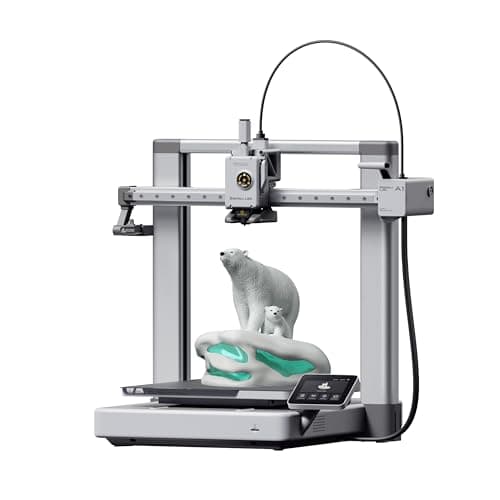
The A1 mini's larger sibling, and the better buy the moment you have a specific large thing in mind. Same self-calibration, 256 mm cubed instead of 180, and a 100 C bed rather than 80 C — which is the spec that actually widens what you can print.
#ad Price as of October 19, 2026, from Amazon. Prices change. How we make money.
What it actually is
The full-size version of the A1: same open-frame layout, same automatic calibration, a bigger bed and a hotter one. The extra bed temperature matters because materials that shrink as they cool need a warm plate to stay stuck to it.
What the manufacturer states
| Figure | Value | Source |
|---|---|---|
| Build volume | 256 x 256 x 256 mm | Bambu Lab A1 technical specifications |
| Max hot end temperature | 300 C | Bambu Lab A1 technical specifications |
| Max build plate temperature | 100 C | Bambu Lab A1 technical specifications |
| Max toolhead speed | 500 mm/s | Bambu Lab A1 technical specifications |
| Max toolhead acceleration | 10,000 mm/s2 | Bambu Lab A1 technical specifications |
| Filaments rated ideal | PLA, PETG, TPU, PVA | Bambu Lab A1 technical specifications |
| Machine dimensions | 465 x 410 x 430 mm | Bambu Lab A1 technical specifications |
| Net weight | 8.3 kg | Bambu Lab A1 technical specifications |
| Max power | 350 W at 110 V | Bambu Lab A1 technical specifications |
Read from Bambu Lab, A1 technical specifications on 2026-09-01. Where a manufacturer does not publish a figure, there is no row for it here.
What is good about it
- 256 mm cubed covers almost everything a first-year printer is asked to make
- 100 C bed rather than the mini's 80 C, which is the difference that makes larger PETG parts stick
- Identical hands-off calibration to the A1 mini, so nothing gets harder as the machine gets bigger
- Bambu Lab publishes a full specification sheet, so every number on this page is checkable in a minute
What is not
- 465 mm wide and 8.3 kg — it needs a dedicated shelf, not a corner of a desk
- 350 W at US voltage against the mini's 150 W, so it costs meaningfully more to run
- Still open-frame, so the material limits are the same as the mini's despite the hotter bed
- Multi-color is again a separate AMS lite purchase
Skip this one if
Skip it if your desk is the only place it can go and you have not measured that desk. It is nearly half a meter wide. If you are unsure whether you will use the extra volume, the mini is the cheaper mistake.
What we cannot tell you
We have not printed on this machine. Noise at full speed, long-term belt and rod wear, and how often the auto-calibration actually needs intervention are all beyond what a specification sheet can tell you.
How it scored for a beginner
- Setup out of the box9.5
- Auto-calibration10.0
- First-layer forgiveness9.5
- Parts and filament availability9.0
- Running cost8.0
- Help when it goes wrong9.0
Beginner fit 9.0 / 10. That is our editorial read of how well this suits someone buying their first printer, taken off the published specifications — not a test result, and not a verdict on absolute quality. It is deliberately not marked up as a rating in this page’s structured data. How we pick.
How these were picked
We have not printed on these machines and we do not pretend to have. What we did was read each manufacturer’s own specification page, take their stated build volume, temperatures and speeds, check that every pick genuinely fits the job in this page’s title, confirm it is still being sold, and pull a live price rather than a remembered one. Every figure names the source it came from, so you can check it yourself in about a minute.
How we pick sets out the full method, including what would change a ranking.
Questions people actually ask
+−Should I buy a 3D printer or a laser cutter?
Picture your next three projects. If two of them are essentially flat — signs, boxes made from panels, engraved things — buy the laser. If two have depth, buy the printer. For most people starting out the printer is the better first machine, because it demands far less from the room it lives in.
+−Can a laser cutter make 3D objects?
Only by assembling flat pieces — interlocking panels, layered shapes. It works in two dimensions plus surface engraving. Anything with genuine depth in one piece is a 3D printer job.
+−Does a laser cutter need ventilation?
Yes, mandatorily. It works by burning, and the smoke and fumes must be ducted outside or through a proper filter. It also should never be left unattended, because it is a fire risk by design.
+−Is a laser cutter faster than a 3D printer?
Dramatically, for flat work — seconds to minutes against hours. The catch is that laser output usually needs assembling afterwards, while a print comes off the plate finished.