Guide
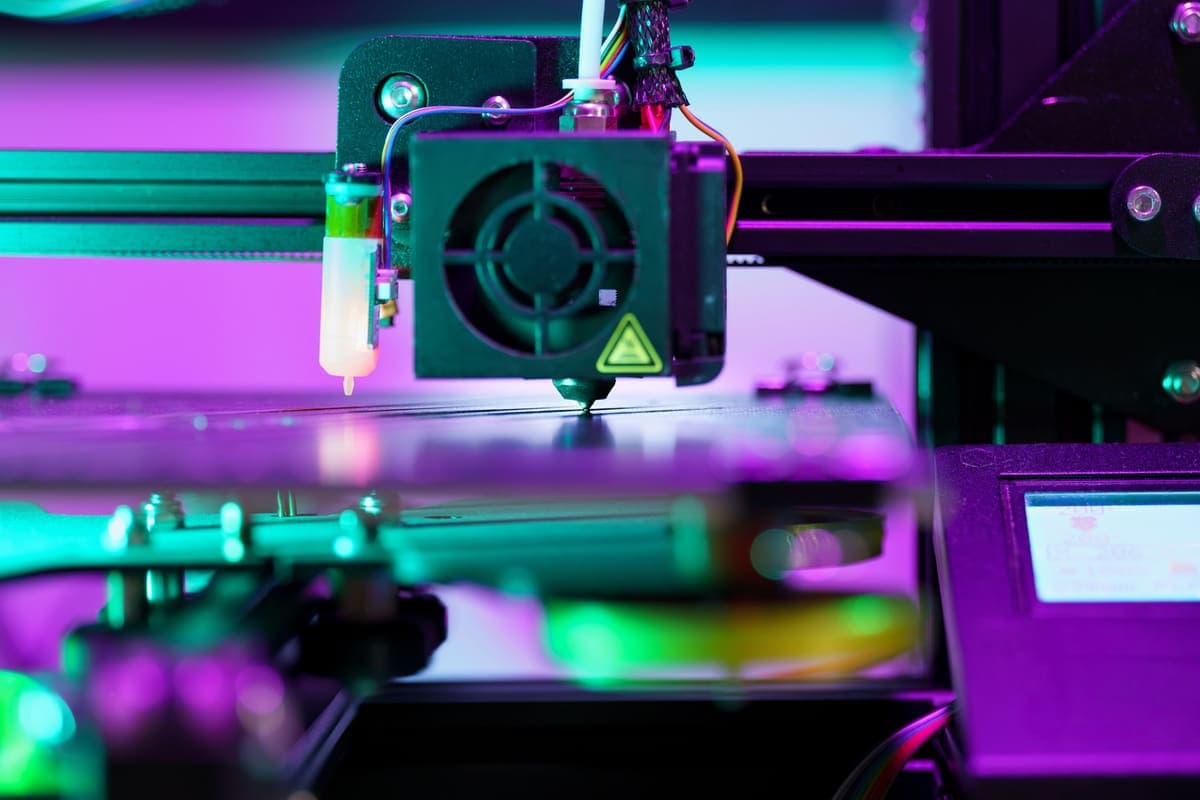
Your 3D Printer Nozzle Is Clogged
The printer is running, the plate is empty, and nothing is coming out. Almost every clog has one of four causes, and the free checks catch most of them before you take anything apart.
By Scooter M. · Published · Last reviewed
How this page is funded: the buy links below are affiliate links. If you buy through one we earn a commission, at no extra cost to you. It does not change the order of the picks or a word of what we say about them. Full disclosure.
Printers we claim to have tested: 0. Everyone in this category says they tested twenty machines. We have not tested any, and we would rather say so. What we did instead is on this page: the manufacturer’s own published specification for every pick, cited and dated; the arithmetic on what it costs to run, with the inputs shown; a live price rather than a remembered one; and a plain answer on who should skip each machine.
The short answer
Heat the nozzle to printing temperature and try to push filament through by hand first. If it moves, the problem is upstream in the extruder, not in the nozzle. If it does not, work down this list in order — the first four checks cost nothing and catch most clogs. Do not take the hot end apart until you have done them.
A clog looks dramatic and is usually mundane. Four things cause nearly all of them: moisture in the filament, heat traveling up the hot end where it should not, something solid in the melt zone, and a nozzle sitting too close to the plate. Everything below is ordered by how cheap the fix is and how often it turns out to be the answer.
First: is it actually the nozzle?
Heat the hot end to the temperature you were printing at, wait a full minute after it reports temperature, and push filament through by hand with the extruder released. Three outcomes:
Plastic comes out easily. The nozzle is fine. Your problem is the extruder gear slipping, a spool that has tangled on itself, or filament snagged on the holder. Check the spool first — a tangle that pulls tight will stall an extruder that is otherwise working perfectly.
It takes real force and comes out thin or curling. Partial clog. Continue down the list.
Nothing moves at all. Full clog. Same list, but expect to reach the cold pull.
1. Check the first layer height — free
The single most common “clog” that is not a clog. If the nozzle is too close to the plate, there is physically nowhere for the plastic to go, so the extruder skips and you get a clicking sound and an empty plate. It looks exactly like a blockage.
The tell is that it only happens on the first layer. If later layers print fine when you start mid-print, this is your answer, and the fix is a Z-offset adjustment rather than anything mechanical — bed leveling and Z-offset, explained covers what that number actually does.
2. Check whether the filament is wet — free to diagnose
Wet filament is the most under-diagnosed cause on this list. Water absorbed from the air turns to steam in the melt zone, which produces popping and hissing sounds, a rough extruded strand, bubbles, and over time a partial blockage from inconsistent flow.
Diagnose it by ear and eye: extrude 100 mm by hand and listen. Crackling or popping, visible steam, or a strand that comes out with bubbles in it means moisture. PETG and TPU absorb faster than PLA, and every manufacturer we cite says so on its own page. The fix, the temperatures and whether you need a dryer at all are on filament storage and drying.
3. Raise the temperature 10 °C — free
Every spool has a published range, not a single number. If you are printing at the bottom of it, a slightly viscous melt plus a cold room is enough to stall flow, particularly at higher speeds. Move up 10 °C, still inside the published range, and try again.
If that fixes it, note the temperature and leave it there. There is no prize for printing at the lowest number the label allows.
4. Clean the outside of the nozzle — free
Burnt plastic building up on the outside of the nozzle changes how the strand comes off it and can drag material back onto the print. Heat the hot end, and wipe the tip with a brass brush while it is hot. Do not use a steel brush on a brass nozzle, and do not do this with the printer cold.
5. Do a cold pull — free, and the one that usually works
A cold pull removes debris from inside the melt zone by using the filament itself as a cleaning rod. It is the standard fix and it is genuinely effective.
Heat to printing temperature, push filament through until it flows cleanly, then let the hot end cool to roughly 90 °C for PLA — the point where the plastic is solid but still slightly flexible. Pull the filament out firmly and straight. What comes out should have a clean, tapered tip carrying whatever was blocking the nozzle. Repeat until the tip comes out clean. If the tip is torn or the filament snaps, you cooled it too far.
6. Push a cleaning needle through — cheap
With the nozzle hot, push a 0.4 mm cleaning needle up through the tip to dislodge anything the cold pull missed. Needles come with most printers. Be gentle: they are thin, and a snapped needle inside a nozzle turns a small job into a nozzle replacement.
7. Replace the nozzle — cheap, and sometimes correct immediately
Nozzles are consumable. They wear, and abrasive filament — anything with carbon or glass fiber in it, and to a lesser extent glow-in-the-dark and metal-filled spools — wears them dramatically faster. A worn nozzle has a wider, rounder opening that produces inconsistent flow rather than a clean blockage.
If you have been printing abrasives through a standard brass nozzle, skip straight to this step. A replacement costs a few dollars and an evening of cold pulls does not.
The cause nobody mentions: heat creep
Heat creep is heat traveling up from the hot end into the section above it that is supposed to stay cool. The filament softens too early and swells where it should still be solid, and jams. The signature is distinctive: the printer runs fine for an hour, then clogs, and after it cools everything works again for another hour.
Three causes, in order of likelihood. The hot end cooling fan is not running or is obstructed by dust — check it visually while the printer is heating. The room is genuinely hot. Or you are printing at a high temperature with a lot of retractions, which repeatedly pulls softened filament up into the cool zone.
What we would buy, and what we would not
Not a clog kit. The needles that come with the printer are the same needles. What genuinely reduces clogs is dry filament, so if a spool that used to print well has started popping and stringing, a dryer is the purchase that fixes the class of problem rather than the instance. It is deliberately not a day-one item — your first spool arrives sealed — and it is on the starter kit page for exactly that reason.
Related failures that look like a clog but are not: a first layer that will not stick and stringing between parts. Both share moisture as a root cause, which is why the same spool hygiene fixes all three.
What we would buy for this
Chosen from the same registry as our roundups, on the manufacturer’s own published figures and a live price.
SUNLU FilaDryer S4
SUNLU · Filament that has been open more than a few weeks
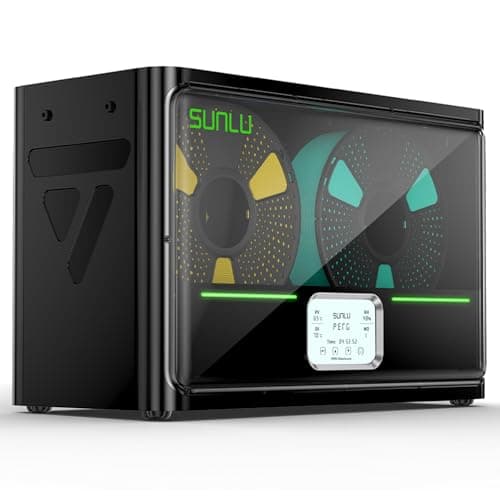
The accessory that fixes a failure most beginners misdiagnose. Filament absorbs water from the air; wet filament pops, strings and prints badly, and no amount of leveling fixes it. Four spools at once and you can print straight out of the box.
#ad Price as of October 21, 2026, from Amazon. Prices change. How we make money.
What it actually is
A heated box that drives moisture out of filament and then keeps it dry while you print from it. Plastics like PETG and nylon pull water out of ordinary room air within days, and water in the filament turns to steam in the nozzle.
What the manufacturer states
| Figure | Value | Source |
|---|---|---|
| Capacity | 4 x 1 kg spools | SUNLU FilaDryer S4 published specification |
| Temperature range | 35 - 70 C | SUNLU FilaDryer S4 published specification |
| Heater | 350 W PTC heater | SUNLU FilaDryer S4 published specification |
| Filament diameters supported | 1.75 mm, 2.85 mm, 3.0 mm | SUNLU FilaDryer S4 published specification |
Read from SUNLU, FilaDryer S4 product page on 2026-09-01. Where a manufacturer does not publish a figure, there is no row for it here.
What is good about it
- Four spools at once, which is the difference between drying filament and having dry filament
- 35 - 70 C covers PLA at the low end and nylon at the high end
- You can feed the printer directly from the box, so filament stays dry mid-print
- Fixes a whole class of print failures that look like machine problems
What is not
- A 350 W heater is more power than most printers here draw
- It is a large box that needs somewhere to live next to the printer
- Nothing about it helps on a fresh, sealed, dry spool
- Sealed boxes with desiccant do most of the same job for less money if you are only storing
Skip this one if
Skip it on day one. Your first spool arrives vacuum sealed and dry, and a dryer solves a problem you will not have for weeks. Buy it when a spool that used to print well starts popping and stringing.
What we cannot tell you
We have not used this dryer. How long a spool actually stays dry in a humid room, and how accurate the displayed temperature is, need measurement we have not done.
How it scored for a beginner
- Ease for a beginner9.0
- Fixes a real failure9.5
- Availability8.5
- Value7.5
Beginner fit 8.5 / 10. That is our editorial read of how well this suits someone buying their first printer, taken off the published specifications — not a test result, and not a verdict on absolute quality. It is deliberately not marked up as a rating in this page’s structured data. How we pick.
Overture PLA
Overture · Your first spool, and your tenth
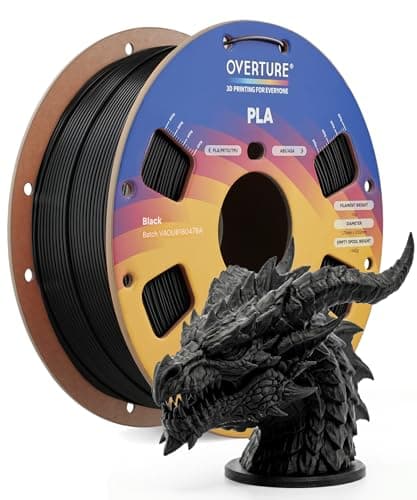
The default answer to 'what filament should I buy'. A tight published diameter tolerance, a conventional temperature range every printer profile already expects, and it is sold everywhere. Nothing about it is exciting, which is the point.
#ad Price as of October 21, 2026, from Amazon. Prices change. How we make money.
What it actually is
PLA is the plastic beginners should print. It is stiff, it needs no enclosure, it barely smells, and it sticks to a plate at low temperatures. This is a mainstream 1 kg spool of it.
What the manufacturer states
| Figure | Value | Source |
|---|---|---|
| Diameter | 1.75 mm | Overture published product specification |
| Dimensional accuracy | +/- 0.02 mm | Overture published product specification |
| Spool weight | 1 kg (2.2 lb) | Overture published product specification |
| Recommended nozzle temperature | 190 - 220 C | Overture published product specification |
| Recommended bed temperature | 25 - 60 C | Overture published product specification |
| Packaging | Dried before packing and vacuum sealed | Overture published product specification |
Read from Overture, PLA filament product page on 2026-09-01. Where a manufacturer does not publish a figure, there is no row for it here.
What is good about it
- +/- 0.02 mm published tolerance, which is as tight as mainstream PLA is quoted
- 190 - 220 C is squarely inside every stock PLA profile you will meet
- A 25 - 60 C bed range means it will stick even on an unheated or barely warm plate
- Vacuum sealed with desiccant, so a spool bought in advance is still dry when it arrives
What is not
- PLA softens in a hot car or a sunny window — this is a property of the material, not the brand
- Not the cheapest per kilogram once you start printing seriously
- Color consistency between batches of any budget filament is a real thing
- No filament is a fix for a machine that is not leveled
Skip this one if
Skip it if the part you are making will live outdoors or in a car. That is a PETG job, not a PLA one, and no PLA brand changes that.
What we cannot tell you
We have not printed this filament. Batch-to-batch color consistency and how it behaves after a year in a cupboard are things only repeated use reveals.
How it scored for a beginner
- Ease for a beginner9.5
- Published tolerance9.5
- Availability9.5
- Value per kilogram8.0
Beginner fit 9.0 / 10. That is our editorial read of how well this suits someone buying their first printer, taken off the published specifications — not a test result, and not a verdict on absolute quality. It is deliberately not marked up as a rating in this page’s structured data. How we pick.
How these were picked
We have not printed on these machines and we do not pretend to have. What we did was read each manufacturer’s own specification page, take their stated build volume, temperatures and speeds, check that every pick genuinely fits the job in this page’s title, confirm it is still being sold, and pull a live price rather than a remembered one. Every figure names the source it came from, so you can check it yourself in about a minute.
How we pick sets out the full method, including what would change a ranking.
Questions people actually ask
+−How do I unclog a 3D printer nozzle?
Work in order: check the Z-offset is not simply too low, check the filament is dry, raise the temperature 10 °C inside the published range, brush the outside of the nozzle hot, then do a cold pull. A cold pull clears most real clogs. Replace the nozzle if you have been printing abrasive filament.
+−What is a cold pull?
Heating the hot end, pushing filament through, then cooling to about 90 °C for PLA and pulling the filament out firmly. The half-solid plastic grips whatever is blocking the melt zone and brings it out. The tip should come out clean and tapered; repeat until it does.
+−Why does my printer clog after an hour every time?
That pattern is heat creep — heat traveling up into the part of the hot end that should stay cool, softening filament early so it swells and jams. Check the hot end cooling fan is running and free of dust first, then look at room temperature and retraction settings.
+−Can wet filament clog a nozzle?
Yes, indirectly. Absorbed moisture turns to steam in the melt zone, which makes flow inconsistent, produces popping sounds and a bubbled strand, and can build into a partial blockage. Drying the spool is the fix, and keeping it sealed is the prevention.
+−How often should I replace the nozzle?
A brass nozzle printing only PLA and PETG lasts a long time — most people replace one because they damaged it, not because it wore out. Printing carbon or glass fiber filled filament through brass wears it out quickly, which is why hardened steel exists.