Head to head
3D Printer vs Cricut
These two machines get compared because they occupy the same shelf in a gift guide, not because they do the same job. One cuts flat material to shape. The other builds objects that have a third dimension.
By Scooter M. · Published · Last reviewed
How this page is funded: the buy links below are affiliate links. If you buy through one we earn a commission, at no extra cost to you. It does not change the order of the picks or a word of what we say about them. Full disclosure.
Printers we claim to have tested: 0. Everyone in this category says they tested twenty machines. We have not tested any, and we would rather say so. What we did instead is on this page: the manufacturer’s own published specification for every pick, cited and dated; the arithmetic on what it costs to run, with the inputs shown; a live price rather than a remembered one; and a plain answer on who should skip each machine.
The short answer
Write down the five things you want to make. If most of them are flat — stickers, shirts, cards, labels, vinyl signs — buy a Cricut. If most of them have a third dimension — organizers, brackets, toys, replacement parts, figures — buy a 3D printer. There is very little overlap, which makes this an easier decision than it looks.
We should say up front where our interest lies: this site is funded by affiliate commission on 3D printers and filament, and we earn nothing if you buy a Cricut. We are telling you to buy one anyway if that is what your project list says, because a recommendation that ignores what you actually want to make is worth nothing to either of us.
What each machine physically does
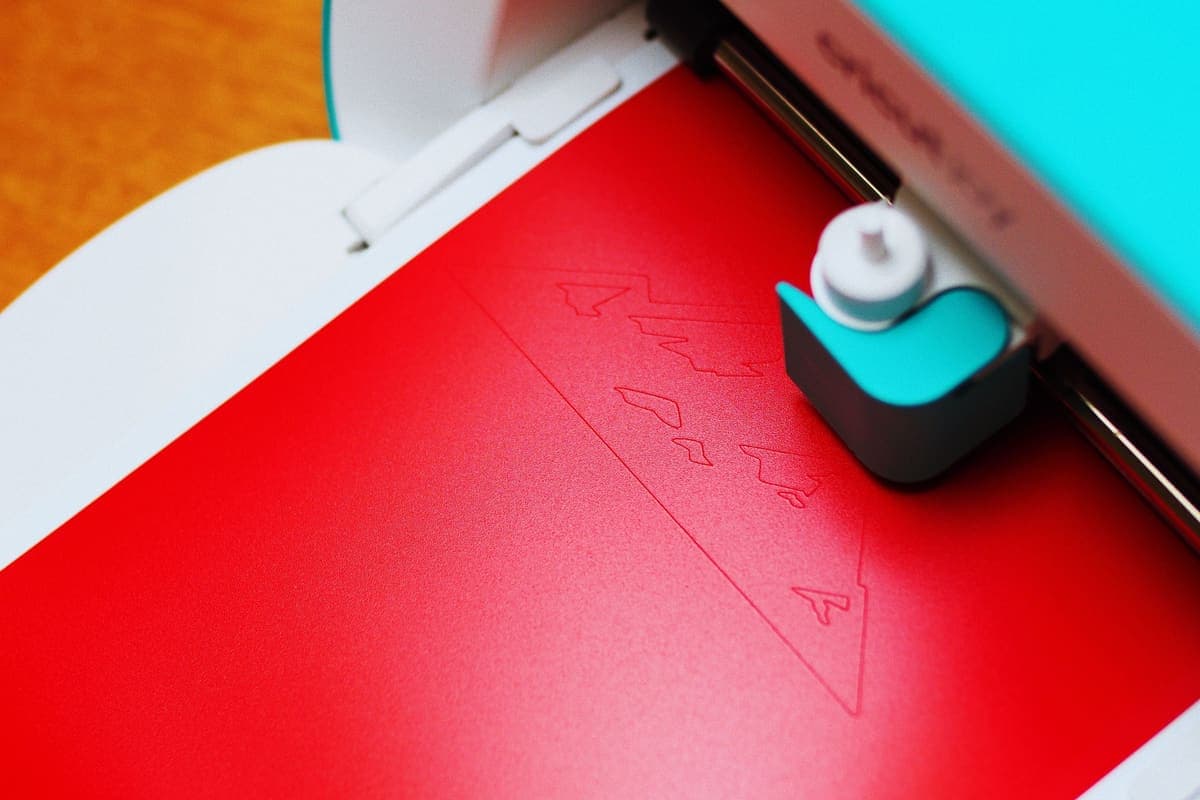
A Cricut is a cutting machine. Cricut’s own range — the Joy, Joy Xtra, Explore, Maker and the wide-format Venture — is described by the company as cutting machines, and the accessories sold alongside them are heat transfer vinyl, iron-on and heat presses. You feed in a flat sheet of material and a blade cuts a shape out of it. Everything it makes starts as something flat and stays flat.
A 3D printer is an additive machine. It melts a plastic string and draws your object one layer at a time until it exists. Everything it makes starts as nothing and ends up solid. The plain-English version of that, including what filament actually is, is on is a 3D printer worth it.
That is the whole comparison in two sentences. The rest of this page is about the practical consequences.
The project list test
What each machine is the right tool for.
| If you want to make | The right machine |
|---|---|
| Vinyl decals, stickers, labels | Cricut |
| Custom t-shirts and iron-on designs | Cricut |
| Greeting cards, paper craft, scrapbooking | Cricut |
| Desk organizers, drawer inserts, tool holders | 3D printer |
| Replacement knobs, brackets, clips and hooks | 3D printer |
| Toys, figures, board game pieces and inserts | 3D printer |
| Cookie cutters | 3D printer |
| Wedding or party stationery in volume | Cricut |
| Cosplay props with real depth | 3D printer |
| Personalized mugs and tumblers | Cricut, with a heat press |
Read that table honestly against your own list. Most people find it lands decisively on one side, and the ones who genuinely want both usually discover they want one now and the other next year.
Learning curve and first-week failure
A Cricut works on day one. Its failure modes are mostly wasted material: a mat that has lost its tack, a blade depth set wrong, a design mirrored the wrong way for iron-on. Annoying, cheap, quickly learned.
A 3D printer has a first week. Current machines have removed most of what used to make that first week hard — Bambu Lab publishes automatic bed leveling, Z-offset probing and flow calibration on the A series, and Creality publishes CR Touch auto-leveling on the current Enders — but there is still a learning period. Prints come unstuck. Things string. You learn what a first layer should look like. Our beginner mistakes page exists because that week is real.
If the machine is a gift for somebody who will be discouraged by a failed attempt, that difference matters more than any specification.
Running costs and consumables
Cricut: vinyl, cardstock, transfer tape, cutting mats, blades. Consumables are bought per project, and a lot of Cricut projects want a heat press as well, which is a second purchase.
3D printer: filament, and effectively nothing else. A 1 kg spool covers twenty to thirty typical desk-sized objects, and electricity is a rounding error — we do that arithmetic with the inputs shown on what your first month actually costs. The practical difference is that a printer’s consumable is one thing you buy in bulk, and a cutter’s consumable is several things you buy per project.
Space, noise and where it lives
A Cricut sits on a desk and is silent when it is not cutting. A 3D printer runs for hours at a time, makes a continuous mechanical noise, and needs a stable surface that does not transmit vibration through the floor. It also needs somewhere it can be left alone. That is a bigger household imposition than people expect, and it is the subject of a whole page: where to put your 3D printer.
Can they work together?
Genuinely, yes, and this is the honest reason some people own both. A 3D printed object with a cut vinyl decal applied is a common combination — printed signs with cut lettering, printed boxes with labels, props with flat detail applied on top. Neither machine does the other’s half well.
If that is where you are heading, buy the one that makes the larger share of your list first, use it for six months, and see whether you still want the other. Almost nobody regrets that order.
Our answer, if you are buying blind
For somebody who has not named a project and just wants to make things: a 3D printer, on the grounds that it makes objects that solve problems around the house, and the supply of free models is effectively unlimited — the model libraries hold millions of them at no cost. Start at the beginner picks.
For somebody whose making instinct is decorative, textile or paper-based, a Cricut, bought from Cricut or wherever you like. We do not sell one and we are not going to pretend otherwise.
And the other two comparisons in this section — against a CNC router and against a laser cutter — cover the other two machines people weigh against a printer, both of which remove material rather than adding it.
What we would buy for this
Chosen from the same registry as our roundups, on the manufacturer’s own published figures and a live price.
Bambu Lab A1 mini
Bambu Lab · A genuine first printer
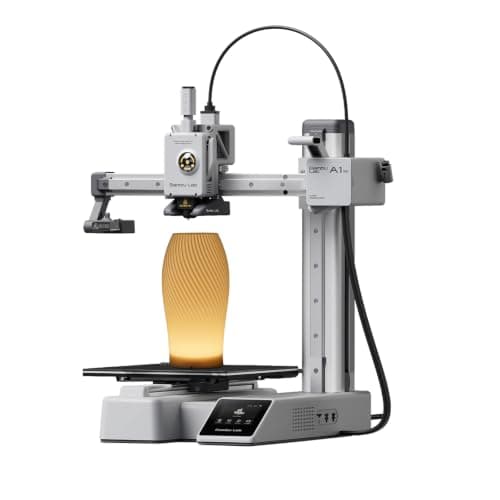
The one to get if you have never done this before. It calibrates itself before every print — bed mesh, Z-offset, flow, resonance — so the part of 3D printing that used to defeat beginners is a step you never see. The build volume is the price you pay.
#ad Price as of October 21, 2026, from Amazon. Prices change. How we make money.
What it actually is
A small open-frame filament printer. Filament is a 1.75 mm plastic string on a spool; the machine melts it and draws your object one layer at a time. Open-frame means there is no box around it, which is fine for PLA and a limitation for materials that warp.
What the manufacturer states
| Figure | Value | Source |
|---|---|---|
| Build volume | 180 x 180 x 180 mm | Bambu Lab A1 mini technical specifications |
| Max hot end temperature | 300 C | Bambu Lab A1 mini technical specifications |
| Max build plate temperature | 80 C | Bambu Lab A1 mini technical specifications |
| Max toolhead speed | 500 mm/s | Bambu Lab A1 mini technical specifications |
| Max toolhead acceleration | 10,000 mm/s2 | Bambu Lab A1 mini technical specifications |
| Filaments rated ideal | PLA, PETG, TPU, PVA | Bambu Lab A1 mini technical specifications |
| Filaments not recommended | ABS, ASA, PC, PA, PET, carbon/glass fiber reinforced | Bambu Lab A1 mini technical specifications |
| Machine dimensions | 347 x 315 x 365 mm | Bambu Lab A1 mini technical specifications |
| Net weight | 5.5 kg | Bambu Lab A1 mini technical specifications |
| Max power | 150 W | Bambu Lab A1 mini technical specifications |
Read from Bambu Lab, A1 mini technical specifications on 2026-09-01. Where a manufacturer does not publish a figure, there is no row for it here.
What is good about it
- Full auto-calibration on every print, per Bambu Lab's own specification — no paper-under-the-nozzle ritual
- Rated ideal for PLA, PETG, TPU and PVA, which covers everything a beginner should print in year one
- 150 W maximum power draw is the lowest of any printer on this site, so running cost is trivial
- 5.5 kg and 347 mm wide — it fits on a desk without rearranging the room
What is not
- 180 mm cubed is genuinely small. A full-size helmet or a large cosplay prop will not fit
- Bambu Lab rates ABS, ASA, PC and fiber-reinforced filaments as not recommended on this machine
- The multi-color AMS lite is a separate purchase, so the headline price is not the multi-color price
- Bambu Lab's own Amazon store lists this machine bundled with an LED lamp kit rather than on its own, so the price on our button is for that bundle. The bare printer is sold direct on Bambu Lab's store
- Open frame, so it is at the mercy of a draft from a window or an air conditioning vent
Skip this one if
Skip it if you already know the thing you want to print is bigger than a shoebox, or if you specifically want ABS or a carbon-fiber-filled filament. Bambu Lab itself lists those materials as not recommended here, and buying a machine you intend to use outside its rated envelope is how a first printer becomes a frustrating one.
What we cannot tell you
We have not printed on this machine. Long-term reliability, real-world noise in a quiet room, and how the textured plate holds up after a year are all things we cannot honestly report without owning one.
How it scored for a beginner
- Setup out of the box9.5
- Auto-calibration10.0
- First-layer forgiveness9.5
- Parts and filament availability9.0
- Running cost10.0
- Help when it goes wrong9.0
Beginner fit 9.2 / 10. That is our editorial read of how well this suits someone buying their first printer, taken off the published specifications — not a test result, and not a verdict on absolute quality. It is deliberately not marked up as a rating in this page’s structured data. How we pick.
Creality Ender-3 V3 SE
Creality · The smallest sensible amount of money
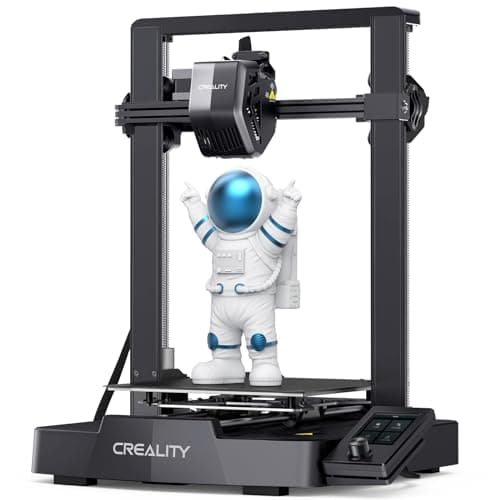
The cheap way in, and a genuinely modern one: auto bed leveling with CR Touch, automatic Z-offset from a strain sensor, and a direct-drive extruder. You will still learn more about your printer than an A1 owner does. Whether that is a feature or a cost is the whole decision.
#ad Price as of October 21, 2026, from Amazon. Prices change. How we make money.
What it actually is
An open-frame bed-slinger — the plate moves back and forth under a head that moves side to side and up. It is the classic hobby-printer layout, and this generation added the automatic setup steps the older Enders famously lacked.
What the manufacturer states
| Figure | Value | Source |
|---|---|---|
| Build volume | 220 x 220 x 250 mm | Creality Ender-3 V3 SE product specifications |
| Maximum print speed | 250 mm/s | Creality Ender-3 V3 SE product specifications |
| Typical print speed | 180 mm/s | Creality Ender-3 V3 SE product specifications |
| Acceleration | 2,500 mm/s2 | Creality Ender-3 V3 SE product specifications |
| Leveling | CR Touch auto leveling with strain-sensor Z-offset | Creality Ender-3 V3 SE product specifications |
| Extruder | Sprite direct extruder | Creality Ender-3 V3 SE product specifications |
| Filament diameter | 1.75 mm | Creality Ender-3 V3 SE product specifications |
Read from Creality, Ender-3 V3 SE product page on 2026-09-01. Where a manufacturer does not publish a figure, there is no row for it here.
What is good about it
- 220 x 220 x 250 mm is larger in every axis than the A1 mini
- Automatic bed leveling and Z-offset, which is the thing older Enders did not have
- The largest parts and community ecozystem of any machine here, by a distance
- Some assembly is required, and you will understand your printer better for it
What is not
- 250 mm/s maximum and 2,500 mm/s2 acceleration — a fraction of the A1's rated figures
- Not fully assembled out of the box, so first-print day is longer
- No filament run-out safety net of the kind Bambu specifies on the A1 series
- More of the tuning is yours to do, which is the trade for the price
Skip this one if
Skip it if the reason you are buying a printer is that you want to print things, not to own a printer. This machine is excellent value and it will ask more of you than an A1 mini will. If your patience for troubleshooting is low, spend the difference.
What we cannot tell you
We have not printed on this machine. How often the auto leveling needs re-running, the quality of the bundled build surface after a hundred prints, and assembly time for someone who has never built one are all outside what the specification tells you.
How it scored for a beginner
- Setup out of the box7.0
- Auto-calibration8.0
- First-layer forgiveness7.5
- Parts and filament availability10.0
- Running cost9.0
- Help when it goes wrong10.0
Beginner fit 8.0 / 10. That is our editorial read of how well this suits someone buying their first printer, taken off the published specifications — not a test result, and not a verdict on absolute quality. It is deliberately not marked up as a rating in this page’s structured data. How we pick.
How these were picked
We have not printed on these machines and we do not pretend to have. What we did was read each manufacturer’s own specification page, take their stated build volume, temperatures and speeds, check that every pick genuinely fits the job in this page’s title, confirm it is still being sold, and pull a live price rather than a remembered one. Every figure names the source it came from, so you can check it yourself in about a minute.
How we pick sets out the full method, including what would change a ranking.
Questions people actually ask
+−Can a Cricut do what a 3D printer does?
No. A Cricut cuts shapes out of flat material — vinyl, cardstock, iron-on — and everything it makes stays essentially flat. A 3D printer builds solid objects layer by layer. They are different categories of machine that happen to be sold to the same shopper.
+−Which is easier for a beginner, a Cricut or a 3D printer?
A Cricut, comfortably. It works on the first day and its failure modes cost you a sheet of vinyl. A 3D printer has a genuine learning week even on a current self-calibrating machine, and prints do fail while you learn what a good first layer looks like.
+−Which is cheaper to run?
A 3D printer, usually, because it has one consumable bought in bulk. A 1 kg spool of filament covers twenty to thirty typical desk-sized objects. Cricut projects consume vinyl, transfer tape, mats and blades, bought per project, and many want a heat press too.
+−Can you use a Cricut and a 3D printer together?
Yes, and plenty of people do — a printed object with cut vinyl lettering applied is a common combination. If you are heading that way, buy whichever machine covers more of your project list first and add the second later.