Roundup
The Best 3D Printers for Miniatures
Resin resolves detail no nozzle can reach, which is why the miniature world runs on it. It also brings a chemical-handling routine that nobody mentions in the headline. Both facts are on this page.
By Scooter M. · Published · Last reviewed
How this page is funded: the buy links below are affiliate links. If you buy through one we earn a commission, at no extra cost to you. It does not change the order of the picks or a word of what we say about them. Full disclosure.
Printers we claim to have tested: 0. Everyone in this category says they tested twenty machines. We have not tested any, and we would rather say so. What we did instead is on this page: the manufacturer’s own published specification for every pick, cited and dated; the arithmetic on what it costs to run, with the inputs shown; a live price rather than a remembered one; and a plain answer on who should skip each machine.
The short answer
For the figures themselves, buy resin. The Elegoo Mars 5 Ultra publishes an 18 micron XY resolution; a filament printer’s 0.4 mm nozzle physically cannot resolve a face at 28 mm scale the same way. But resin brings gloves, ventilation, an alcohol wash and a UV cure. If that routine is a dealbreaker, a filament printer does terrain and bases very well.
Why resin wins here and nowhere else on this site
The two technologies form detail in completely different ways. A filament printer squeezes molten plastic through a nozzle — commonly 0.4 mm across — so the smallest feature it can draw is bounded by that hole. A resin printer shines an image onto a layer of liquid and cures it, so its resolution is the resolution of the screen. The Mars 5 Ultra publishes 8520 × 4320 across a 7-inch panel, which works out to 18 microns per pixel.
For most objects that difference is irrelevant, which is why every other page on this site recommends filament. For a 28 mm figure with a face, chainmail and a weapon, it is the entire ballgame.
The part the headline leaves out
Uncured resin is a skin and eye irritant, and every step of the workflow assumes you know that. The honest sequence is:
- Print, with the machine somewhere ventilated, with gloves on for anything involving the vat.
- Wash the finished model in isopropyl alcohol to remove uncured resin from its surface. This means having alcohol, somewhere to do it, and a plan for the used alcohol afterwards.
- Cure the washed model under UV light so it reaches final hardness and is safe to handle without gloves.
- Dispose of waste properly. Uncured resin and resin-contaminated alcohol are not drain material. The usual advice is to cure the waste solid under UV before disposing of it, and to check local rules.
None of this is difficult, and thousands of people do it in a spare room every weekend. But it is a routine, it needs space and consumables, and it is the single reason we do not recommend resin as a first printer to anybody who has not already decided they want miniatures.
Where each technology genuinely wins, on the physics rather than on preference.
| Job | Resin | Filament |
|---|---|---|
| 28 mm character figures | Clearly better | Visibly softer detail |
| Terrain and scenery | Possible but small build area | Better — size and cost |
| Bases and tokens | Fine | Fine, and cheaper |
| Vehicles and large models | Build volume limits it | Better |
| Durability for handling | More brittle | Tougher |
| Setup routine | Gloves, wash, cure, disposal | None |
The realistic answer for most people
Both, eventually, and filament first. A filament printer costs less to run, needs no routine, and makes the terrain, the bases, the storage trays and the tokens — which is most of the plastic on a table by weight. Add resin when the figures themselves are the thing you want to make, and by then you will know the hobby well enough that the washing station is a small addition rather than a barrier.
If you are choosing between the two right now, the full comparison is on filament against resin, which gives a committed answer and shows the reasoning.
Quick picks
Ranked on how well each one fits the job in this page's title, read off the manufacturer's own published specifications. Tap any row for the full write-up, including who should skip it.
| # | Product | Best for | Beginner fit | Price |
|---|---|---|---|---|
| 1 | 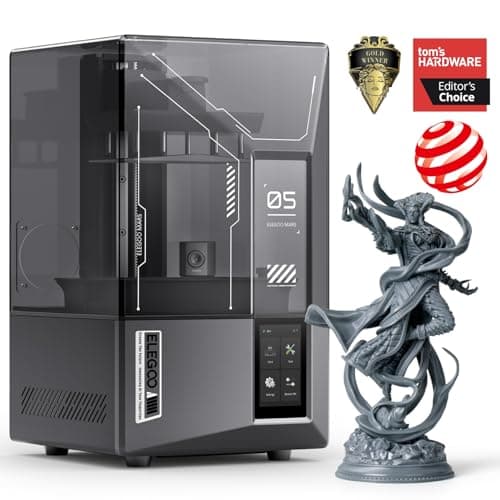 Elegoo Mars 5 Ultra153 x 78 x 165 mm Elegoo Mars 5 Ultra153 x 78 x 165 mm | Best detail | 6.5 | $299.99 - Check price on Amazon |
| 2 | 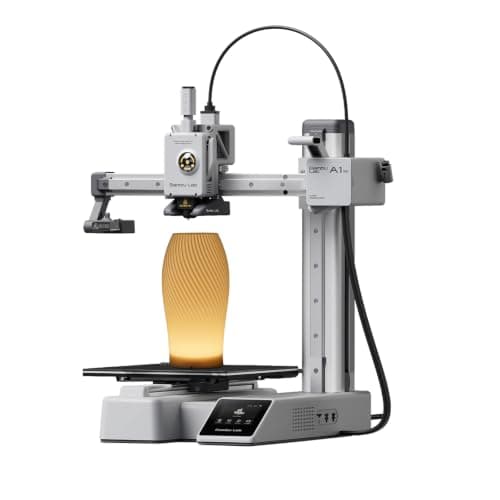 Bambu Lab A1 mini180 x 180 x 180 mm Bambu Lab A1 mini180 x 180 x 180 mm | Best without the resin routine | 9.2 | $249.00 - Check price on Amazon |
| 3 | 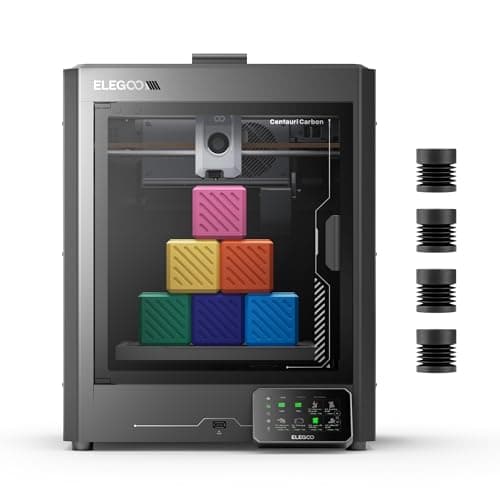 Elegoo Centauri Carbon256 x 256 x 256 mm Elegoo Centauri Carbon256 x 256 x 256 mm | Best filament machine for terrain | 8.3 | $289.99 - Check price on Amazon |
#1 · Best detail
Elegoo Mars 5 Ultra
Elegoo · Tabletop miniatures and nothing else
The right machine if and only if your answer to 'what will you print' is 'miniatures'. Resin detail is in a different league to filament, and so is the mess, the smell and the safety routine. It is a specialist tool, not a first printer.
#ad Price as of October 19, 2026, from Amazon. Prices change. How we make money.
What it actually is
A resin printer. Instead of melting plastic string, it cures liquid resin with UV light, one thin layer at a time, which is how it resolves detail a nozzle physically cannot. Finished prints must be washed in alcohol and cured under UV before they are safe to handle bare-handed.
Does it fit this page?
A published 18 x 18 micron XY resolution on a 7-inch 8520 x 4320 mono LCD. That is the specification that makes the difference visible on a 28 mm figure, and no filament machine approaches it.
What the manufacturer states
| Figure | Value | Source |
|---|---|---|
| Build volume | 153.36 x 77.76 x 165 mm | Elegoo Mars 5 Ultra product specifications |
| Screen | 7 inch monochrome LCD, 8520 x 4320 | Elegoo Mars 5 Ultra product specifications |
| XY resolution | 18 x 18 microns | Elegoo Mars 5 Ultra product specifications |
| Maximum print speed | 150 mm/h | Elegoo Mars 5 Ultra product specifications |
| Machine dimensions | 260 x 268 x 451.5 mm | Elegoo Mars 5 Ultra product specifications |
| Weight | 8.8 kg | Elegoo Mars 5 Ultra product specifications |
Read from Elegoo, Mars 5 series product page on 2026-09-01. Where a manufacturer does not publish a figure, there is no row for it here.
What is good about it
- 18 micron XY resolution — detail no 0.4 mm nozzle can approach
- 153 x 78 x 165 mm is enough for a whole squad of 28 mm miniatures at once
- Print time depends on height, not on how many models are on the plate
- Automatic leveling, so the setup step is not the hard part
What is not
- Uncured resin is an irritant. Gloves, ventilation and a washing routine are not optional
- Every print needs washing in alcohol and curing under UV before you can handle it
- Resin parts are more brittle than PLA ones — this is not the tool for functional brackets
- The consumables and the disposal are both more expensive and more annoying than filament
Skip this one if
Skip it if you are choosing your first printer and you are not already certain you want miniatures. Every source we read on beginner printing says start with filament, and the reason is not print quality — it is that resin adds a chemical-handling routine to a hobby you have not learned yet.
What we cannot tell you
We have not printed on this machine. Smell in a small room, how long an FEP film lasts, and how much resin a beginner wastes learning supports are all owner knowledge.
How it scored for a beginner
- Setup out of the box8.0
- Auto-calibration8.5
- First-layer forgiveness6.0
- Parts and filament availability7.0
- Running cost5.0
- Help when it goes wrong7.0
Beginner fit 6.5 / 10. That is our editorial read of how well this suits someone buying their first printer, taken off the published specifications — not a test result, and not a verdict on absolute quality. It is deliberately not marked up as a rating in this page’s structured data. How we pick.
#2 · Best without the resin routine
Bambu Lab A1 mini
Bambu Lab · A genuine first printer
The one to get if you have never done this before. It calibrates itself before every print — bed mesh, Z-offset, flow, resonance — so the part of 3D printing that used to defeat beginners is a step you never see. The build volume is the price you pay.
#ad Price as of October 19, 2026, from Amazon. Prices change. How we make money.
What it actually is
A small open-frame filament printer. Filament is a 1.75 mm plastic string on a spool; the machine melts it and draws your object one layer at a time. Open-frame means there is no box around it, which is fine for PLA and a limitation for materials that warp.
Does it fit this page?
Not as sharp as resin and not close, but it prints terrain, bases, tokens and vehicles well, and it needs no gloves, ventilation, alcohol wash or curing station.
What the manufacturer states
| Figure | Value | Source |
|---|---|---|
| Build volume | 180 x 180 x 180 mm | Bambu Lab A1 mini technical specifications |
| Max hot end temperature | 300 C | Bambu Lab A1 mini technical specifications |
| Max build plate temperature | 80 C | Bambu Lab A1 mini technical specifications |
| Max toolhead speed | 500 mm/s | Bambu Lab A1 mini technical specifications |
| Max toolhead acceleration | 10,000 mm/s2 | Bambu Lab A1 mini technical specifications |
| Filaments rated ideal | PLA, PETG, TPU, PVA | Bambu Lab A1 mini technical specifications |
| Filaments not recommended | ABS, ASA, PC, PA, PET, carbon/glass fiber reinforced | Bambu Lab A1 mini technical specifications |
| Machine dimensions | 347 x 315 x 365 mm | Bambu Lab A1 mini technical specifications |
| Net weight | 5.5 kg | Bambu Lab A1 mini technical specifications |
| Max power | 150 W | Bambu Lab A1 mini technical specifications |
Read from Bambu Lab, A1 mini technical specifications on 2026-09-01. Where a manufacturer does not publish a figure, there is no row for it here.
What is good about it
- Full auto-calibration on every print, per Bambu Lab's own specification — no paper-under-the-nozzle ritual
- Rated ideal for PLA, PETG, TPU and PVA, which covers everything a beginner should print in year one
- 150 W maximum power draw is the lowest of any printer on this site, so running cost is trivial
- 5.5 kg and 347 mm wide — it fits on a desk without rearranging the room
What is not
- 180 mm cubed is genuinely small. A full-size helmet or a large cosplay prop will not fit
- Bambu Lab rates ABS, ASA, PC and fiber-reinforced filaments as not recommended on this machine
- The multi-color AMS lite is a separate purchase, so the headline price is not the multi-color price
- Bambu Lab's own Amazon store lists this machine bundled with an LED lamp kit rather than on its own, so the price on our button is for that bundle. The bare printer is sold direct on Bambu Lab's store
- Open frame, so it is at the mercy of a draft from a window or an air conditioning vent
Skip this one if
Skip it if you already know the thing you want to print is bigger than a shoebox, or if you specifically want ABS or a carbon-fiber-filled filament. Bambu Lab itself lists those materials as not recommended here, and buying a machine you intend to use outside its rated envelope is how a first printer becomes a frustrating one.
What we cannot tell you
We have not printed on this machine. Long-term reliability, real-world noise in a quiet room, and how the textured plate holds up after a year are all things we cannot honestly report without owning one.
How it scored for a beginner
- Setup out of the box9.5
- Auto-calibration10.0
- First-layer forgiveness9.5
- Parts and filament availability9.0
- Running cost10.0
- Help when it goes wrong9.0
Beginner fit 9.2 / 10. That is our editorial read of how well this suits someone buying their first printer, taken off the published specifications — not a test result, and not a verdict on absolute quality. It is deliberately not marked up as a rating in this page’s structured data. How we pick.
#3 · Best filament machine for terrain
Elegoo Centauri Carbon
Elegoo · An enclosed printer without an enclosed-printer budget
An enclosed CoreXY printer at a price that used to buy an open frame. If the reason you are hesitating about a beginner machine is that you can already see yourself outgrowing it, this is the one that answers that.
#ad Price as of October 19, 2026, from Amazon. Prices change. How we make money.
What it actually is
A boxed CoreXY machine with a steel chassis and aluminum and glass panels. The enclosure holds chamber heat, which is what lets it handle materials that shrink and peel on an open frame.
Does it fit this page?
An enclosed 256 mm cubed envelope, which is what large terrain pieces actually need. Filament is the right tool for anything a miniature stands on rather than the miniature itself.
What the manufacturer states
| Figure | Value | Source |
|---|---|---|
| Build volume | 256 x 256 x 256 mm | Elegoo Centauri Carbon product specifications |
| Motion system | CoreXY | Elegoo Centauri Carbon product specifications |
| Enclosure | Fully enclosed; steel chassis with aluminum and glass shell | Elegoo Centauri Carbon product specifications |
| Maximum speed | 500 mm/s | Elegoo Centauri Carbon product specifications |
| Maximum acceleration | 20,000 mm/s2 (10,000 mm/s2 default) | Elegoo Centauri Carbon product specifications |
| Max nozzle temperature | 320 C | Elegoo Centauri Carbon product specifications |
| Max heated bed temperature | 110 C at 25 C ambient | Elegoo Centauri Carbon product specifications |
| Supported filament | PLA, PETG, ABS, ASA, TPU, PET, PC, PA and carbon or glass fiber reinforced grades | Elegoo Centauri Carbon product specifications |
| Bed leveling | 121-point auto-leveling; full-auto calibration | Elegoo Centauri Carbon product specifications |
| Print accuracy | +/- 0.1 mm | Elegoo Centauri Carbon product specifications |
| Machine size and weight | 398 x 404 x 490 mm, 17.5 kg | Elegoo Centauri Carbon product specifications |
| Rated power | 350 W at 110 V | Elegoo Centauri Carbon product specifications |
| Operating sound | 55 dB or below | Elegoo Centauri Carbon product specifications |
Read from Elegoo, Centauri Carbon product page on 2026-09-06. Where a manufacturer does not publish a figure, there is no row for it here.
What is good about it
- Fully enclosed at a price that competes with open-frame machines
- 20,000 mm/s2 rated acceleration, matching the enclosed Bambu
- 256 mm cubed — the same working envelope as an A1 or a P1S
- The enclosure contains noise and smell, which decides whether a printer can live in a bedroom
What is not
- A newer platform than the Bambu and Creality lines, so there is less community troubleshooting behind it
- An enclosure adds a heat-soak wait to PLA prints in a warm room
- Larger and heavier than any open-frame machine here
- Nothing about the enclosure makes the first print easier — it makes later prints possible
Skip this one if
Skip it if PLA is all you will ever print and your printer lives in a spare room. You are paying for a box you will not use. The enclosure earns its money on ABS, ASA and a shared living space, not on PLA in a garage.
What we cannot tell you
We have not printed on this machine. Chamber temperature in practice, panel fit and finish, and long-term CoreXY belt tension are not published numbers.
How it scored for a beginner
- Setup out of the box8.5
- Auto-calibration8.5
- First-layer forgiveness8.5
- Parts and filament availability7.5
- Running cost8.0
- Help when it goes wrong7.5
Beginner fit 8.3 / 10. That is our editorial read of how well this suits someone buying their first printer, taken off the published specifications — not a test result, and not a verdict on absolute quality. It is deliberately not marked up as a rating in this page’s structured data. How we pick.
How these were picked
We have not printed on these machines and we do not pretend to have. What we did was read each manufacturer’s own specification page, take their stated build volume, temperatures and speeds, check that every pick genuinely fits the job in this page’s title, confirm it is still being sold, and pull a live price rather than a remembered one. Every figure names the source it came from, so you can check it yourself in about a minute.
How we pick sets out the full method, including what would change a ranking.
Questions people actually ask
+−Is a 3D printer worth it for D&D minis?
If you play regularly and want a lot of figures, yes — a resin printer pays for itself against retail miniature prices quite quickly, and it prints a whole squad in one go because print time depends on height rather than how many models are on the plate. If you want a handful of figures, buying them is cheaper and far less work.
+−Can a filament printer do miniatures?
It can print them and the detail is visibly softer. A 0.4 mm nozzle cannot resolve a face at 28 mm scale the way an 18 micron resin screen can. Filament is the better tool for terrain, bases, vehicles and anything the figures stand on.
+−What do you need besides a resin printer?
Nitrile gloves, isopropyl alcohol and something to wash in, a UV source to cure finished prints, ventilation, and a plan for waste — uncured resin should be cured solid before disposal and never poured down a drain. Budget for all of it, because none of it is optional.