Review
Elegoo Neptune 4 Review
The most published specification per dollar of anything on this site, and a machine that gives a curious beginner considerably more to explore than our top pick does.
By Scooter M. · Published · Last reviewed
How this page is funded: the buy links below are affiliate links. If you buy through one we earn a commission, at no extra cost to you. It does not change the order of the picks or a word of what we say about them. Full disclosure.
Printers we claim to have tested: 0. Everyone in this category says they tested twenty machines. We have not tested any, and we would rather say so. What we did instead is on this page: the manufacturer’s own published specification for every pick, cited and dated; the arithmetic on what it costs to run, with the inputs shown; a live price rather than a remembered one; and a plain answer on who should skip each machine.
The short answer
Buy it if you wanted a project as well as an object. Elegoo publishes a 300 °C nozzle, a 121-point automatic leveling mesh, 265 mm of build height and Klipper firmware already installed. That is a lot of capability for the money. It also hands a beginner more to learn than the A1 mini does, which is a feature for some people and a cost for others.
What Klipper is, in one paragraph
Firmware that moves the motion calculations off the printer’s small onboard chip and onto a more capable processor. The practical result is that a bed-slinger can use input shaping and pressure advance — techniques that compensate for the machine physically flexing and for plastic lagging behind the extruder — and therefore run far faster without the print quality falling apart.
Historically you installed Klipper yourself, which meant a single-board computer, a configuration file and an afternoon. Elegoo shipping it pre-installed is the meaningful part: you get the speed without the project, and the project is still there if you want it.
The specification worth reading
225 × 225 × 265 mm. The tallest open-frame envelope here. Height is the axis people run out of least predictably — vases, figures, tall organizers — and 265 mm is generous.
300 °C nozzle, materials list including ABS, ASA and nylon. Read this one carefully. The hot end can reach those temperatures, and the machine is an open frame, which means it cannot hold the chamber heat those plastics want as they cool. The materials list is what the hot end permits, not a promise that a large ABS part will finish without warping. That is an important distinction and it applies to every open-frame machine with a hot nozzle.
121-point (11 × 11) leveling mesh. A denser map of the plate than most machines in this band publish. A plate is never perfectly flat, and the more points the probe takes, the better the software can compensate across a large first layer.
500 mm/s rated maximum. Level with the A1 series on paper. As always, a ceiling on a straight line rather than a promise about real geometry.
What it asks of you
More curiosity than the top picks. Klipper’s interface is more powerful and less familiar than what beginners usually meet, and the machine assumes a slightly more engaged owner throughout. Elegoo also has a smaller community than Creality, which matters when something goes wrong: fewer people have already hit your exact problem and written it up.
None of that is a criticism. It is a description of who the machine suits — somebody for whom the printer is part of the interest, not only the means to an object.
Who should skip it
Anyone who wants the fewest possible decisions. If your ideal first month is press-print-and-walk-away, the A1 mini is a better fit even though it publishes a smaller build volume and a lower nozzle ceiling. And if you are drawn here specifically by the ABS on the materials list, buy an enclosed machine instead — see the enclosed band.
What we would buy for this
Chosen from the same registry as our roundups, on the manufacturer’s own published figures and a live price.
Elegoo Neptune 4
Elegoo · The most specification per dollar
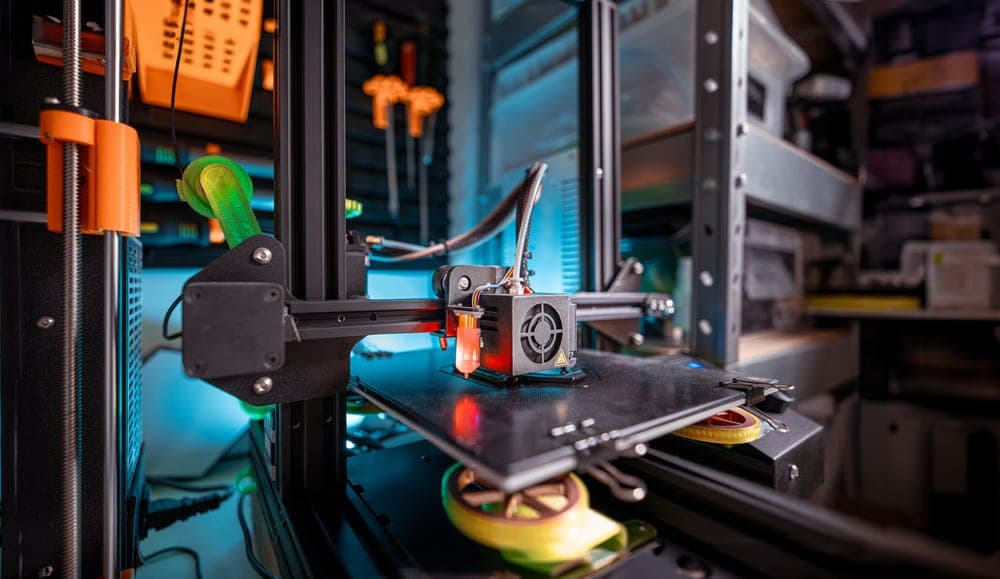
A lot of printer for the money: Klipper out of the box, a 300 C nozzle and a 121-point leveling mesh. It sits between the Ender and the Bambu on ease, and ahead of both on raw specification per dollar.
#ad We do not hold a current price for this product, so we do not show one. How we make money.
What it actually is
An open-frame bed-slinger shipped with Klipper firmware already installed, so the speed features that normally require a firmware project are there on day one.
What the manufacturer states
| Figure | Value | Source |
|---|---|---|
| Build volume | 225 x 225 x 265 mm | Elegoo Neptune 4 product specifications |
| Maximum print speed | 500 mm/s | Elegoo Neptune 4 product specifications |
| Auto bed leveling | 121 points (11 x 11) | Elegoo Neptune 4 product specifications |
| Max nozzle temperature | 300 C | Elegoo Neptune 4 product specifications |
| Supported filaments | PLA, TPU, PETG, ABS, ASA, nylon | Elegoo Neptune 4 product specifications |
| Firmware | Klipper, pre-installed | Elegoo Neptune 4 product specifications |
Read from Elegoo, Neptune 4 product page on 2026-09-01. Where a manufacturer does not publish a figure, there is no row for it here.
What is good about it
- 265 mm of build height, the tallest of the open-frame machines here
- 300 C nozzle and a materials list that includes ABS, ASA and nylon
- Klipper already installed, so the speed features work without a firmware project
- 121-point leveling mesh, which is a genuinely dense map of a warped plate
What is not
- Open frame, so the ABS and ASA on the materials list are aspirational without an enclosure
- A smaller community than Creality's, so fewer people have already hit your problem
- Klipper is more powerful and less familiar than the interfaces beginners usually meet
- More assembly than a Bambu, less than an old Ender
Skip this one if
Skip it if you want the fewest possible decisions. Klipper rewards curiosity and this machine hands you a lot of it on day one. If you want to press print and walk away, that is what the A1 mini is for.
What we cannot tell you
We have not printed on this machine. Real print quality at the rated speed, bed flatness out of the box, and how much Klipper tuning is actually needed are not published figures.
How it scored for a beginner
- Setup out of the box7.5
- Auto-calibration9.0
- First-layer forgiveness8.0
- Parts and filament availability8.0
- Running cost8.5
- Help when it goes wrong7.5
Beginner fit 8.1 / 10. That is our editorial read of how well this suits someone buying their first printer, taken off the published specifications — not a test result, and not a verdict on absolute quality. It is deliberately not marked up as a rating in this page’s structured data. How we pick.
How these were picked
We have not printed on these machines and we do not pretend to have. What we did was read each manufacturer’s own specification page, take their stated build volume, temperatures and speeds, check that every pick genuinely fits the job in this page’s title, confirm it is still being sold, and pull a live price rather than a remembered one. Every figure names the source it came from, so you can check it yourself in about a minute.
How we pick sets out the full method, including what would change a ranking.
Questions people actually ask
+−Is the Elegoo Neptune 4 good for beginners?
For a curious beginner, yes. It publishes more capability per dollar than anything else here and Klipper is already installed. For somebody who wants the fewest possible decisions, the A1 mini is the better fit.
+−Can the Neptune 4 print ABS?
Elegoo lists ABS and ASA among the supported filaments and publishes a 300 °C nozzle, so the hot end can reach the temperature. It is an open-frame machine, though, so it cannot hold chamber heat and large ABS parts will be prone to lifting at the corners. For reliable ABS you want an enclosure.
+−What does a 121-point leveling mesh do?
The probe touches the plate at 121 points and builds a map of how far it deviates from flat, then the firmware adjusts the nozzle height as it prints the first layer. More points means a better map, which matters most on a large first layer or a plate that is slightly warped.