Roundup
The 3D Printer Gift Guide
The difference between a present that gets used and one that gets shelved is almost entirely which machine you pick and whether you remembered the filament. Both are fixable in five minutes.
By Scooter M. · Published · Last reviewed
How this page is funded: the buy links below are affiliate links. If you buy through one we earn a commission, at no extra cost to you. It does not change the order of the picks or a word of what we say about them. Full disclosure.
Printers we claim to have tested: 0. Everyone in this category says they tested twenty machines. We have not tested any, and we would rather say so. What we did instead is on this page: the manufacturer’s own published specification for every pick, cited and dated; the arithmetic on what it costs to run, with the inputs shown; a live price rather than a remembered one; and a plain answer on who should skip each machine.
The short answer
Buy an auto-calibrating machine and put two spools of filament in the box. A present that needs an evening of leveling before it works is a present that waits, and most printers ship with only a sample coil of filament. Those two decisions matter more than which brand you pick.
The three ways this goes wrong
No filament in the box
The most common and most avoidable failure. Nearly every printer includes a small sample coil, sometimes only enough for the demo model. Somebody unwrapping a printer on a holiday morning cannot buy filament that day.
A 1 kg spool is a small fraction of the machine’s price and it is the difference between printing on the day and printing next week. Buy two, in colors the recipient would choose. Our PLA picks compare the mainstream spools on what their manufacturers publish.
Too much machine
A large enclosed multi-color printer is a wonderful thing to own and an intimidating thing to receive. Every extra capability is another thing the recipient has to learn before they can use what you paid for, and the enthusiasm curve in this hobby is real: week one is exciting, month three is when it either becomes a tool or becomes furniture.
A smaller machine that works immediately is a better present than a larger one that needs a weekend.
Nowhere to put it
Printers are larger in person than in photographs, they need a solid surface, and they make a rhythmic mechanical noise. If the recipient lives in one room, an enclosed machine is genuinely the better gift even though it costs more, because the box contains most of the sound.
Bambu Lab publishes 347 × 315 × 365 mm for the A1 mini and 465 × 410 × 430 mm for the A1. If you are not sure the recipient has half a meter of solid surface free, buy the smaller one.
Matching the machine to the person
What to buy, by who is unwrapping it.
| Recipient | What to buy | Why |
|---|---|---|
| A curious adult with a desk | A small auto-calibrating machine | Fits, works on the day, nothing to explain |
| Someone in a shared room or studio | An enclosed machine | The box contains most of the noise and the smell |
| A child who will use it alone | A purpose-built kids' printer | No slicer to learn, unheated plate, safe by design |
| A child with an adult involved | A normal beginner printer | Far more capable, better value, outlasts the interest |
| A teenager who likes building things | A budget machine that needs assembling | The assembly is a feature, not a cost, for this person |
| Someone who already prints | Not a printer - filament and accessories | They have opinions about machines and none about spare plates |
Shipping deadlines, stated once
Carriers publish last-guaranteed-delivery dates for the holidays each year and they land in the third week of December for standard shipping. We are not going to run a countdown at you.
The practical version: order by the first week of December and you have slack for a stock problem or a damaged box. Order in the last week and you are relying on everything going right. Stock on popular beginner machines does genuinely run short in December, which is a better reason to order early than any manufactured urgency.
What to add for very little money
These turn a good present into a complete one, and together they cost a fraction of the machine.
- Two 1 kg spools of PLA. Non-negotiable.
- Isopropyl alcohol. Cleaning the plate is the fix for most first-layer failures.
- A purple glue stick. Helps stubborn prints stick, and protects the plate from PETG later.
- A plastic scraper. Never a metal one — metal gouges coated plates.
- Snips. A square-cut filament end feeds; a squashed one jams.
The full reasoning is on what belongs in a starter kit, and the accessories gift guide covers presents for somebody who already has the printer.
A note on the unboxing
If you can, set the machine up before you give it. Take it out, run the calibration, print the bundled test model, then repack it. The recipient gets a machine you know works, and if something arrived damaged you find out in November rather than on the day.
If that is not possible, put our setup page in the card. The first two hours in the right order is most of what makes the difference.
Quick picks
Ranked on how well each one fits the job in this page's title, read off the manufacturer's own published specifications. Tap any row for the full write-up, including who should skip it.
| # | Product | Best for | Beginner fit | Price |
|---|---|---|---|---|
| 1 | 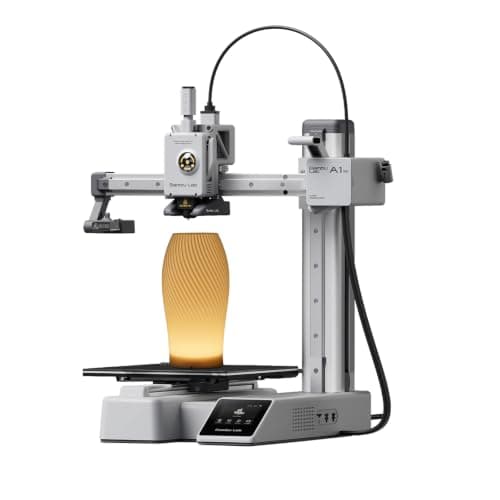 Bambu Lab A1 mini180 x 180 x 180 mm Bambu Lab A1 mini180 x 180 x 180 mm | Best gift overall | 9.2 | $249.00 - Check price on Amazon |
| 2 | 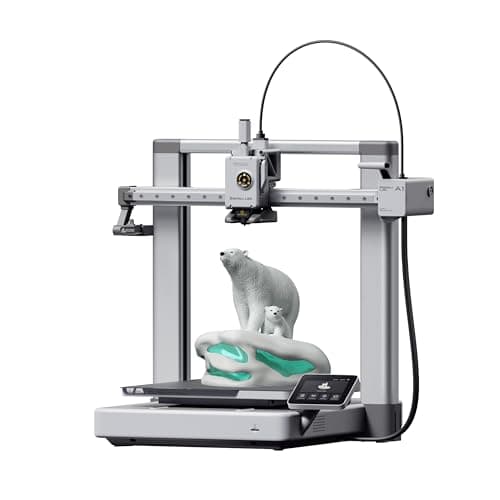 Bambu Lab A1256 x 256 x 256 mm Bambu Lab A1256 x 256 x 256 mm | Best for someone with space | 9.0 | $299.99 - Check price on Amazon |
| 3 | 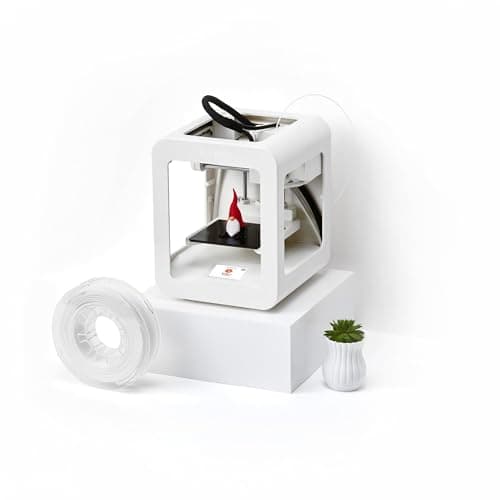 Toybox 3D Printer70 x 80 x 90 mm Toybox 3D Printer70 x 80 x 90 mm | Best for a child alone | 7.0 | $354.99 - Check price on Amazon |
| 4 | 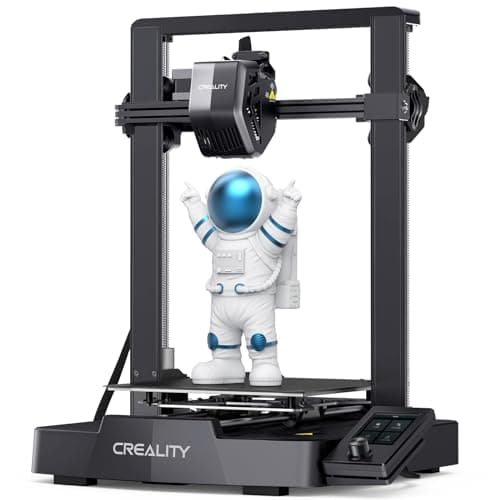 Creality Ender-3 V3 SE220 x 220 x 250 mm Creality Ender-3 V3 SE220 x 220 x 250 mm | Best on a tighter budget | 8.0 | $199.00 - Check price on Amazon |
#1 · Best gift overall
Bambu Lab A1 mini
Bambu Lab · A genuine first printer
The one to get if you have never done this before. It calibrates itself before every print — bed mesh, Z-offset, flow, resonance — so the part of 3D printing that used to defeat beginners is a step you never see. The build volume is the price you pay.
#ad Price as of October 19, 2026, from Amazon. Prices change. How we make money.
What it actually is
A small open-frame filament printer. Filament is a 1.75 mm plastic string on a spool; the machine melts it and draws your object one layer at a time. Open-frame means there is no box around it, which is fine for PLA and a limitation for materials that warp.
Does it fit this page?
Largely pre-assembled and fully self-calibrating, so it works on the day it is unwrapped rather than after an evening of setup. At a published 5.5 kg and 347 mm wide, it also fits on furniture the recipient already owns.
What the manufacturer states
| Figure | Value | Source |
|---|---|---|
| Build volume | 180 x 180 x 180 mm | Bambu Lab A1 mini technical specifications |
| Max hot end temperature | 300 C | Bambu Lab A1 mini technical specifications |
| Max build plate temperature | 80 C | Bambu Lab A1 mini technical specifications |
| Max toolhead speed | 500 mm/s | Bambu Lab A1 mini technical specifications |
| Max toolhead acceleration | 10,000 mm/s2 | Bambu Lab A1 mini technical specifications |
| Filaments rated ideal | PLA, PETG, TPU, PVA | Bambu Lab A1 mini technical specifications |
| Filaments not recommended | ABS, ASA, PC, PA, PET, carbon/glass fiber reinforced | Bambu Lab A1 mini technical specifications |
| Machine dimensions | 347 x 315 x 365 mm | Bambu Lab A1 mini technical specifications |
| Net weight | 5.5 kg | Bambu Lab A1 mini technical specifications |
| Max power | 150 W | Bambu Lab A1 mini technical specifications |
Read from Bambu Lab, A1 mini technical specifications on 2026-09-01. Where a manufacturer does not publish a figure, there is no row for it here.
What is good about it
- Full auto-calibration on every print, per Bambu Lab's own specification — no paper-under-the-nozzle ritual
- Rated ideal for PLA, PETG, TPU and PVA, which covers everything a beginner should print in year one
- 150 W maximum power draw is the lowest of any printer on this site, so running cost is trivial
- 5.5 kg and 347 mm wide — it fits on a desk without rearranging the room
What is not
- 180 mm cubed is genuinely small. A full-size helmet or a large cosplay prop will not fit
- Bambu Lab rates ABS, ASA, PC and fiber-reinforced filaments as not recommended on this machine
- The multi-color AMS lite is a separate purchase, so the headline price is not the multi-color price
- Bambu Lab's own Amazon store lists this machine bundled with an LED lamp kit rather than on its own, so the price on our button is for that bundle. The bare printer is sold direct on Bambu Lab's store
- Open frame, so it is at the mercy of a draft from a window or an air conditioning vent
Skip this one if
Skip it if you already know the thing you want to print is bigger than a shoebox, or if you specifically want ABS or a carbon-fiber-filled filament. Bambu Lab itself lists those materials as not recommended here, and buying a machine you intend to use outside its rated envelope is how a first printer becomes a frustrating one.
What we cannot tell you
We have not printed on this machine. Long-term reliability, real-world noise in a quiet room, and how the textured plate holds up after a year are all things we cannot honestly report without owning one.
How it scored for a beginner
- Setup out of the box9.5
- Auto-calibration10.0
- First-layer forgiveness9.5
- Parts and filament availability9.0
- Running cost10.0
- Help when it goes wrong9.0
Beginner fit 9.2 / 10. That is our editorial read of how well this suits someone buying their first printer, taken off the published specifications — not a test result, and not a verdict on absolute quality. It is deliberately not marked up as a rating in this page’s structured data. How we pick.
#2 · Best for someone with space
Bambu Lab A1
Bambu Lab · A first printer you will not outgrow
The A1 mini's larger sibling, and the better buy the moment you have a specific large thing in mind. Same self-calibration, 256 mm cubed instead of 180, and a 100 C bed rather than 80 C — which is the spec that actually widens what you can print.
#ad Price as of October 19, 2026, from Amazon. Prices change. How we make money.
What it actually is
The full-size version of the A1: same open-frame layout, same automatic calibration, a bigger bed and a hotter one. The extra bed temperature matters because materials that shrink as they cool need a warm plate to stay stuck to it.
Does it fit this page?
The same open-the-box-and-print experience with a 256 mm cubed envelope. Only pick this over the mini if you know they have a dedicated surface for it - it is 465 mm wide.
What the manufacturer states
| Figure | Value | Source |
|---|---|---|
| Build volume | 256 x 256 x 256 mm | Bambu Lab A1 technical specifications |
| Max hot end temperature | 300 C | Bambu Lab A1 technical specifications |
| Max build plate temperature | 100 C | Bambu Lab A1 technical specifications |
| Max toolhead speed | 500 mm/s | Bambu Lab A1 technical specifications |
| Max toolhead acceleration | 10,000 mm/s2 | Bambu Lab A1 technical specifications |
| Filaments rated ideal | PLA, PETG, TPU, PVA | Bambu Lab A1 technical specifications |
| Machine dimensions | 465 x 410 x 430 mm | Bambu Lab A1 technical specifications |
| Net weight | 8.3 kg | Bambu Lab A1 technical specifications |
| Max power | 350 W at 110 V | Bambu Lab A1 technical specifications |
Read from Bambu Lab, A1 technical specifications on 2026-09-01. Where a manufacturer does not publish a figure, there is no row for it here.
What is good about it
- 256 mm cubed covers almost everything a first-year printer is asked to make
- 100 C bed rather than the mini's 80 C, which is the difference that makes larger PETG parts stick
- Identical hands-off calibration to the A1 mini, so nothing gets harder as the machine gets bigger
- Bambu Lab publishes a full specification sheet, so every number on this page is checkable in a minute
What is not
- 465 mm wide and 8.3 kg — it needs a dedicated shelf, not a corner of a desk
- 350 W at US voltage against the mini's 150 W, so it costs meaningfully more to run
- Still open-frame, so the material limits are the same as the mini's despite the hotter bed
- Multi-color is again a separate AMS lite purchase
Skip this one if
Skip it if your desk is the only place it can go and you have not measured that desk. It is nearly half a meter wide. If you are unsure whether you will use the extra volume, the mini is the cheaper mistake.
What we cannot tell you
We have not printed on this machine. Noise at full speed, long-term belt and rod wear, and how often the auto-calibration actually needs intervention are all beyond what a specification sheet can tell you.
How it scored for a beginner
- Setup out of the box9.5
- Auto-calibration10.0
- First-layer forgiveness9.5
- Parts and filament availability9.0
- Running cost8.0
- Help when it goes wrong9.0
Beginner fit 9.0 / 10. That is our editorial read of how well this suits someone buying their first printer, taken off the published specifications — not a test result, and not a verdict on absolute quality. It is deliberately not marked up as a rating in this page’s structured data. How we pick.
#3 · Best for a child alone
Toybox 3D Printer
Toybox · A child printing without an adult in the room
Not really a 3D printer in the sense the rest of this site means. It is a one-button toy factory a child can drive alone, and it is the only machine here where that is the design goal rather than a side effect.
#ad Price as of October 19, 2026, from Amazon. Prices change. How we make money.
What it actually is
A small, simple printer with no slicing software to learn: a child picks a model in an app and presses print. The build platform is unheated, which is why it only takes PLA and why it is safe to leave a child near.
Does it fit this page?
No slicer to learn and an unheated plate, which is the right trade only when the child will genuinely be operating it without an adult. Otherwise the A1 mini is better value and lasts longer.
What the manufacturer states
| Figure | Value | Source |
|---|---|---|
| Build volume | 70 x 80 x 90 mm | Toybox published specifications |
| Materials | PLA only, 1.75 mm | Toybox published specifications |
| Build platform | Magnetic, unheated | Toybox published specifications |
| Machine footprint | 190 x 190 x 230 mm | Toybox published specifications |
| Weight | 3 kg | Toybox published specifications |
| Print speed | 60 mm/s | Toybox published specifications |
Read from Toybox, product information on 2026-09-01. Where a manufacturer does not publish a figure, there is no row for it here.
What is good about it
- No slicer to learn — a child can go from idea to print without an adult
- Unheated bed and a 3 kg body, which is the safety story in one line
- 70 x 80 x 90 mm is exactly the size of the toys children actually want
- The only machine here designed around a child rather than adapted for one
What is not
- 70 x 80 x 90 mm is a tenth the volume of an A1 mini and it is not upgradeable
- PLA only, on an unheated plate — the material list ends there
- 60 mm/s is slow enough that a child will notice waiting
- A ten-year-old who is genuinely interested will outgrow it inside a year
Skip this one if
Skip it if the child is old enough to want to design their own models, or if the adult in the house also wants to print things. In both cases an A1 mini with supervision is the better machine and usually the better value.
What we cannot tell you
We have not used this machine with a child. How long the novelty lasts, how often an adult is actually called over, and print reliability over months are the questions that matter here and none of them are on a spec sheet.
How it scored for a beginner
- Setup out of the box10.0
- Auto-calibration8.0
- First-layer forgiveness8.0
- Parts and filament availability6.0
- Running cost8.0
- Help when it goes wrong6.0
Beginner fit 7.0 / 10. That is our editorial read of how well this suits someone buying their first printer, taken off the published specifications — not a test result, and not a verdict on absolute quality. It is deliberately not marked up as a rating in this page’s structured data. How we pick.
#4 · Best on a tighter budget
Creality Ender-3 V3 SE
Creality · The smallest sensible amount of money
The cheap way in, and a genuinely modern one: auto bed leveling with CR Touch, automatic Z-offset from a strain sensor, and a direct-drive extruder. You will still learn more about your printer than an A1 owner does. Whether that is a feature or a cost is the whole decision.
#ad Price as of October 19, 2026, from Amazon. Prices change. How we make money.
What it actually is
An open-frame bed-slinger — the plate moves back and forth under a head that moves side to side and up. It is the classic hobby-printer layout, and this generation added the automatic setup steps the older Enders famously lacked.
Does it fit this page?
A genuinely good machine and a slightly riskier present, because it needs assembling. Fine for a recipient who enjoys building things; less good for one who wanted to print something on the day.
What the manufacturer states
| Figure | Value | Source |
|---|---|---|
| Build volume | 220 x 220 x 250 mm | Creality Ender-3 V3 SE product specifications |
| Maximum print speed | 250 mm/s | Creality Ender-3 V3 SE product specifications |
| Typical print speed | 180 mm/s | Creality Ender-3 V3 SE product specifications |
| Acceleration | 2,500 mm/s2 | Creality Ender-3 V3 SE product specifications |
| Leveling | CR Touch auto leveling with strain-sensor Z-offset | Creality Ender-3 V3 SE product specifications |
| Extruder | Sprite direct extruder | Creality Ender-3 V3 SE product specifications |
| Filament diameter | 1.75 mm | Creality Ender-3 V3 SE product specifications |
Read from Creality, Ender-3 V3 SE product page on 2026-09-01. Where a manufacturer does not publish a figure, there is no row for it here.
What is good about it
- 220 x 220 x 250 mm is larger in every axis than the A1 mini
- Automatic bed leveling and Z-offset, which is the thing older Enders did not have
- The largest parts and community ecozystem of any machine here, by a distance
- Some assembly is required, and you will understand your printer better for it
What is not
- 250 mm/s maximum and 2,500 mm/s2 acceleration — a fraction of the A1's rated figures
- Not fully assembled out of the box, so first-print day is longer
- No filament run-out safety net of the kind Bambu specifies on the A1 series
- More of the tuning is yours to do, which is the trade for the price
Skip this one if
Skip it if the reason you are buying a printer is that you want to print things, not to own a printer. This machine is excellent value and it will ask more of you than an A1 mini will. If your patience for troubleshooting is low, spend the difference.
What we cannot tell you
We have not printed on this machine. How often the auto leveling needs re-running, the quality of the bundled build surface after a hundred prints, and assembly time for someone who has never built one are all outside what the specification tells you.
How it scored for a beginner
- Setup out of the box7.0
- Auto-calibration8.0
- First-layer forgiveness7.5
- Parts and filament availability10.0
- Running cost9.0
- Help when it goes wrong10.0
Beginner fit 8.0 / 10. That is our editorial read of how well this suits someone buying their first printer, taken off the published specifications — not a test result, and not a verdict on absolute quality. It is deliberately not marked up as a rating in this page’s structured data. How we pick.
How these were picked
We have not printed on these machines and we do not pretend to have. What we did was read each manufacturer’s own specification page, take their stated build volume, temperatures and speeds, check that every pick genuinely fits the job in this page’s title, confirm it is still being sold, and pull a live price rather than a remembered one. Every figure names the source it came from, so you can check it yourself in about a minute.
How we pick sets out the full method, including what would change a ranking.
Questions people actually ask
+−Is a 3D printer a good gift?
For somebody who has asked for one, yes. For somebody who has not, be more careful — it is a hobby rather than an appliance, and the third month is where it either becomes a tool or becomes furniture. Filament and accessories are a much safer gift for someone who already has a machine.
+−What should I buy with a 3D printer as a gift?
Two 1 kg spools of PLA at minimum, because the coil in the box is a sample. Then isopropyl alcohol, a glue stick, a plastic scraper and a pair of snips — each prevents a specific common first-month failure.
+−When should I order a 3D printer for Christmas?
By the first week of December, which gives slack for a stock problem or a damaged box. Carriers’ last-guaranteed dates for standard shipping fall in the third week, and stock on popular beginner machines genuinely runs short in December.
+−Should I set the printer up before giving it?
If you can, yes. Run the calibration, print the bundled test model and repack it. You give a machine you know works, and you discover shipping damage in November rather than on the day.