Review
Bambu Lab P2S Review
The replacement for the best-selling enclosed printer of the last few years. Bambu Lab changed the extruder, the cooling and the interface, and left the thing most buyers actually care about exactly where it was.
By Scooter M. · Published · Last reviewed
How this page is funded: the buy links below are affiliate links. If you buy through one we earn a commission, at no extra cost to you. It does not change the order of the picks or a word of what we say about them. Full disclosure.
Printers we claim to have tested: 0. Everyone in this category says they tested twenty machines. We have not tested any, and we would rather say so. What we did instead is on this page: the manufacturer’s own published specification for every pick, cited and dated; the arithmetic on what it costs to run, with the inputs shown; a live price rather than a remembered one; and a plain answer on who should skip each machine.
The short answer
Buy it if you want one enclosed printer and intend to keep it. Bambu Lab publishes a 110 °C plate, a 600 mm/s head, a rated 40 mm3/s flow and an activated carbon filter rated for VOC and particulate filtration. The catch is the same as every enclosed machine: none of it improves a PLA print, and PLA is what your first year is.
What this machine is for
The P1S it replaces was the default answer to “I want an enclosure and I do not want to spend flagship money.” The P2S keeps that position and rebuilds the parts of the machine that limited it, which is a more interesting product than a price cut.
Everything below is read from Bambu Lab’s own published specification table. We have not printed on this machine and we say so on every page that recommends one.
The specification, and what each figure means for you
256 × 256 × 256 mm. Unchanged from the P1S, and unchanged from the A1. If you were hoping the new model got bigger, it did not — Bambu Lab put the extra volume in a different machine.
110 °C plate, up from 100 °C. The single most useful number here. Bed temperature is what keeps a large part stuck down for the hours it takes to print, and it is the quiet limiter on ABS and ASA work. Ten degrees sounds like rounding and is not.
600 mm/s head and 20,000 mm/s² acceleration. The speed is up from the P1S’s 500 mm/s; the acceleration is the same. Acceleration is the figure that actually decides print time on real geometry, so treat the headline speed increase as smaller than it looks — a point we work through on how long a print takes.
A rated 40 mm3/s flow. This is the number that matters if you print large, chunky parts: it is how much plastic the hot end can actually deliver per second. A fast head with a slow hot end is a machine that cannot use its own speed.
The Adaptive Airflow System. Bambu Lab’s own framing is the useful one: the system draws cool air from outside the chamber rather than recirculating hot air, so low-temperature filaments can be printed with the door closed. On earlier enclosed machines the standard advice was to prop the door open for PLA, which defeats the filter and the noise containment. This fixes a real annoyance.
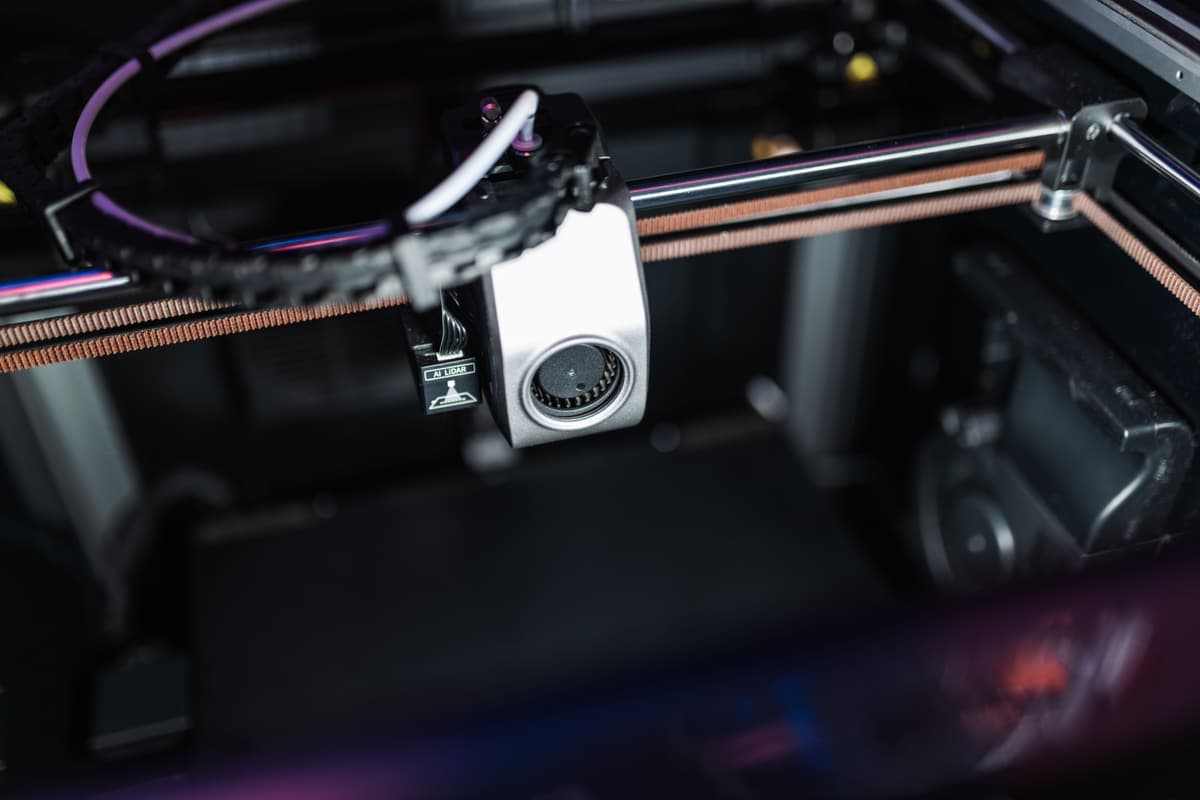
A 50 °C chamber and a carbon filter. The chamber is flap-controlled and the filter is rated for VOC and particulate filtration. Together they are what makes ABS in a room with a person in it a reasonable proposition rather than a tolerated one.
The PMSM servo extruder, at 8.5 kg of force. Bambu Lab publishes 70 percent more extrusion force than its predecessor and says the servo architecture samples resistance and position at 20 kHz to detect grinding and clogs in real time. Whether that translates into fewer failed prints is exactly the sort of thing we cannot verify from a specification sheet.
392 × 406 × 478 mm, 14.9 kg, 1000 W at 110 V. Heavier than the P1S and thirstier while the plate heats. Put it on a shelf that does not flex and think about which circuit it shares.
Setup: what is automated
Bambu Lab documents print calibration on the P2S as motor noise cancellation, vibration compensation, auto bed leveling, high-temperature bed leveling and nozzle offset calibration, and states that a faster leveling pass can run before each print job.
The high-temperature bed leveling is worth calling out separately: a plate that is flat at room temperature is not necessarily flat at 100 °C, and a machine that measures it hot is measuring the condition the print actually happens in. If those terms are new, our bed leveling and Z-offset page explains both in plain language.
What it does not fix
Multi-color is still a separate purchase. The AMS 2 Pro is sold on its own or in a Combo bundle. It still cuts and purges filament at every color change, so it still costs plastic and time. Our advice has not changed with the new model: buy the base machine and add color in month three.
It is not easier than an A1. Nothing about an enclosure makes a first print more likely to succeed. It makes different prints possible. Those are not the same sentence, and the gap between them is where most over-buying happens.
It does not print bigger. 256 mm cubed, as before.
What it costs to run
Bambu Lab publishes 1000 W at 110 V as the maximum draw and 200 W as the steady state while printing PLA. That gap matters: the big number is what the plate pulls while it heats, for a few minutes, and the small number is what the machine actually sits at for the rest of the print.
Use the steady-state figure and the arithmetic is undramatic. An eight-hour print at 200 W is 1.6 kWh, which is pennies rather than pounds at any residential rate. We show the full calculation with its inputs, including where our electricity rate comes from, on what your first month actually costs. Filament remains the running cost of this hobby; electricity does not come close.
The 1000 W peak is still worth knowing for one practical reason: it is enough to matter on a circuit already carrying a space heater or a kettle. Think about which outlet it lives on before you plug it in.
The first week on an enclosed machine
Two things surprise people moving from an open frame, and neither is a fault.
PLA behaves slightly differently inside a box. PLA prefers to be cooled quickly, and a warm chamber works against that. On earlier enclosed machines the standard workaround was to prop the door open, which defeats the filter and the noise containment. The P2S’s airflow system is Bambu Lab’s answer to exactly this — it draws cool air from outside the chamber so the door can stay shut. If your first PLA prints look softer than you expected, check the cooling mode before you change anything else.
The filter is a consumable. An activated carbon filter saturates. It is not a fit-and-forget component, and a filter that has stopped adsorbing is doing nothing for the smell you bought it to manage. Treat it as a periodic replacement, like a nozzle.
Who should buy the P1S instead
Anyone whose reason for being here is simply “I want an enclosure.” The P1S gives you the same 256 mm cubed, the same automated setup and the same AMS ecosystem for less, and Bambu Lab still lists it new alongside factory refurbished units carrying, in its own words, the same warranty as new. We take that comparison apart on the P1S review and in the Bambu Lab lineup guide.
The reasons to pay the difference are specific: you want the hotter plate for large engineering parts, you want to print PLA with the door shut, or you want the machine you will still be using in five years. If none of those is a yes, the older model is the better buy while it is stocked.
Who should skip both
Anyone who cannot yet name a project that needs ABS, ASA or a fiber-filled filament, and whose printer will not live in a bedroom. An enclosure is money spent on a capability you will not use this year. Buy an A1 mini, spend the difference on filament, and come back when a project demands the box — the enclosed roundup will still be here.
What to buy with it
PLA for the first month regardless of why you bought it. When you do move up, the PETG page covers the sensible second material and PETG against ABS covers the step this machine actually unlocks. Read where to put your 3D printer before the box arrives; at 14.9 kg this is not a machine you reposition casually.
What we would buy for this
Chosen from the same registry as our roundups, on the manufacturer’s own published figures and a live price.
Bambu Lab P2S
Bambu Lab · An enclosed printer bought to keep, not to learn on
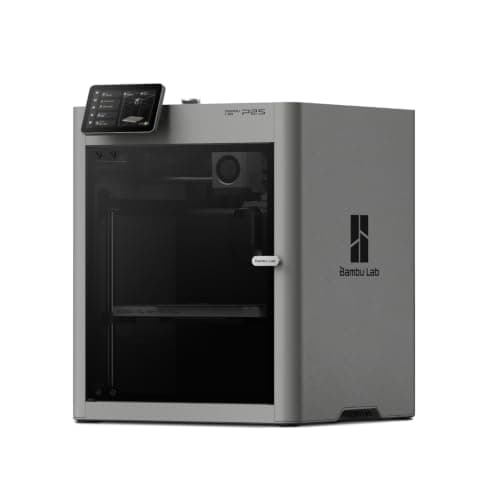
The P1S rebuilt: the same 256 mm cubed enclosed box, a hotter plate, a faster head and a cooling system that draws outside air so the door can stay shut on PLA. It is the enclosed Bambu to buy if you are buying one to keep, and it is still more machine than a first month needs.
#ad Price as of October 29, 2026, from Amazon. Prices change. How we make money.
What it actually is
An enclosed CoreXY printer — the head moves in two axes while the plate only rises, and a box surrounds the whole thing. The box holds heat, which is what keeps plastics that shrink as they cool stuck to the plate, and it holds most of the noise and smell as well.
What the manufacturer states
| Figure | Value | Source |
|---|---|---|
| Build volume | 256 x 256 x 256 mm | Bambu Lab P2S technical specifications |
| Enclosure | Enclosed; plastic and glass outer frame, plastic and steel chassis | Bambu Lab P2S technical specifications |
| Max nozzle temperature | 300 C | Bambu Lab P2S technical specifications |
| Max heatbed temperature | 110 C | Bambu Lab P2S technical specifications |
| Max toolhead speed | 600 mm/s | Bambu Lab P2S technical specifications |
| Max toolhead acceleration | 20,000 mm/s2 | Bambu Lab P2S technical specifications |
| Max hot end flow | 40 mm3/s | Bambu Lab P2S technical specifications |
| Nozzle | Hardened steel, 0.4 mm included; 0.2, 0.6 and 0.8 mm supported | Bambu Lab P2S technical specifications |
| Filaments supported | PLA, PETG, ABS, ASA, TPU, PET, PA, PC, PVA and carbon or glass fiber reinforced grades | Bambu Lab P2S technical specifications |
| Filtration | Activated carbon; VOC and particulate filtration supported | Bambu Lab P2S technical specifications |
| Physical dimensions | 392 x 406 x 478 mm | Bambu Lab P2S technical specifications |
| Net weight | 14.9 kg | Bambu Lab P2S technical specifications |
| Max power | 1000 W at 110 V | Bambu Lab P2S technical specifications |
Read from Bambu Lab, P2S technical specifications on 2026-09-04. Where a manufacturer does not publish a figure, there is no row for it here.
What is good about it
- Enclosed, with an activated carbon filter Bambu Lab rates for VOC and particulate filtration — the version of ABS printing that belongs in a room you sit in
- The Adaptive Airflow System draws cool air from outside the chamber, so Bambu Lab states low-temperature filaments can be printed with the door closed
- A 110 C plate against the P1S's 100 C and a rated 40 mm3/s flow, so large parts in engineering plastics are less of a gamble
- Auto bed leveling, nozzle offset and flow calibration are all documented and automatic, so nothing about setup is harder than an A1's
What is not
- It is the most expensive machine on this site's beginner shortlist, and every advantage it holds is aimed at materials a first year does not reach
- 1000 W at 110 V while the plate heats — several times the draw of an A1 mini, and worth knowing before it shares a circuit with a space heater
- 14.9 kg and 478 mm tall, so it is a shelf machine rather than a desk machine
- Multi-color still means buying the AMS 2 Pro, so the headline price is not the multi-color price
Skip this one if
Skip it if you have not yet printed anything. The P2S is a better machine than an A1 in every measurable way and not a better first machine, because almost none of what it adds shows up in PLA. Buy it when a project names ABS, ASA or a fiber-filled filament out loud.
What we cannot tell you
We have not printed on this machine. How quiet it really is with the door shut, whether the carbon filter meaningfully changes the smell of ABS in a small room, and how the servo extruder holds up over a year are not answerable from a specification sheet.
How it scored for a beginner
- Setup out of the box8.5
- Auto-calibration9.5
- First-layer forgiveness9.0
- Parts and filament availability9.0
- Running cost6.5
- Help when it goes wrong9.0
Beginner fit 8.5 / 10. That is our editorial read of how well this suits someone buying their first printer, taken off the published specifications — not a test result, and not a verdict on absolute quality. It is deliberately not marked up as a rating in this page’s structured data. How we pick.
How these were picked
We have not printed on these machines and we do not pretend to have. What we did was read each manufacturer’s own specification page, take their stated build volume, temperatures and speeds, check that every pick genuinely fits the job in this page’s title, confirm it is still being sold, and pull a live price rather than a remembered one. Every figure names the source it came from, so you can check it yourself in about a minute.
How we pick sets out the full method, including what would change a ranking.
Questions people actually ask
+−Is the Bambu Lab P2S worth it over the P1S?
Only for specific reasons: a 110 °C plate rather than 100 °C, a 600 mm/s head, a rated 40 mm3/s flow, and an airflow system that lets you print PLA with the door closed. The build volume, the automation and the AMS ecosystem are the same. If the enclosure itself is what you want, the P1S is cheaper.
+−Can the P2S print ABS and carbon fiber filament?
Bambu Lab lists PLA, PETG, ABS, ASA, TPU, PET, PA, PC, PVA and carbon or glass fiber reinforced grades as supported, with a hardened steel nozzle and a 300 °C hot end. That is a wider list than the P1S, which Bambu Lab says needs an extruder and hot end upgrade before fiber-reinforced filament.
+−Does the P2S need the AMS 2 Pro?
Not to print. The AMS 2 Pro adds four-color printing and filament drying and is sold separately or in a Combo. Multi-color purges filament at every change, so we suggest learning the machine in one color first.
+−Is the P2S good for a first 3D printer?
It is capable of it — the setup is fully automated — but it is not the best first printer. Everything it adds over an A1 is aimed at materials a first year does not reach, and it costs considerably more. An A1 mini plus a lot of filament is the better first purchase.