Guide
The Beginner Mistakes Worth Skipping
None of these is about skill. They are the decisions and habits that quietly cost people their first month, and every one of them is avoidable if somebody tells you first.
By Scooter M. · Published · Last reviewed
The short answer
The three that cost the most: buying too much printer, changing several settings at once, and skipping the machine’s own calibration. None of them is about skill. They are decisions, and knowing about them in advance is the entire fix.
Mistakes you make before it arrives
1. Buying too much printer
A large enclosed multi-color machine is a better tool and a worse first purchase, because every extra capability is another thing to learn in a week when you are already learning what a Z-offset is. The people still printing a year later mostly started with something modest and reliable. Buy for the projects you can name today.
2. Buying a printer and no filament
The coil in the box is a sample. Nobody wants to unbox a printer and discover they cannot use it until Thursday. Order a 1 kg spool with the machine.
3. Buying five kilos of one color to save money
You will change your mind about color within a fortnight, and open filament degrades in a normal room. Two spools in two colors is the right first order — it also means a spool running out mid-print is a pause rather than a ruined part.
4. Buying multi-color up front
On most machines the multi-spool unit can be added at any time, which makes it one of the very few genuinely deferrable upgrades here. Buying it on day one means solving two problems at once during the week you are still solving the first. The multi-color page has the full argument.
Mistakes in the first hour
5. Putting it on a wobbly surface
A bed-slinger throws its plate back and forth many times a second. A folding table converts that motion into visible ripples on the side of every tall print, and you will spend a week blaming settings.
6. Putting it in a draft
Under a vent, beside a window that gets opened, next to a door in regular use. Cold air across a printing part makes it contract and lift at the corners. This is the most under-diagnosed cause of failed prints because it is completely invisible on the machine.
7. Skipping the calibration because it seems to work without it
It will print without it. It will print better with it, and running it takes a few minutes. This is the step that replaced an entire era of beginner frustration and it is astonishing how often it gets skipped.
8. Not printing the bundled file first
The model on the storage card is pre-sliced by the manufacturer with settings known to work on that machine. It is a diagnostic, not a formality: if it succeeds your machine is sound, and if it fails you know the problem is not your slicer settings.
Mistakes in the first fortnight
9. Changing several settings at once
The single most expensive habit on this page. Adjust four things, get a better print, learn nothing. One variable per print. It feels slower and it is dramatically faster.
10. Squashing the first layer harder to make it stick
The most common bad advice on the internet about bed adhesion. Lowering the Z-offset until the nozzle scrapes damages the build surface, which converts a free problem into a purchase. The first layer should look flattened, not gouged. The bed adhesion page works through the fixes in the right order.
11. Never washing the plate
Every time you pick a print off the plate, you touch it, and the oil from your fingers is enough to stop plastic bonding. A plate that worked for two weeks and has started failing almost always just needs washing.
12. Cranking infill to 100 percent
A solid object takes hours longer, uses several times the filament, and for a decorative model is no more useful. Fifteen percent is fine for most things. If you need strength, add a wall — walls contribute more per gram than infill does.
Mistakes in the first month
Later mistakes and what to do instead.
| Mistake | What to do instead |
|---|---|
| Installing custom firmware in week one | Stay stock until you can tell your problems from the firmware's |
| Buying upgrades before you have a problem | Wait until a specific failure points at a specific part |
| Leaving spools open on the printer for months | Sealed box with desiccant; a dryer once symptoms appear |
| Starting with PETG, TPU or supports | Get single-color PLA dependable first, then add one skill |
| Promising somebody a printed thing by a date | Not in month one. Deadlines and learning curves do not mix |
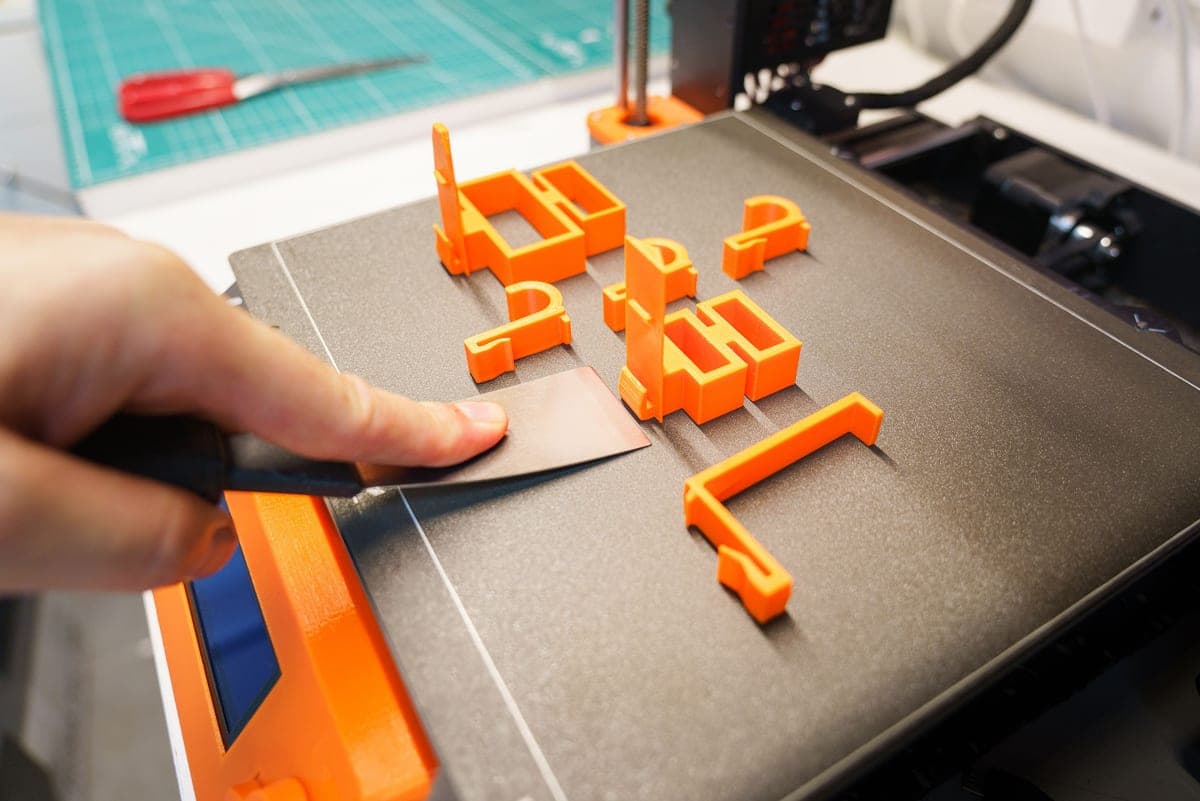
| Scraping prints off with a metal tool | Flex the plate; let PETG cool first. Metal ruins coatings |
Questions people actually ask
+−What is the most common 3D printing beginner mistake?
Changing several settings between prints. You get a better result and learn nothing, because you cannot tell which change did it. One variable per print.
+−Is it normal for early prints to fail?
Yes. A couple of failures in the first fortnight is ordinary, and nearly all of them are either a first layer that did not stick or filament that did not flow properly. Both have specific, ordered fixes.
+−Should I upgrade my printer as a beginner?
No. Almost every upgrade sold for these machines solves a problem you have not had yet, and installing one before you know the machine means you cannot tell whether a new problem is the upgrade’s fault. Wait until a specific failure points at a specific part.
+−How much infill should a beginner use?
Fifteen percent covers most decorative and everyday objects. Going higher costs hours and filament for strength you will not test. If a part needs to be stronger, add a wall rather than infill — walls contribute more per gram.