Roundup
The Best 3D Printers for Teenagers
The mistake with a teenager is buying down. A machine marketed at children will be abandoned by February; a real printer with automatic setup will still be running in a year, and costs about the same.
By Scooter M. · Published · Last reviewed
How this page is funded: the buy links below are affiliate links. If you buy through one we earn a commission, at no extra cost to you. It does not change the order of the picks or a word of what we say about them. Full disclosure.
Printers we claim to have tested: 0. Everyone in this category says they tested twenty machines. We have not tested any, and we would rather say so. What we did instead is on this page: the manufacturer’s own published specification for every pick, cited and dated; the arithmetic on what it costs to run, with the inputs shown; a live price rather than a remembered one; and a plain answer on who should skip each machine.
The short answer
Get the Bambu Lab A1 mini. A teenager does not need a simplified printer; they need one that works on the first try, is quiet enough for a bedroom and does not require an adult to start a print. Buy the A1 if they already have larger projects in mind, and the Ender-3 V3 SE if the assembly is genuinely part of the appeal.
This page exists because the obvious search — a 3D printer for a teenager — returns a lot of machines designed for eight-year olds. Those are a different product solving a different problem, and buying one for a fifteen-year old is the most common way this gift goes wrong.
Why buying down fails
Printers aimed at young children are built around removing decisions: an unheated plate, PLA only, a curated app library, a small build volume. Every one of those constraints is the correct answer for a child who will operate the machine alone, and the wrong answer for a teenager.
A teenager wants to print the thing they found, not the thing in the library. They want to model their own parts eventually. They will absolutely want to print something bigger than 90 mm. And they are entirely capable of managing a heated bed. Our Toybox review makes the case for that kind of machine honestly — and the case is about younger children, not this age.
The other failure is buying up, into a machine with an enclosure and multi-color because it looks more serious. That adds cost and things to learn without adding anything a first year uses.
How we picked
Four criteria, in the order that actually predicts whether a printer is still being used at the end of the school year. Every figure is the manufacturer’s own published number and we have not printed on these machines.
1. Does it work without an adult? The deciding criterion. A printer that needs someone to level a bed with a sheet of paper is a printer that gets used when that person is free, which is rarely. Automatic bed leveling, Z-offset and flow calibration change who owns the machine.
2. Can it live in a bedroom? Footprint, noise and where it can be left running overnight. This decides whether the printer is theirs or the household’s.
3. Will it still be interesting in six months? Open model libraries, standard 1.75 mm filament from any brand, and a build volume that does not immediately limit what they find.
4. What does it cost to keep running? A teenager printing regularly goes through filament. A machine that takes any mainstream spool matters more than one tied to a proprietary format — a kilogram covers twenty to thirty desk-sized objects, and the cost per print is genuinely small when the spool is ordinary.
Published figures, read from each manufacturer's own page on 2026-09-01.
| Machine | Build volume | Assembly | Auto setup | Bedroom-friendly? |
|---|---|---|---|---|
| Bambu Lab A1 mini | 180 x 180 x 180 mm | None | Leveling, Z-offset, flow | Yes - 5.5 kg, 150 W |
| Bambu Lab A1 | 256 x 256 x 256 mm | None | Leveling, Z-offset, flow | Needs a shelf - 8.3 kg |
| Creality Ender-3 V3 SE | 220 x 220 x 250 mm | An evening | CR Touch, strain-sensor Z-offset | Yes, but louder |
The conversation worth having first
Ask what they want to make. The answer sorts this decision faster than any specification.
“Stuff for my desk / my room / my games.” The A1 mini. Almost all of it fits in 180 mm cubed.
“Cosplay, props, big things.” The A1, and read the cosplay guide together — large pieces print in sections and that changes the shopping list.
“I want to know how it works.” The Ender-3 V3 SE. Building it is a genuine weekend project and the thing that comes apart is the thing they will understand.
“I am not sure.” The A1 mini. It is the cheapest mistake and the easiest success.
What they will actually print in the first month
Predictable, and worth knowing because it tells you how much printer you need.
Week one: whatever came on the machine, then a Benchy, then something from a model library that looked impressive in the thumbnail. Half of it will be ornamental and that is fine — this is the learning phase, and what to 3D print first is a better list than the algorithm’s.
Weeks two and three: things for their own desk. Headphone hooks, cable clips, phone stands, controller holders, box inserts for a board game. This is the point where a 3D printer becomes genuinely useful rather than novel, and almost all of it fits inside 180 mm cubed.
Week four onward: either it plateaus or it does not, and what decides that is usually whether they found a purpose — a game, a hobby, a costume, a class project — rather than anything about the hardware.
The school and project angle
If the printer is partly justified as being good for schoolwork, be honest with yourself about which part.
Printing downloaded models teaches very little beyond patience and some process. What genuinely builds a transferable skill is designing something, which means CAD, which is a separate hobby with its own learning curve. A teenager who gets into that has picked up something real; one who only prints other people’s files has a nice hobby, which is also fine.
The practical bridge is a project with a constraint — a bracket that has to fit an actual shelf, an insert sized to a real box. Measuring something and making a part that fits it is the moment the machine stops being a toy.
Where the money is best spent
On a fixed budget, our order of priority for a teenager is not the obvious one.
First, automation. Spend whatever it takes to get automatic bed leveling and Z-offset. This is the difference between a machine they use and a machine they ask you to fix.
Second, filament. Two or three kilograms rather than one. Running out mid-project in week two is a genuine enthusiasm-killer, and mainstream PLA is cheap.
Third, build volume. Useful, and less urgent than both of the above at this age.
Last, everything else. Multi-color, an enclosure and exotic filaments are month-six conversations. Buying them up front means paying for capability during the exact period when the machine should be as simple as possible.
Setting it up so it keeps being used
The difference between a printer that is still running in June and one under a bed is rarely the machine. Three things decide it, and all three are set up in the first week.
Put it where it can be left alone. A printer that has to be cleared off the desk before homework is a printer that does not get started. It needs a permanent surface, stable enough not to transmit vibration through a bedroom floor, with clearance around it for the spool and the door. Where to put your 3D printer covers the surface question properly.
Agree what happens overnight. Long prints are normal — several hours is an ordinary object. Decide together whether prints can run while people sleep, and put the machine somewhere that decision is comfortable. Getting this agreed early avoids the pattern where a teenager only prints when nobody is home.
Give the filament somewhere to live. An open spool sitting in a bedroom for a month absorbs moisture and starts printing badly, which reads as the printer failing. A sealed box with desiccant costs very little and prevents the single most misdiagnosed problem in the hobby.
One more piece of advice that sounds trivial and is not: let them own it. A printer that a parent operates is a parent’s printer. Every specification on this page was chosen to make it possible for the teenager to run the machine themselves, and that only pays off if they actually do.
The safety conversation, briefly and honestly
The realistic risks with a teenager are burns and unattended running, not anything exotic. The nozzle reaches around 300 °C and the plate 80-100 °C on the machines here; both are hot enough to matter and neither is hidden.
Our practical position: agree that the first few prints happen while somebody else is in the building, keep anything flammable away from the machine, and treat a working smoke alarm in the room as non-negotiable. That is the same advice we would give an adult, which is rather the point of this page.
If it is a surprise gift
You lose the single most useful input — asking what they want to make — so bias toward the middle option. The A1 mini is the safest surprise here: it is the least likely to be too much machine, the least likely to be outgrown in a month, and the cheapest to have been wrong about.
Two things make a surprise land better regardless of which machine you pick. Order filament with it, so the first print happens on the day rather than after a delivery wait. And check the footprint against wherever it is going to live before you order, because a printer that arrives with no home is a printer that sits in its box.
The failure modes specific to giving a printer, including the accessories nobody remembers, are on the gift guide.
What happens in month three
Two predictable things, and knowing them in advance is most of the difference between a printer that keeps being used and one that gets shoved under a bed.
The filament goes wet. A spool left open in a bedroom for weeks absorbs moisture, then pops, strings and prints badly. It reads exactly like the printer breaking. It is not — storage and drying is the fix, and a dryer is the sensible month-three purchase rather than a day-one one.
They want multiple colors. Every machine here supports a multi-spool unit as a separate purchase later, which is the right time to buy it. Multi-color purges filament at every change, so it is worth understanding what it actually costs before committing.
And if the gift is for a younger child rather than a teenager, the decision is genuinely different — the printers for kids roundup starts with the one question that decides it.
Quick picks
Ranked on how well each one fits the job in this page's title, read off the manufacturer's own published specifications. Tap any row for the full write-up, including who should skip it.
| # | Product | Best for | Beginner fit | Price |
|---|---|---|---|---|
| 1 | 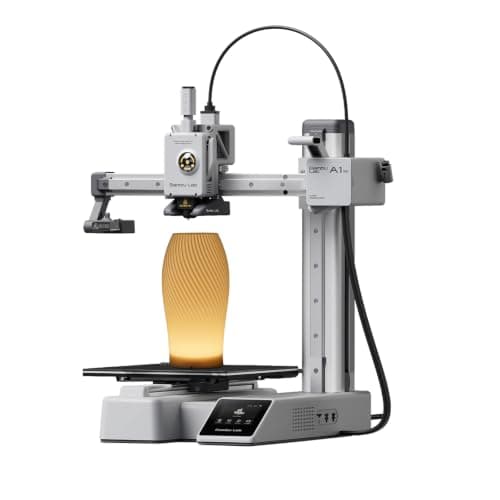 Bambu Lab A1 mini180 x 180 x 180 mm Bambu Lab A1 mini180 x 180 x 180 mm | Best overall | 9.2 | $249.00 - Check price on Amazon |
| 2 | 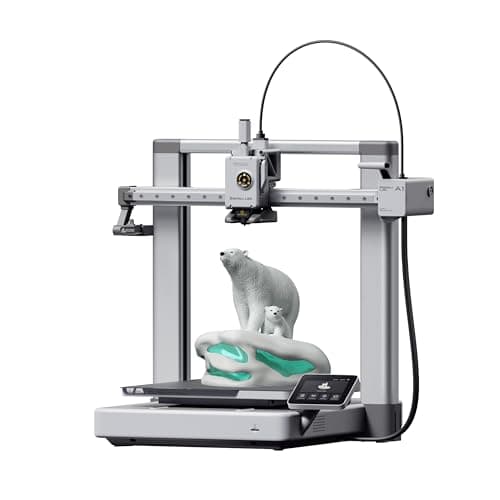 Bambu Lab A1256 x 256 x 256 mm Bambu Lab A1256 x 256 x 256 mm | Best if the projects are already bigger | 9.0 | $305.00 - Check price on Amazon |
| 3 | 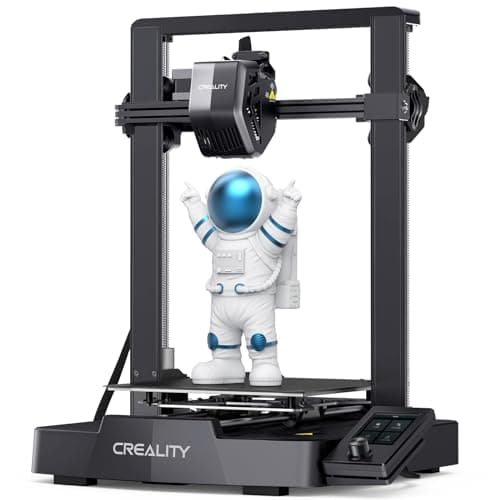 Creality Ender-3 V3 SE220 x 220 x 250 mm Creality Ender-3 V3 SE220 x 220 x 250 mm | Best for a teenager who wants to tinker | 8.0 | $199.00 - Check price on Amazon |
| 4 | 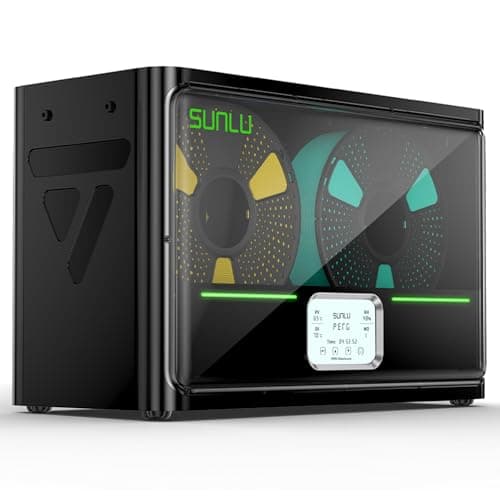 SUNLU FilaDryer S4SUNLU SUNLU FilaDryer S4SUNLU | The accessory that saves month three | 8.5 | $99.44 - Check price on Amazon |
#1 · Best overall
Bambu Lab A1 mini
Bambu Lab · A genuine first printer
The one to get if you have never done this before. It calibrates itself before every print — bed mesh, Z-offset, flow, resonance — so the part of 3D printing that used to defeat beginners is a step you never see. The build volume is the price you pay.
#ad Price as of October 29, 2026, from Amazon. Prices change. How we make money.
What it actually is
A small open-frame filament printer. Filament is a 1.75 mm plastic string on a spool; the machine melts it and draws your object one layer at a time. Open-frame means there is no box around it, which is fine for PLA and a limitation for materials that warp.
Does it fit this page?
It removes the three setup steps that make a teenager give up - bed leveling, Z-offset and flow - and it is small and quiet enough to live in a bedroom. 180 mm cubed covers the phone stands, desk organizers and game pieces that actually get printed at this age.
What the manufacturer states
| Figure | Value | Source |
|---|---|---|
| Build volume | 180 x 180 x 180 mm | Bambu Lab A1 mini technical specifications |
| Max hot end temperature | 300 C | Bambu Lab A1 mini technical specifications |
| Max build plate temperature | 80 C | Bambu Lab A1 mini technical specifications |
| Max toolhead speed | 500 mm/s | Bambu Lab A1 mini technical specifications |
| Max toolhead acceleration | 10,000 mm/s2 | Bambu Lab A1 mini technical specifications |
| Filaments rated ideal | PLA, PETG, TPU, PVA | Bambu Lab A1 mini technical specifications |
| Filaments not recommended | ABS, ASA, PC, PA, PET, carbon/glass fiber reinforced | Bambu Lab A1 mini technical specifications |
| Machine dimensions | 347 x 315 x 365 mm | Bambu Lab A1 mini technical specifications |
| Net weight | 5.5 kg | Bambu Lab A1 mini technical specifications |
| Max power | 150 W | Bambu Lab A1 mini technical specifications |
Read from Bambu Lab, A1 mini technical specifications on 2026-09-01. Where a manufacturer does not publish a figure, there is no row for it here.
What is good about it
- Full auto-calibration on every print, per Bambu Lab's own specification — no paper-under-the-nozzle ritual
- Rated ideal for PLA, PETG, TPU and PVA, which covers everything a beginner should print in year one
- 150 W maximum power draw is the lowest of any printer on this site, so running cost is trivial
- 5.5 kg and 347 mm wide — it fits on a desk without rearranging the room
What is not
- 180 mm cubed is genuinely small. A full-size helmet or a large cosplay prop will not fit
- Bambu Lab rates ABS, ASA, PC and fiber-reinforced filaments as not recommended on this machine
- The multi-color AMS lite is a separate purchase, so the headline price is not the multi-color price
- Bambu Lab's own Amazon store lists this machine bundled with an LED lamp kit rather than on its own, so the price on our button is for that bundle. The bare printer is sold direct on Bambu Lab's store
- Open frame, so it is at the mercy of a draft from a window or an air conditioning vent
Skip this one if
Skip it if you already know the thing you want to print is bigger than a shoebox, or if you specifically want ABS or a carbon-fiber-filled filament. Bambu Lab itself lists those materials as not recommended here, and buying a machine you intend to use outside its rated envelope is how a first printer becomes a frustrating one.
What we cannot tell you
We have not printed on this machine. Long-term reliability, real-world noise in a quiet room, and how the textured plate holds up after a year are all things we cannot honestly report without owning one.
How it scored for a beginner
- Setup out of the box9.5
- Auto-calibration10.0
- First-layer forgiveness9.5
- Parts and filament availability9.0
- Running cost10.0
- Help when it goes wrong9.0
Beginner fit 9.2 / 10. That is our editorial read of how well this suits someone buying their first printer, taken off the published specifications — not a test result, and not a verdict on absolute quality. It is deliberately not marked up as a rating in this page’s structured data. How we pick.
#2 · Best if the projects are already bigger
Bambu Lab A1
Bambu Lab · A first printer you will not outgrow
The A1 mini's larger sibling, and the better buy the moment you have a specific large thing in mind. Same self-calibration, 256 mm cubed instead of 180, and a 100 C bed rather than 80 C — which is the spec that actually widens what you can print.
#ad Price as of October 29, 2026, from Amazon. Prices change. How we make money.
What it actually is
The full-size version of the A1: same open-frame layout, same automatic calibration, a bigger bed and a hotter one. The extra bed temperature matters because materials that shrink as they cool need a warm plate to stay stuck to it.
Does it fit this page?
The same automation with 256 mm cubed and a 100 C plate. Worth the step if they have already named something large, or if they are heading toward cosplay props rather than desk objects.
What the manufacturer states
| Figure | Value | Source |
|---|---|---|
| Build volume | 256 x 256 x 256 mm | Bambu Lab A1 technical specifications |
| Max hot end temperature | 300 C | Bambu Lab A1 technical specifications |
| Max build plate temperature | 100 C | Bambu Lab A1 technical specifications |
| Max toolhead speed | 500 mm/s | Bambu Lab A1 technical specifications |
| Max toolhead acceleration | 10,000 mm/s2 | Bambu Lab A1 technical specifications |
| Filaments rated ideal | PLA, PETG, TPU, PVA | Bambu Lab A1 technical specifications |
| Machine dimensions | 465 x 410 x 430 mm | Bambu Lab A1 technical specifications |
| Net weight | 8.3 kg | Bambu Lab A1 technical specifications |
| Max power | 350 W at 110 V | Bambu Lab A1 technical specifications |
Read from Bambu Lab, A1 technical specifications on 2026-09-01. Where a manufacturer does not publish a figure, there is no row for it here.
What is good about it
- 256 mm cubed covers almost everything a first-year printer is asked to make
- 100 C bed rather than the mini's 80 C, which is the difference that makes larger PETG parts stick
- Identical hands-off calibration to the A1 mini, so nothing gets harder as the machine gets bigger
- Bambu Lab publishes a full specification sheet, so every number on this page is checkable in a minute
What is not
- 465 mm wide and 8.3 kg — it needs a dedicated shelf, not a corner of a desk
- 350 W at US voltage against the mini's 150 W, so it costs meaningfully more to run
- Still open-frame, so the material limits are the same as the mini's despite the hotter bed
- Multi-color is again a separate AMS lite purchase
Skip this one if
Skip it if your desk is the only place it can go and you have not measured that desk. It is nearly half a meter wide. If you are unsure whether you will use the extra volume, the mini is the cheaper mistake.
What we cannot tell you
We have not printed on this machine. Noise at full speed, long-term belt and rod wear, and how often the auto-calibration actually needs intervention are all beyond what a specification sheet can tell you.
How it scored for a beginner
- Setup out of the box9.5
- Auto-calibration10.0
- First-layer forgiveness9.5
- Parts and filament availability9.0
- Running cost8.0
- Help when it goes wrong9.0
Beginner fit 9.0 / 10. That is our editorial read of how well this suits someone buying their first printer, taken off the published specifications — not a test result, and not a verdict on absolute quality. It is deliberately not marked up as a rating in this page’s structured data. How we pick.
#3 · Best for a teenager who wants to tinker
Creality Ender-3 V3 SE
Creality · The smallest sensible amount of money
The cheap way in, and a genuinely modern one: auto bed leveling with CR Touch, automatic Z-offset from a strain sensor, and a direct-drive extruder. You will still learn more about your printer than an A1 owner does. Whether that is a feature or a cost is the whole decision.
#ad Price as of October 29, 2026, from Amazon. Prices change. How we make money.
What it actually is
An open-frame bed-slinger — the plate moves back and forth under a head that moves side to side and up. It is the classic hobby-printer layout, and this generation added the automatic setup steps the older Enders famously lacked.
Does it fit this page?
It arrives in parts and needs assembling, which is either the drawback or the entire point depending on the teenager. CR Touch auto-leveling and a strain-sensor Z-offset mean the hard setup steps are still handled once it is together.
What the manufacturer states
| Figure | Value | Source |
|---|---|---|
| Build volume | 220 x 220 x 250 mm | Creality Ender-3 V3 SE product specifications |
| Maximum print speed | 250 mm/s | Creality Ender-3 V3 SE product specifications |
| Typical print speed | 180 mm/s | Creality Ender-3 V3 SE product specifications |
| Acceleration | 2,500 mm/s2 | Creality Ender-3 V3 SE product specifications |
| Leveling | CR Touch auto leveling with strain-sensor Z-offset | Creality Ender-3 V3 SE product specifications |
| Extruder | Sprite direct extruder | Creality Ender-3 V3 SE product specifications |
| Filament diameter | 1.75 mm | Creality Ender-3 V3 SE product specifications |
Read from Creality, Ender-3 V3 SE product page on 2026-09-01. Where a manufacturer does not publish a figure, there is no row for it here.
What is good about it
- 220 x 220 x 250 mm is larger in every axis than the A1 mini
- Automatic bed leveling and Z-offset, which is the thing older Enders did not have
- The largest parts and community ecozystem of any machine here, by a distance
- Some assembly is required, and you will understand your printer better for it
What is not
- 250 mm/s maximum and 2,500 mm/s2 acceleration — a fraction of the A1's rated figures
- Not fully assembled out of the box, so first-print day is longer
- No filament run-out safety net of the kind Bambu specifies on the A1 series
- More of the tuning is yours to do, which is the trade for the price
Skip this one if
Skip it if the reason you are buying a printer is that you want to print things, not to own a printer. This machine is excellent value and it will ask more of you than an A1 mini will. If your patience for troubleshooting is low, spend the difference.
What we cannot tell you
We have not printed on this machine. How often the auto leveling needs re-running, the quality of the bundled build surface after a hundred prints, and assembly time for someone who has never built one are all outside what the specification tells you.
How it scored for a beginner
- Setup out of the box7.0
- Auto-calibration8.0
- First-layer forgiveness7.5
- Parts and filament availability10.0
- Running cost9.0
- Help when it goes wrong10.0
Beginner fit 8.0 / 10. That is our editorial read of how well this suits someone buying their first printer, taken off the published specifications — not a test result, and not a verdict on absolute quality. It is deliberately not marked up as a rating in this page’s structured data. How we pick.
#4 · The accessory that saves month three
SUNLU FilaDryer S4
SUNLU · Filament that has been open more than a few weeks
The accessory that fixes a failure most beginners misdiagnose. Filament absorbs water from the air; wet filament pops, strings and prints badly, and no amount of leveling fixes it. Four spools at once and you can print straight out of the box.
#ad Price as of October 29, 2026, from Amazon. Prices change. How we make money.
What it actually is
A heated box that drives moisture out of filament and then keeps it dry while you print from it. Plastics like PETG and nylon pull water out of ordinary room air within days, and water in the filament turns to steam in the nozzle.
Does it fit this page?
Not a printer, and the single most useful thing to add later. A spool that has sat open in a bedroom for two months starts popping and stringing, and a teenager reads that as the printer being broken rather than the filament being wet.
What the manufacturer states
| Figure | Value | Source |
|---|---|---|
| Capacity | 4 x 1 kg spools | SUNLU FilaDryer S4 published specification |
| Temperature range | 35 - 70 C | SUNLU FilaDryer S4 published specification |
| Heater | 350 W PTC heater | SUNLU FilaDryer S4 published specification |
| Filament diameters supported | 1.75 mm, 2.85 mm, 3.0 mm | SUNLU FilaDryer S4 published specification |
Read from SUNLU, FilaDryer S4 product page on 2026-09-01. Where a manufacturer does not publish a figure, there is no row for it here.
What is good about it
- Four spools at once, which is the difference between drying filament and having dry filament
- 35 - 70 C covers PLA at the low end and nylon at the high end
- You can feed the printer directly from the box, so filament stays dry mid-print
- Fixes a whole class of print failures that look like machine problems
What is not
- A 350 W heater is more power than most printers here draw
- It is a large box that needs somewhere to live next to the printer
- Nothing about it helps on a fresh, sealed, dry spool
- Sealed boxes with desiccant do most of the same job for less money if you are only storing
Skip this one if
Skip it on day one. Your first spool arrives vacuum sealed and dry, and a dryer solves a problem you will not have for weeks. Buy it when a spool that used to print well starts popping and stringing.
What we cannot tell you
We have not used this dryer. How long a spool actually stays dry in a humid room, and how accurate the displayed temperature is, need measurement we have not done.
How it scored for a beginner
- Ease for a beginner9.0
- Fixes a real failure9.5
- Availability8.5
- Value7.5
Beginner fit 8.5 / 10. That is our editorial read of how well this suits someone buying their first printer, taken off the published specifications — not a test result, and not a verdict on absolute quality. It is deliberately not marked up as a rating in this page’s structured data. How we pick.
How these were picked
We have not printed on these machines and we do not pretend to have. What we did was read each manufacturer’s own specification page, take their stated build volume, temperatures and speeds, check that every pick genuinely fits the job in this page’s title, confirm it is still being sold, and pull a live price rather than a remembered one. Every figure names the source it came from, so you can check it yourself in about a minute.
How we pick sets out the full method, including what would change a ranking.
Questions people actually ask
+−What is the best 3D printer for a teenager?
The Bambu Lab A1 mini for most. It automates bed leveling, Z-offset and flow calibration, so a teenager can run it without an adult, and at 5.5 kg and 150 W maximum draw it lives on a desk comfortably. Step up to the A1 only if they already have larger projects in mind.
+−Should I buy a kids' 3D printer for a teenager?
No. Machines built for young children trade build volume, materials and an open model library for safety simplifications a teenager does not need. They get outgrown in weeks, and a real beginner printer usually costs about the same.
+−Is a 3D printer safe in a teenager's bedroom?
With ordinary precautions, yes. The real risks are burns from a roughly 300 °C nozzle and an 80-100 °C plate, and leaving long prints unattended. Keep flammable things away from it, make sure the room has a working smoke alarm, and supervise the first few prints.
+−How much does it cost to run a 3D printer for a teenager?
Filament is the running cost and it is modest: a 1 kg spool of mainstream PLA covers twenty to thirty typical desk-sized objects. Electricity is a rounding error — the A1 mini publishes a 150 W maximum draw. Budget for spools, not for the meter.