Head to head
Bambu Lab vs Creality
The two brands a first-time buyer actually chooses between. One sells an appliance, the other sells a machine you can open. That difference decides more than any single specification does.
By Scooter M. · Published · Last reviewed
How this page is funded: the buy links below are affiliate links. If you buy through one we earn a commission, at no extra cost to you. It does not change the order of the picks or a word of what we say about them. Full disclosure.
Printers we claim to have tested: 0. Everyone in this category says they tested twenty machines. We have not tested any, and we would rather say so. What we did instead is on this page: the manufacturer’s own published specification for every pick, cited and dated; the arithmetic on what it costs to run, with the inputs shown; a live price rather than a remembered one; and a plain answer on who should skip each machine.
The short answer
Buy Bambu Lab if you want to print things. Buy Creality if you want to own a printer. That is not a slight on either. Bambu Lab automates the setup steps that historically ended people’s interest; Creality sells for noticeably less, has parts on every shelf, and rewards somebody who enjoys understanding a machine. Both publish auto-leveling on their current beginner models.
Almost every first-printer shortlist ends up as a choice between these two companies. This page compares them as brands rather than as individual machines, because for most people the brand decision comes first and the model decision follows from it.
What each brand actually sells
Bambu Lab sells closed, self-calibrating machines with a matched software stack. On the A series the company publishes automatic bed leveling, automatic Z-offset probing and automatic flow calibration before every print. The proposition is that you press print and the machine handles the rest.
Creality has been selling the Ender line since it was the default answer to “what should my first printer be,” and the current V3 generation carries CR Touch automatic bed leveling with a strain-sensor Z-offset. The proposition is a lower price, a machine that comes apart, and a decade of accumulated community knowledge about how to fix it.
The published figures on the machines people cross-shop
Read from each manufacturer's own product pages. Bambu Lab figures read 2026-09-06; Ender-3 V3 SE read 2026-09-01; Ender 3 V3 Plus read 2026-10-10.
| Machine | Build volume | Rated max speed | Auto setup |
|---|---|---|---|
| Bambu Lab A1 mini | 180 x 180 x 180 mm | 500 mm/s | Bed leveling, Z-offset, flow |
| Creality Ender-3 V3 SE | 220 x 220 x 250 mm | 250 mm/s | CR Touch leveling, strain-sensor Z-offset |
| Bambu Lab A1 | 256 x 256 x 256 mm | 500 mm/s | Bed leveling, Z-offset, flow |
| Creality Ender 3 V3 Plus | 300 x 300 x 330 mm | 600 mm/s | Auto leveling |
Read that table carefully and the brand caricature falls apart a bit. The cheapest Creality gives you more build volume than the cheapest Bambu. The faster Creality publishes a higher rated speed than the Bambu and a great deal more room. The differences are real but they are narrower than the internet suggests, and they are not where the decision actually lives.
Where the decision actually lives
How much assembly you want. The Ender-3 V3 SE arrives in parts and needs putting together — budget an evening. The A1 series arrives assembled. Neither is difficult; one of them is an hour of your life and a chance to understand what a Z-axis is.
How you like to fix things. A Creality is a machine with visible bolts, standard parts and thousands of forum threads behind it. A Bambu is closer to an appliance: it fails less often, and when it does, you are more likely to be following the manufacturer’s process than a community one. Some people find that reassuring and some find it claustrophobic.
What the price difference buys elsewhere. The money between a Creality and a Bambu is roughly several kilograms of filament, or a filament dryer, or the entire starter kit. Six months of printing beats every specification on this page, and the cheaper machine that gets used a lot beats the better machine that intimidates you.
Materials. Neither brand’s open-frame machines will do ABS properly. Bambu Lab rates the A series as not recommended for ABS, ASA, PC, PA and fiber-reinforced grades; Creality publishes the Ender-3 V3 SE’s Sprite extruder as working with PLA, PETG and flexible TPU. If ABS is the plan, the answer from either brand is an enclosure — see the enclosed band.
The multi-color difference
Bambu Lab’s AMS is the more mature multi-spool system and the one most people mean when they say multi-color. Creality sells its own filament system for its current machines. Our advice on both is identical and does not depend on the brand: do not buy it on day one. Every color change purges filament into a waste block and adds time, and the multi-color page shows what that costs before you commit.
So which one
If somebody asked us to answer in one line with no further information: a Bambu Lab A1 mini for somebody who wants objects, and a Creality Ender-3 V3 SE for somebody who wants a hobby. The head-to-head between exactly those two machines, with the numbers, is on our SE against A1 mini page, and which Bambu to buy covers that brand’s lineup on its own.
What we would buy for this
Chosen from the same registry as our roundups, on the manufacturer’s own published figures and a live price.
Bambu Lab A1 mini
Bambu Lab · A genuine first printer
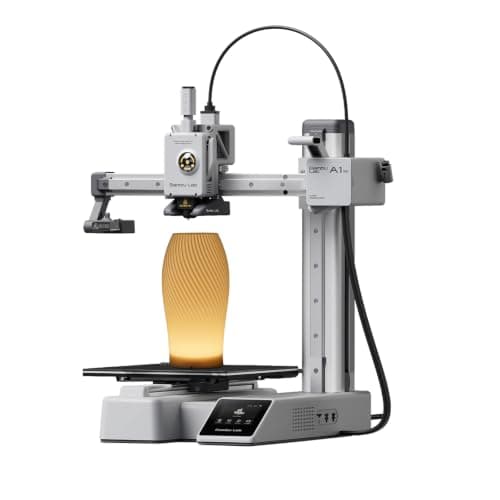
The one to get if you have never done this before. It calibrates itself before every print — bed mesh, Z-offset, flow, resonance — so the part of 3D printing that used to defeat beginners is a step you never see. The build volume is the price you pay.
#ad Price as of October 21, 2026, from Amazon. Prices change. How we make money.
What it actually is
A small open-frame filament printer. Filament is a 1.75 mm plastic string on a spool; the machine melts it and draws your object one layer at a time. Open-frame means there is no box around it, which is fine for PLA and a limitation for materials that warp.
What the manufacturer states
| Figure | Value | Source |
|---|---|---|
| Build volume | 180 x 180 x 180 mm | Bambu Lab A1 mini technical specifications |
| Max hot end temperature | 300 C | Bambu Lab A1 mini technical specifications |
| Max build plate temperature | 80 C | Bambu Lab A1 mini technical specifications |
| Max toolhead speed | 500 mm/s | Bambu Lab A1 mini technical specifications |
| Max toolhead acceleration | 10,000 mm/s2 | Bambu Lab A1 mini technical specifications |
| Filaments rated ideal | PLA, PETG, TPU, PVA | Bambu Lab A1 mini technical specifications |
| Filaments not recommended | ABS, ASA, PC, PA, PET, carbon/glass fiber reinforced | Bambu Lab A1 mini technical specifications |
| Machine dimensions | 347 x 315 x 365 mm | Bambu Lab A1 mini technical specifications |
| Net weight | 5.5 kg | Bambu Lab A1 mini technical specifications |
| Max power | 150 W | Bambu Lab A1 mini technical specifications |
Read from Bambu Lab, A1 mini technical specifications on 2026-09-01. Where a manufacturer does not publish a figure, there is no row for it here.
What is good about it
- Full auto-calibration on every print, per Bambu Lab's own specification — no paper-under-the-nozzle ritual
- Rated ideal for PLA, PETG, TPU and PVA, which covers everything a beginner should print in year one
- 150 W maximum power draw is the lowest of any printer on this site, so running cost is trivial
- 5.5 kg and 347 mm wide — it fits on a desk without rearranging the room
What is not
- 180 mm cubed is genuinely small. A full-size helmet or a large cosplay prop will not fit
- Bambu Lab rates ABS, ASA, PC and fiber-reinforced filaments as not recommended on this machine
- The multi-color AMS lite is a separate purchase, so the headline price is not the multi-color price
- Bambu Lab's own Amazon store lists this machine bundled with an LED lamp kit rather than on its own, so the price on our button is for that bundle. The bare printer is sold direct on Bambu Lab's store
- Open frame, so it is at the mercy of a draft from a window or an air conditioning vent
Skip this one if
Skip it if you already know the thing you want to print is bigger than a shoebox, or if you specifically want ABS or a carbon-fiber-filled filament. Bambu Lab itself lists those materials as not recommended here, and buying a machine you intend to use outside its rated envelope is how a first printer becomes a frustrating one.
What we cannot tell you
We have not printed on this machine. Long-term reliability, real-world noise in a quiet room, and how the textured plate holds up after a year are all things we cannot honestly report without owning one.
How it scored for a beginner
- Setup out of the box9.5
- Auto-calibration10.0
- First-layer forgiveness9.5
- Parts and filament availability9.0
- Running cost10.0
- Help when it goes wrong9.0
Beginner fit 9.2 / 10. That is our editorial read of how well this suits someone buying their first printer, taken off the published specifications — not a test result, and not a verdict on absolute quality. It is deliberately not marked up as a rating in this page’s structured data. How we pick.
Creality Ender-3 V3 SE
Creality · The smallest sensible amount of money
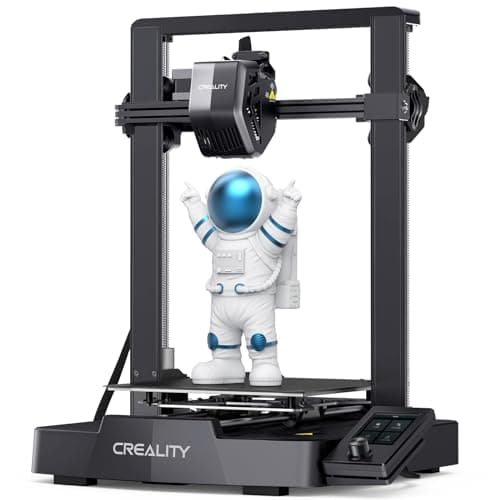
The cheap way in, and a genuinely modern one: auto bed leveling with CR Touch, automatic Z-offset from a strain sensor, and a direct-drive extruder. You will still learn more about your printer than an A1 owner does. Whether that is a feature or a cost is the whole decision.
#ad Price as of October 21, 2026, from Amazon. Prices change. How we make money.
What it actually is
An open-frame bed-slinger — the plate moves back and forth under a head that moves side to side and up. It is the classic hobby-printer layout, and this generation added the automatic setup steps the older Enders famously lacked.
What the manufacturer states
| Figure | Value | Source |
|---|---|---|
| Build volume | 220 x 220 x 250 mm | Creality Ender-3 V3 SE product specifications |
| Maximum print speed | 250 mm/s | Creality Ender-3 V3 SE product specifications |
| Typical print speed | 180 mm/s | Creality Ender-3 V3 SE product specifications |
| Acceleration | 2,500 mm/s2 | Creality Ender-3 V3 SE product specifications |
| Leveling | CR Touch auto leveling with strain-sensor Z-offset | Creality Ender-3 V3 SE product specifications |
| Extruder | Sprite direct extruder | Creality Ender-3 V3 SE product specifications |
| Filament diameter | 1.75 mm | Creality Ender-3 V3 SE product specifications |
Read from Creality, Ender-3 V3 SE product page on 2026-09-01. Where a manufacturer does not publish a figure, there is no row for it here.
What is good about it
- 220 x 220 x 250 mm is larger in every axis than the A1 mini
- Automatic bed leveling and Z-offset, which is the thing older Enders did not have
- The largest parts and community ecozystem of any machine here, by a distance
- Some assembly is required, and you will understand your printer better for it
What is not
- 250 mm/s maximum and 2,500 mm/s2 acceleration — a fraction of the A1's rated figures
- Not fully assembled out of the box, so first-print day is longer
- No filament run-out safety net of the kind Bambu specifies on the A1 series
- More of the tuning is yours to do, which is the trade for the price
Skip this one if
Skip it if the reason you are buying a printer is that you want to print things, not to own a printer. This machine is excellent value and it will ask more of you than an A1 mini will. If your patience for troubleshooting is low, spend the difference.
What we cannot tell you
We have not printed on this machine. How often the auto leveling needs re-running, the quality of the bundled build surface after a hundred prints, and assembly time for someone who has never built one are all outside what the specification tells you.
How it scored for a beginner
- Setup out of the box7.0
- Auto-calibration8.0
- First-layer forgiveness7.5
- Parts and filament availability10.0
- Running cost9.0
- Help when it goes wrong10.0
Beginner fit 8.0 / 10. That is our editorial read of how well this suits someone buying their first printer, taken off the published specifications — not a test result, and not a verdict on absolute quality. It is deliberately not marked up as a rating in this page’s structured data. How we pick.
Bambu Lab A1
Bambu Lab · A first printer you will not outgrow
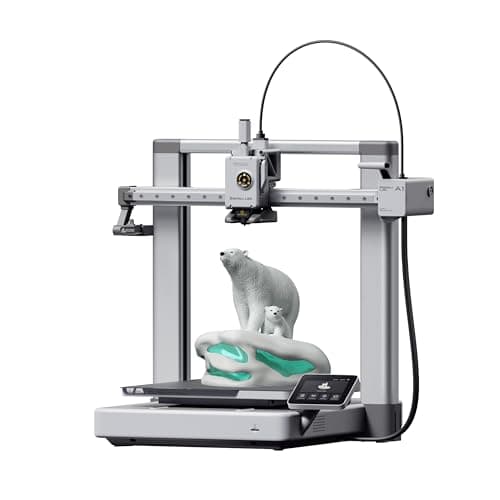
The A1 mini's larger sibling, and the better buy the moment you have a specific large thing in mind. Same self-calibration, 256 mm cubed instead of 180, and a 100 C bed rather than 80 C — which is the spec that actually widens what you can print.
#ad Price as of October 21, 2026, from Amazon. Prices change. How we make money.
What it actually is
The full-size version of the A1: same open-frame layout, same automatic calibration, a bigger bed and a hotter one. The extra bed temperature matters because materials that shrink as they cool need a warm plate to stay stuck to it.
What the manufacturer states
| Figure | Value | Source |
|---|---|---|
| Build volume | 256 x 256 x 256 mm | Bambu Lab A1 technical specifications |
| Max hot end temperature | 300 C | Bambu Lab A1 technical specifications |
| Max build plate temperature | 100 C | Bambu Lab A1 technical specifications |
| Max toolhead speed | 500 mm/s | Bambu Lab A1 technical specifications |
| Max toolhead acceleration | 10,000 mm/s2 | Bambu Lab A1 technical specifications |
| Filaments rated ideal | PLA, PETG, TPU, PVA | Bambu Lab A1 technical specifications |
| Machine dimensions | 465 x 410 x 430 mm | Bambu Lab A1 technical specifications |
| Net weight | 8.3 kg | Bambu Lab A1 technical specifications |
| Max power | 350 W at 110 V | Bambu Lab A1 technical specifications |
Read from Bambu Lab, A1 technical specifications on 2026-09-01. Where a manufacturer does not publish a figure, there is no row for it here.
What is good about it
- 256 mm cubed covers almost everything a first-year printer is asked to make
- 100 C bed rather than the mini's 80 C, which is the difference that makes larger PETG parts stick
- Identical hands-off calibration to the A1 mini, so nothing gets harder as the machine gets bigger
- Bambu Lab publishes a full specification sheet, so every number on this page is checkable in a minute
What is not
- 465 mm wide and 8.3 kg — it needs a dedicated shelf, not a corner of a desk
- 350 W at US voltage against the mini's 150 W, so it costs meaningfully more to run
- Still open-frame, so the material limits are the same as the mini's despite the hotter bed
- Multi-color is again a separate AMS lite purchase
Skip this one if
Skip it if your desk is the only place it can go and you have not measured that desk. It is nearly half a meter wide. If you are unsure whether you will use the extra volume, the mini is the cheaper mistake.
What we cannot tell you
We have not printed on this machine. Noise at full speed, long-term belt and rod wear, and how often the auto-calibration actually needs intervention are all beyond what a specification sheet can tell you.
How it scored for a beginner
- Setup out of the box9.5
- Auto-calibration10.0
- First-layer forgiveness9.5
- Parts and filament availability9.0
- Running cost8.0
- Help when it goes wrong9.0
Beginner fit 9.0 / 10. That is our editorial read of how well this suits someone buying their first printer, taken off the published specifications — not a test result, and not a verdict on absolute quality. It is deliberately not marked up as a rating in this page’s structured data. How we pick.
Creality Ender 3 V3 Plus
Creality · An Ender with room for large parts, and the speed to finish them
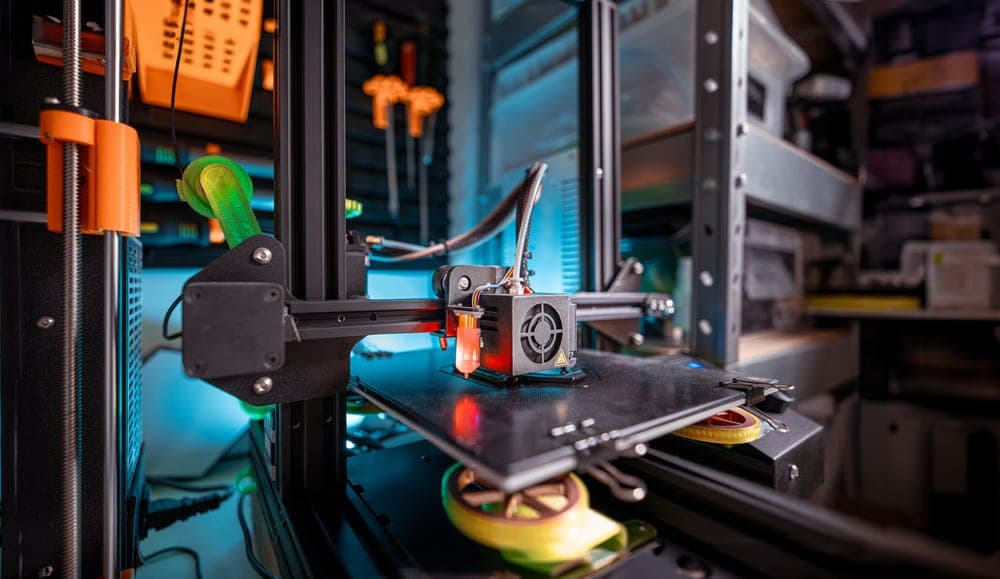
The big, fast Ender. 300 x 300 x 330 mm, a CoreXZ frame rated to 600 mm/s, and the filament run-out sensor the KE never had. It is a lot of printer, and that is also the reason it is not the obvious first one.
#ad We do not hold a current price for this product, so we do not show one. How we make money.
What it actually is
An open-frame printer with a CoreXZ frame: the X and Z axes are driven together by one belt arrangement while the bed moves in Y. That keeps the moving mass low on the tall axis, which is how a machine this size reaches a speed a classic bed-slinger cannot.
What the manufacturer states
| Figure | Value | Source |
|---|---|---|
| Build volume | 300 x 300 x 330 mm | Creality Ender 3 V3 Plus product specifications |
| Maximum print speed | 600 mm/s | Creality Ender 3 V3 Plus product specifications |
| Maximum acceleration | 20,000 mm/s2 | Creality Ender 3 V3 Plus product specifications |
| Motion system | CoreXZ on X and Z, with the bed moving in Y | Creality Ender 3 V3 Plus product specifications |
| Max nozzle temperature | 300 C | Creality Ender 3 V3 Plus product specifications |
| Max heatbed temperature | 100 C | Creality Ender 3 V3 Plus product specifications |
| Nozzle | Tri-metal nozzle; quick-swap hardened steel tip integrated with the heatbreak, 0.4 mm | Creality Ender 3 V3 Plus product specifications |
| Extruder | High-speed direct drive | Creality Ender 3 V3 Plus product specifications |
| Layer height | 0.1 - 0.35 mm | Creality Ender 3 V3 Plus product specifications |
| Leveling | Auto leveling | Creality Ender 3 V3 Plus product specifications |
| Firmware | Creality OS with input shaping | Creality Ender 3 V3 Plus product page |
| Filament run-out sensor | Yes | Creality Ender 3 V3 Plus product specifications |
| Power-loss recovery | Yes | Creality Ender 3 V3 Plus product specifications |
| Supported filaments | PLA, TPU 95A, PETG, ABS, PLA-CF, PETG-CF, CR-carbon | Creality Ender 3 V3 Plus product specifications |
| Display | HD color touch screen | Creality Ender 3 V3 Plus product specifications |
| Connectivity | Wi-Fi | Creality Ender 3 V3 Plus product specifications |
| Rated power | 350 W at 100-120 V or 200-240 V, 50/60 Hz | Creality Ender 3 V3 Plus product specifications |
Read from Creality, Ender 3 V3 Plus product page on 2026-10-10. Where a manufacturer does not publish a figure, there is no row for it here.
What is good about it
- 300 x 300 x 330 mm is the largest build volume on this site under $400
- 600 mm/s rated maximum and 20,000 mm/s2 rated acceleration, both published
- A filament run-out sensor and power-loss recovery, neither of which the KE had
- Quick-swap hardened steel nozzle tip, so a worn or blocked tip is not an afternoon
- The Creality parts and community ecosystem, which is still the largest in desktop 3D printing
What is not
- Costs appreciably more than the Ender-3 V3 SE, which prints the same desk objects
- A 300 mm bed on an open frame is a lot of plate to heat and a lot of desk to give up
- Rated speed is a ceiling, not a promise - no part with corners in it is printed at 600 mm/s
- Creality lists ABS and carbon-filled grades, but this is an open frame with no chamber heat
- Creality does not publish the strain-sensor Z-offset it names on the SE and KE, and publishes no noise figure
Skip this one if
Skip it if you cannot name the large object you are buying it for. Almost every first-year print fits inside 220 mm, and the SE prints those same objects on a smaller, cheaper, less thirsty machine. Buy this when the build volume is the reason, not the speed.
What we cannot tell you
We have not printed on this machine. How flat a 300 mm open-frame bed stays as it heats, what speed it actually sustains on real geometry, and how loud it is at full tilt are all owner questions, and Creality publishes no noise figure.
How it scored for a beginner
- Setup out of the box7.0
- Auto-calibration7.5
- First-layer forgiveness7.0
- Parts and filament availability10.0
- Running cost7.5
- Help when it goes wrong9.5
Beginner fit 8.0 / 10. That is our editorial read of how well this suits someone buying their first printer, taken off the published specifications — not a test result, and not a verdict on absolute quality. It is deliberately not marked up as a rating in this page’s structured data. How we pick.
How these were picked
We have not printed on these machines and we do not pretend to have. What we did was read each manufacturer’s own specification page, take their stated build volume, temperatures and speeds, check that every pick genuinely fits the job in this page’s title, confirm it is still being sold, and pull a live price rather than a remembered one. Every figure names the source it came from, so you can check it yourself in about a minute.
How we pick sets out the full method, including what would change a ranking.
Questions people actually ask
+−Is Bambu Lab better than Creality?
For a first printer, Bambu Lab automates more of the setup and fails less often. Creality costs less, gives you more build volume at the bottom of the range, and is far easier to repair and modify. Better depends entirely on whether you want an appliance or a machine.
+−Is a Creality Ender still worth buying in 2026?
Yes, with a caveat. The current V3 generation has CR Touch automatic leveling and an automatic Z-offset, which is the upgrade that separates it from the older Enders people complain about. It still asks more of you than a Bambu, and it still needs assembling.
+−Which brand is cheaper to run?
Running cost is dominated by filament, not by the machine, and both brands print standard 1.75 mm spools from anybody. The electricity difference is a rounding error — we do that arithmetic with the inputs shown on the setup cost page.
+−Can I use third-party filament in a Bambu printer?
Yes. The spool tag on Bambu Lab’s own filament makes the printer load a profile automatically, which is a convenience rather than a requirement. Any mainstream 1.75 mm spool works; you set the material yourself.
Sources
Read next
- Creality Ender-3 V3 KE Review
- Prusa vs Bambu Lab
- Creality Ender-3 V3 SE vs Bambu Lab A1 mini
- The Best Bambu Lab 3D Printers
- The Best 3D Printers for Beginners
- Creality Ender-3 V3 SE Review
- The Best Filament for an Ender-3 V3
- Anycubic vs Bambu Lab
- Bambu Lab Alternatives
- Elegoo vs Creality
- Creality K2 Plus Review
- The Best 3D Printer Brand