Roundup
The Best Filament for an Ender-3 V3
Creality publishes exactly which materials the Ender-3 V3 SE's extruder is designed for, and it is a shorter list than the internet suggests. Buy inside it and this machine is genuinely easy to live with.
By Scooter M. · Published · Last reviewed
How this page is funded: the buy links below are affiliate links. If you buy through one we earn a commission, at no extra cost to you. It does not change the order of the picks or a word of what we say about them. Full disclosure.
Printers we claim to have tested: 0. Everyone in this category says they tested twenty machines. We have not tested any, and we would rather say so. What we did instead is on this page: the manufacturer’s own published specification for every pick, cited and dated; the arithmetic on what it costs to run, with the inputs shown; a live price rather than a remembered one; and a plain answer on who should skip each machine.
The short answer
Buy a 1 kg spool of mainstream PLA and nothing else. Creality publishes the Ender-3 V3 SE’s Sprite extruder as working with PLA, PETG and flexible TPU. PLA is the one to learn on; PETG is the sensible second material once the machine is dialed in; TPU is a project rather than a purchase. Everything outside that list needs an enclosure this printer does not have.
The Ender-3 V3 line is the machine a great many people learn on, largely because it costs less than anything else we would recommend. It is also an open-frame printer with a moving bed, and that shape decides what you should feed it far more than the brand name does.
What Creality actually rates this machine for
Creality states on its own Ender-3 V3 SE page that the Sprite extruder “works well with PLA, PETG, and flexible TPU.” That is the published list. It is deliberately short, and it is the same list you should expect from any open-frame machine, because an open frame cannot hold chamber heat and the materials that are missing — ABS, ASA, PC, nylon — all need it.
The rest of the relevant specification: 220 × 220 × 250 mm of build volume, CR Touch automatic bed leveling with a strain-sensor Z-offset, and a rated maximum of 250 mm/s with 2,500 mm/s² acceleration. The faster KE model in the same family publishes 500 mm/s. Neither figure changes which filament to buy; both change how long you wait.
How we picked
1. It has to sit inside the published extruder list. Everything below is PLA or PETG. We have not included anything the manufacturer does not rate the machine for, however many videos show it working.
2. Published diameter tolerance. A direct-drive extruder pushing filament that varies in thickness is the quiet cause of inconsistent extrusion. Every spool here publishes a tolerance figure; two of them publish tighter than +/- 0.03 mm.
3. A temperature range this machine can actually hit. This matters more on a budget machine than on a flagship. A spool asking for 250 °C on a printer whose comfortable working range stops shortly after that is a spool that will disappoint you.
4. Sealed packaging. An open-frame printer usually lives in an open room, and the spool sits in that room between prints. Vacuum sealing with desiccant is not marketing on this machine; it is how the first spool stays printable.
Why PLA first, specifically on this printer
Every printer benefits from starting on PLA. A bed-slinger with an open frame benefits more, for two mechanical reasons.
The bed moves. On this machine the plate travels back and forth under the nozzle, and a tall part is being accelerated with it. PLA is stiff and sets quickly, which is exactly what you want when the object is being shaken slightly on every layer. PETG stays soft for longer.
There is no enclosure. A draft from a window or an air conditioning vent cools one side of a part faster than the other. PLA tolerates that better than anything else you can buy, which is part of why it is the standard beginner recommendation everywhere.
If you want the full argument for PLA over everything else, it is on our PLA picks page, which compares the same spools on their published figures across all machines.
Published figures, read from each manufacturer's own page. Machine figures from Creality's Ender-3 V3 SE product page.
| Spool | Material | Nozzle range | Published tolerance |
|---|---|---|---|
| Overture PLA | PLA | 190 - 220 C | +/- 0.02 mm |
| HATCHBOX PLA | PLA | 180 - 210 C | +/- 0.03 mm |
| Overture High Speed PETG | PETG | 230 - 260 C | +/- 0.02 mm |
Which Ender do you actually have?
The name has been on a lot of machines and the answer changes with the generation, so it is worth being precise before you order.
Ender-3 V3 SE. The current budget model and the one this page is written around: 220 × 220 × 250 mm, CR Touch automatic leveling, a strain-sensor Z-offset, a Sprite direct extruder rated for PLA, PETG and flexible TPU, and 250 mm/s rated maximum.
Ender-3 V3 KE. The faster sibling: 220 × 220 × 240 mm, the same automatic setup, 500 mm/s rated. Same filament answers as the SE — a faster machine does not change what you feed it, only how quickly it consumes it.
An older Ender-3, Pro or V2. These are a genuinely different proposition: manual bed leveling with thumbwheels, a Bowden extruder on most of them, and no strain-sensor Z-offset. PLA is still the right first filament, but a Bowden setup makes flexible TPU significantly harder, and any advice you read about the V3 generation does not transfer cleanly.
If you are not sure which you own, the tell is the leveling: a machine with four thumbwheels under the bed is an older generation. Bed leveling and Z-offset, explained covers both approaches.
Colors and finishes: which ones cause trouble
Plain PLA in a solid color is the easiest thing this machine will ever print, and every step away from that costs something.
Silk finishes print at ordinary temperatures and look striking, and they show every flaw in the surface because the finish is reflective. They are a second-month purchase, not a first one.
Matte finishes are the opposite and genuinely forgiving — they hide layer lines better than any setting change you can make. If your first prints look rougher than the photographs online, matte filament closes more of that gap than tuning does.
Glow-in-the-dark, wood-filled, metal-filled and carbon-filled spools all contain particles that are abrasive to some degree, and a standard brass nozzle wears out faster with them. None of these is on Creality’s published extruder list for this machine. If you want them, plan on a hardened nozzle first.
Translucent and clear filaments need slower printing and dense infill to look like anything other than cloudy plastic. Buy them when you have a specific model in mind, not speculatively.
How to judge a spool before you buy it
Three checks, all of which you can do from the listing.
Is there a published diameter tolerance? A number like +/- 0.02 mm or +/- 0.03 mm means the manufacturer measures. No figure at all means either they do not measure or they would rather not say, and on a direct-drive extruder feeding a 0.4 mm nozzle that variation is the quiet cause of inconsistent extrusion.
Is there a published temperature range? A spool with no stated nozzle or bed range is a spool you have to guess at. Every pick on this page publishes both.
Is it sealed with desiccant? Vacuum packaging with a desiccant sachet is a real quality signal, not a marketing one. It means the spool arrives dry, which is the state you want it in before it starts absorbing moisture from your room.
What a sensible first order looks like
One kilogram of PLA, in a color you will not get bored of, from any of the spools above. That is the whole order.
The temptation is to buy five colors at once, and we would resist it for one specific reason: an open spool absorbs moisture from the room it sits in, and four of those five will sit open for months before you reach them. Filament you have not printed yet is filament degrading quietly. Buy one, finish it, buy the next.
When you do add a second spool, make it a different material rather than a different color — PETG teaches you more than a second shade of gray does. And when the first spool that used to print well starts popping and stringing, that is the signal to read storage and drying, not to blame the printer.
Settings: what the published ranges mean in practice
Every spool on this page publishes a nozzle range rather than a single number, and that range exists because the right value depends on your machine, your speed and your room.
Start in the middle of the published range. If layers separate or the part feels weak, go up 5 °C. If you are getting stringing and fine hairs, go down 5 °C — and dry the filament first, because moisture causes more stringing than temperature does. The ordered fix list is on how to stop your prints stringing.
One machine-specific note: the Ender-3 V3 SE has a direct extruder, which pushes filament a short distance to the nozzle. That makes it more tolerant of flexible material and means retraction distances published for indirect-drive machines are wrong for it — typically by a factor of three. Do not copy retraction numbers from a video without checking which extruder type they were measured on.
What to leave alone on this machine
ABS and ASA. Not on the published list, and for a good mechanical reason: they contract measurably as they cool, and an open frame cannot stop the bottom of a tall part cooling while the top is still being laid down hot. The corners lift. If ABS is the goal you want an enclosure — see the enclosed band or the cheapest enclosed machine we would buy.
Carbon and glass fiber filled grades. These are abrasive and wear out a standard brass nozzle. They are also not on the published list for this extruder. If you specifically want them, the machine needs a hardened nozzle first, and that is a modification rather than a purchase decision.
TPU, for now. It is on Creality’s list and it is genuinely printable here, and it is also the material most likely to jam a direct-drive extruder if you print it fast. Treat it as a month-six project, not a first-order add-on - and when you get there, the best TPU filament compares three spools on their published speed windows.
What else to order at the same time
A spool holder that does not fight you, a way to store the filament between prints, and nothing else immediately. The four things that genuinely prevent first-week failures are listed on the starter kit page, and a filament dryer is deliberately not one of them on day one — your first spool arrives sealed and dry. Buy one when a spool that used to print well starts popping and stringing, which is covered on storage and drying.
One kilogram is genuinely a lot of printing. Our arithmetic on how long a spool lasts puts it at twenty to thirty typical desk-sized objects, which is more than most people get through in a first month.
Quick picks
Ranked on how well each one fits the job in this page's title, read off the manufacturer's own published specifications. Tap any row for the full write-up, including who should skip it.
| # | Product | Best for | Beginner fit | Price |
|---|---|---|---|---|
| 1 | 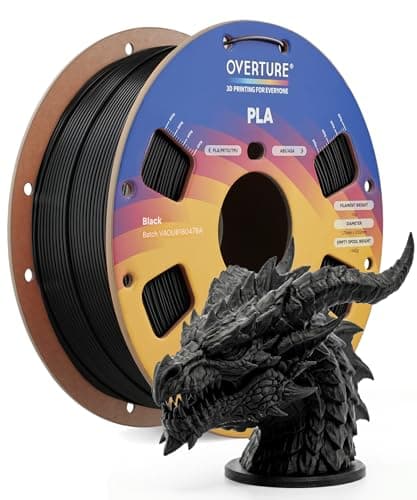 Overture PLAOverture Overture PLAOverture | Best first spool | 9.0 | $13.98 - Check price on Amazon |
| 2 | 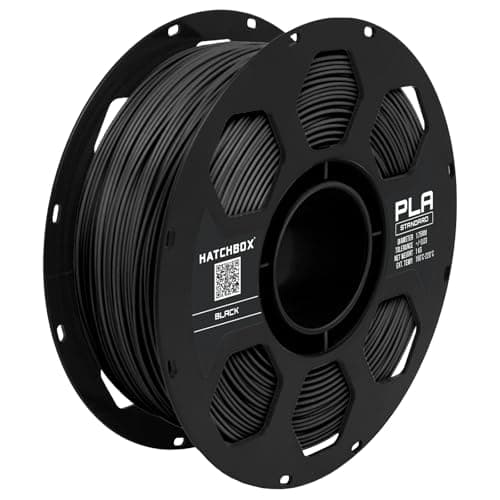 HATCHBOX PLAHATCHBOX HATCHBOX PLAHATCHBOX | Best low-temperature option | 8.4 | $22.99 - Check price on Amazon |
| 3 | 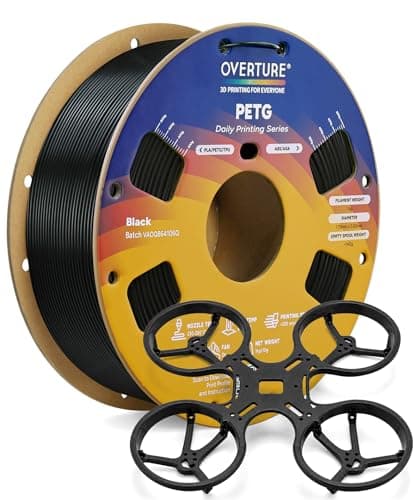 Overture High Speed PETGOverture Overture High Speed PETGOverture | Best step up | 7.9 | $14.69 - Check price on Amazon |
#1 · Best first spool
Overture PLA
Overture · Your first spool, and your tenth
The default answer to 'what filament should I buy'. A tight published diameter tolerance, a conventional temperature range every printer profile already expects, and it is sold everywhere. Nothing about it is exciting, which is the point.
#ad Price as of October 21, 2026, from Amazon. Prices change. How we make money.
What it actually is
PLA is the plastic beginners should print. It is stiff, it needs no enclosure, it barely smells, and it sticks to a plate at low temperatures. This is a mainstream 1 kg spool of it.
Does it fit this page?
A published +/- 0.02 mm diameter tolerance and a 190-220 C nozzle range that sits comfortably inside anything this machine will do. It arrives vacuum sealed with desiccant, which matters more on a printer with no enclosure to keep the humidity off.
What the manufacturer states
| Figure | Value | Source |
|---|---|---|
| Diameter | 1.75 mm | Overture published product specification |
| Dimensional accuracy | +/- 0.02 mm | Overture published product specification |
| Spool weight | 1 kg (2.2 lb) | Overture published product specification |
| Recommended nozzle temperature | 190 - 220 C | Overture published product specification |
| Recommended bed temperature | 25 - 60 C | Overture published product specification |
| Packaging | Dried before packing and vacuum sealed | Overture published product specification |
Read from Overture, PLA filament product page on 2026-09-01. Where a manufacturer does not publish a figure, there is no row for it here.
What is good about it
- +/- 0.02 mm published tolerance, which is as tight as mainstream PLA is quoted
- 190 - 220 C is squarely inside every stock PLA profile you will meet
- A 25 - 60 C bed range means it will stick even on an unheated or barely warm plate
- Vacuum sealed with desiccant, so a spool bought in advance is still dry when it arrives
What is not
- PLA softens in a hot car or a sunny window — this is a property of the material, not the brand
- Not the cheapest per kilogram once you start printing seriously
- Color consistency between batches of any budget filament is a real thing
- No filament is a fix for a machine that is not leveled
Skip this one if
Skip it if the part you are making will live outdoors or in a car. That is a PETG job, not a PLA one, and no PLA brand changes that.
What we cannot tell you
We have not printed this filament. Batch-to-batch color consistency and how it behaves after a year in a cupboard are things only repeated use reveals.
How it scored for a beginner
- Ease for a beginner9.5
- Published tolerance9.5
- Availability9.5
- Value per kilogram8.0
Beginner fit 9.0 / 10. That is our editorial read of how well this suits someone buying their first printer, taken off the published specifications — not a test result, and not a verdict on absolute quality. It is deliberately not marked up as a rating in this page’s structured data. How we pick.
#2 · Best low-temperature option
HATCHBOX PLA
HATCHBOX · An older or slower printer
The long-standing default in a lot of American workshops. A slightly looser published tolerance than Overture and a lower quoted temperature window, which suits older printers with modest hot ends.
#ad Price as of October 21, 2026, from Amazon. Prices change. How we make money.
What it actually is
A 1 kg spool of standard PLA from one of the brands that has been on this shelf the longest. It arrives vacuum sealed with desiccant.
Does it fit this page?
A published 180-210 C range - the lowest of the PLA spools on this site. On an open-frame bed-slinger that is genuinely useful: a lower nozzle temperature means less heat creep on long prints and less stringing to clean up afterwards.
What the manufacturer states
| Figure | Value | Source |
|---|---|---|
| Diameter | 1.75 mm | HATCHBOX published product specification |
| Dimensional accuracy | +/- 0.03 mm | HATCHBOX published product specification |
| Spool weight | 1 kg | HATCHBOX published product specification |
| Recommended extrusion temperature | 180 - 210 C | HATCHBOX published product specification |
| Packaging | Vacuum sealed with desiccant | HATCHBOX published product specification |
Read from HATCHBOX, PLA filament product specification on 2026-09-01. Where a manufacturer does not publish a figure, there is no row for it here.
What is good about it
- A 180 - 210 C window suits printers whose hot ends are not happy running hot
- Vacuum sealed with desiccant, so it survives sitting in a cupboard before you get to it
- Very widely stocked in the United States, in a lot of colors
- A known quantity — a great many printer profiles were originally tuned on it
What is not
- +/- 0.03 mm published tolerance is looser than Overture's quoted +/- 0.02 mm
- The quoted temperature ceiling of 210 C is low if you are chasing layer strength
- Not aimed at the very high speeds current machines advertise
- Nothing here is better than the alternatives; it is equivalent and familiar
Skip this one if
Skip it if your printer is a current fast machine and you want to use its speed. The published temperature range is conservative for that, and a filament sold as high-speed PLA is a better match.
What we cannot tell you
We have not printed this filament. Whether the conservative published temperature range is a limit in practice is a test we have not run.
How it scored for a beginner
- Ease for a beginner9.0
- Published tolerance8.0
- Availability9.5
- Value per kilogram8.0
Beginner fit 8.4 / 10. That is our editorial read of how well this suits someone buying their first printer, taken off the published specifications — not a test result, and not a verdict on absolute quality. It is deliberately not marked up as a rating in this page’s structured data. How we pick.
#3 · Best step up
Overture High Speed PETG
Overture · Parts that have to survive heat or flexing
The second spool, not the first. PETG is what you move to when a part has to survive a hot car, a bit of flex or the outdoors — and it is fussier about stringing and bed adhesion than PLA in exchange.
#ad Price as of October 21, 2026, from Amazon. Prices change. How we make money.
What it actually is
PETG is a tougher, slightly flexible plastic that tolerates heat far better than PLA. It prints hotter, sticks harder to the plate, and strings more. The same material family as a drinks bottle.
Does it fit this page?
Creality publishes the Sprite extruder as working with PETG, and this is the PETG we would pair with it. The 230-260 C published range gives the machine somewhere to work, and the published toughness and layer-adhesion figures let you check the claim rather than trust it.
What the manufacturer states
| Figure | Value | Source |
|---|---|---|
| Diameter | 1.75 mm | Overture published product specification |
| Dimensional accuracy | +/- 0.02 mm | Overture published product specification |
| Recommended nozzle temperature | 230 - 260 C | Overture published product specification |
| Recommended printing speed | 30 - 300 mm/s | Overture published product specification |
Read from Overture, High Speed PETG filament product page on 2026-09-01. Where a manufacturer does not publish a figure, there is no row for it here.
What is good about it
- Handles heat that would soften a PLA part into uselessness
- Tougher and less brittle than PLA, so it survives being dropped
- +/- 0.02 mm published tolerance, the same as Overture's PLA
- A 30 - 300 mm/s published speed range that fits current fast machines
What is not
- Strings between features far more readily than PLA
- 230 - 260 C means your printer's hot end has to be rated for it — the A1 mini's 300 C ceiling is fine, some older machines are not
- It can stick to a smooth PEI plate hard enough to damage the surface
- Absorbs moisture from the air faster than PLA, so an open spool goes off
Skip this one if
Skip it as a first spool. Learn what a good first layer looks like in PLA before you add a material that sticks too well and strings between everything. PETG is a solution to a problem you have not had yet.
What we cannot tell you
We have not printed this filament. How much stringing you get at a given retraction setting, and whether it damages a specific plate, depend on the machine and we have not tested either.
How it scored for a beginner
- Ease for a beginner6.5
- Published tolerance9.5
- Availability9.0
- Value per kilogram8.0
Beginner fit 7.9 / 10. That is our editorial read of how well this suits someone buying their first printer, taken off the published specifications — not a test result, and not a verdict on absolute quality. It is deliberately not marked up as a rating in this page’s structured data. How we pick.
How these were picked
We have not printed on these machines and we do not pretend to have. What we did was read each manufacturer’s own specification page, take their stated build volume, temperatures and speeds, check that every pick genuinely fits the job in this page’s title, confirm it is still being sold, and pull a live price rather than a remembered one. Every figure names the source it came from, so you can check it yourself in about a minute.
How we pick sets out the full method, including what would change a ranking.
Questions people actually ask
+−What filament does the Ender-3 V3 SE use?
Standard 1.75 mm spools. Creality states its Sprite extruder works well with PLA, PETG and flexible TPU. Start with PLA; PETG is the sensible second material once you have finished a spool and the first layer is reliable.
+−Can an Ender-3 V3 print ABS?
Not properly. ABS is not on Creality’s published extruder list for this machine, and an open frame cannot hold the chamber heat ABS needs to stop contracting off the plate. For ABS you want an enclosed printer.
+−Do I have to use Creality filament in a Creality printer?
No. Any mainstream 1.75 mm spool works, and unlike a Bambu machine an Ender has no spool tag to read, so you set the temperature yourself regardless of the brand. Buy on published tolerance and price.
+−What is the best PLA for an Ender-3?
Any mainstream 1 kg spool with a published diameter tolerance. We rank Overture PLA first for its +/- 0.02 mm published figure and its sealed packaging, with HATCHBOX second for a lower 180-210 °C published range that suits an open-frame machine well.