Roundup
The Best Filament for the Bambu Lab P1S
Most P1S owners print PLA in a machine that was built to print more than PLA. The enclosure is the feature you paid for - these are the spools that actually use it.
By Scooter M. · Published · Last reviewed
How this page is funded: the buy links below are affiliate links. If you buy through one we earn a commission, at no extra cost to you. It does not change the order of the picks or a word of what we say about them. Full disclosure.
Printers we claim to have tested: 0. Everyone in this category says they tested twenty machines. We have not tested any, and we would rather say so. What we did instead is on this page: the manufacturer’s own published specification for every pick, cited and dated; the arithmetic on what it costs to run, with the inputs shown; a live price rather than a remembered one; and a plain answer on who should skip each machine.
The short answer
Start with Bambu PLA Basic, move to PETG, then use the enclosure for ASA or ABS. The P1S publishes a 300 C nozzle, a 100 C plate and a sealed, filtered chamber — a specification that covers far more than PLA. If you only ever print PLA on it, you have bought an enclosed printer to do an open printer’s job.
This page assumes you already own the machine. If you are still choosing, our P1S review and the A1 versus P1S comparison are the right places to start.
What the P1S specification actually allows
Three published figures decide what you can buy, and they are worth having in front of you:
Bambu Lab's published P1S specification, and what each figure rules in or out.
| P1S specification | Figure | What it allows |
|---|---|---|
| Max hot end temperature | 300 C | Comfortably covers PLA, PETG, ABS and ASA. Not enough for PC or PA, which Bambu rates only 'capable'. |
| Max build plate temperature | 100 C | Enough for ABS and ASA — but only just. Polymaker's ABS wants 90-100 C, so there is no margin. |
| Enclosure | Enclosed, plastic and glass | The chamber heat that stops ABS and ASA curling off the plate. |
| Air filter | Activated carbon | The reason ABS and ASA are more reasonable indoors on this machine than on an open one. |
| Filaments rated ideal | PLA, PETG, TPU, PVA, PET, ABS, ASA | Bambu's own list, and the one we have built these picks around. |
Bambu rates PA and PC as “capable” rather than “ideal”. We have not recommended anything from that tier here, because the gap between the two words is doing real work and a 300 C nozzle is at the low end for those materials.
How we judged these
Inside the machine’s published limits. Every spool below prints within the P1S’s 300 C nozzle and 100 C plate according to its own manufacturer’s published settings. Where it is close to the limit, we say so.
Uses the enclosure, or is the sensible starting point. The P1S is not the cheapest way to print PLA. It is one of the cheapest ways to print ABS and ASA properly.
AMS behavior stated honestly. Multi-material feeders do not suit every filament, and we have said which.
The AMS question, answered plainly
The genuine AMS restriction is flexible filament. TPU should be fed from an external spool holder rather than through a multi-spool unit, and our TPU roundup goes through why. Bambu rates TPU as ideal for the P1S itself, which is a separate question from whether it should go through the AMS.
The other thing worth knowing is that every color change purges filament. If you are printing multi-color, budget for the waste — our guide to printing in multiple colors explains the mechanism.
The picks in order
Bambu PLA Basic — buy one, and only one
For the first spool, the integration is worth paying for. The printer reads the tag, sets the profile, and one of the two most common first-week failures disappears. Bambu publishes 190-230 C, a 35-45 C bed and under 300 mm/s.
The honest downside: it is one of the most expensive PLAs per kilogram in our registry, and the plastic is not better than Overture’s. Once you are comfortable setting a profile, buying Bambu PLA repeatedly is paying a convenience fee over and over. Our brand comparison has the alternatives.
Bambu PETG Basic — the step most people should take
PETG is the natural second material: tougher than PLA, far better in heat, still straightforward. Bambu publishes 1.75 mm +/- 0.03 mm and states compatibility with all AMS series, and it is certified to UL GREENGUARD 2904 for indoor emissions — the only spool in our registry carrying that certification, and a reasonable thing to care about on a machine that may live in a home office.
The honest downsides: Bambu states it should be dried before use, which is unusual to see printed on a product page and which we take at face value — PETG absorbs moisture readily, and a dryer becomes genuinely useful here. It is also priced well above the third-party PETG options.
Polymaker ASA — the reason you bought this printer
If you want one spool that an A1 owner cannot use properly, this is it. Polymaker rates ASA UV and weather resistant and publishes 240-260 C, a 75-95 C bed and speeds up to 200 mm/s — all inside the P1S’s published limits with room to spare at the nozzle. Combined with the P1S’s activated carbon filter, it is the most reasonable way to print this material in a house. See our outdoor filament guide for what it is actually for.
The honest downsides: it smells while printing, it needs drying at 70 C for six hours if it has picked up moisture, and it is considerably fussier than PLA. Keep the door shut and read our ventilation page before you start.
Polymaker PolyLite ABS — tough, indoor, cheaper
ABS where sunlight is not involved: tool handles, brackets, anything that needs to survive heat. Polymaker publishes 245-265 C at the nozzle, 90-100 C at the bed, a conservative 30-50 mm/s and drying at 70 C for six hours.
The honest downsides, and one is specific to this machine: Polymaker’s recommended bed range of 90-100 C reaches the P1S’s published 100 C maximum exactly. There is no headroom. It will work, and you are running the plate at its limit rather than comfortably inside it. ABS also yellows in sunlight, which is why we have put ASA above it, and the published 30-50 mm/s is slow on a machine rated to 500.
What we would not buy for this machine
PC and PA. Bambu rates these “capable” rather than “ideal”, and a 300 C nozzle is at the bottom of what they want. Possible, not comfortable.
TPU through the AMS. Feed it externally. Flexible filament and multi-spool feeders are a known poor match.
Unbranded bundle filament. It publishes no tolerance and no print settings, which on a machine this capable is a waste of the machine.
The short version
One spool of Bambu PLA Basic to start, because the RFID tag removes a whole class of beginner confusion. Bambu PETG Basic when you want parts that survive a warm car. Then Polymaker ASA, which is the material the enclosure exists for. And once you are confident with profiles, buy your PLA from whoever is cheapest — the AMS does not mind.
Quick picks
Ranked on how well each one fits the job in this page's title, read off the manufacturer's own published specifications. Tap any row for the full write-up, including who should skip it.
| # | Product | Best for | Beginner fit | Price |
|---|---|---|---|---|
| 1 | 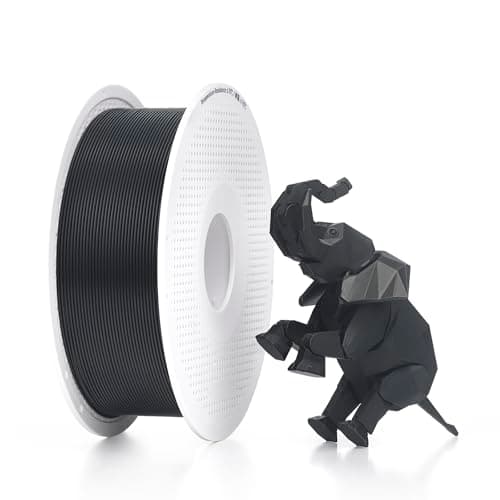 Bambu Lab PLA BasicBambu Lab Bambu Lab PLA BasicBambu Lab | Best first spool | 8.6 | $24.79 - Check price on Amazon |
| 2 | 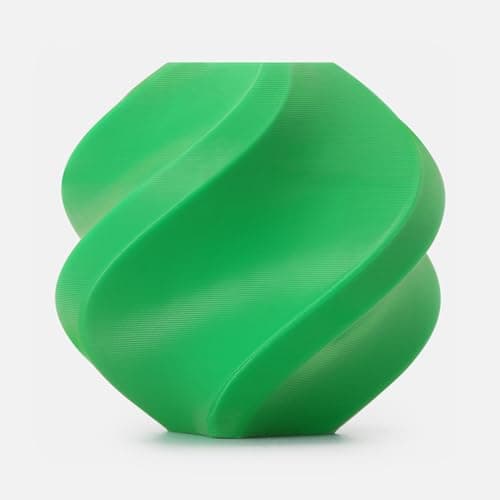 Bambu Lab PETG BasicBambu Lab Bambu Lab PETG BasicBambu Lab | Best step up | 8.4 | $34.95 - Check price on Amazon |
| 3 | 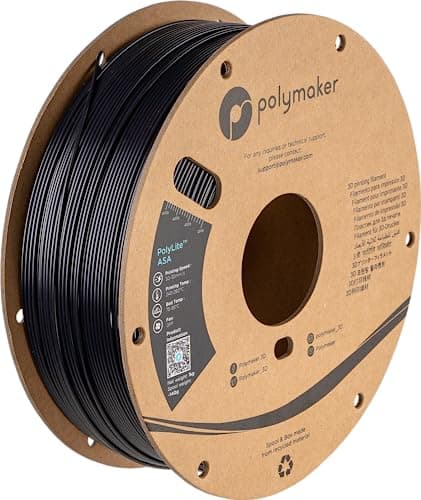 Polymaker ASAPolymaker Polymaker ASAPolymaker | Best use of the enclosure | 7.9 | $24.49 - Check price on Amazon |
| 4 | 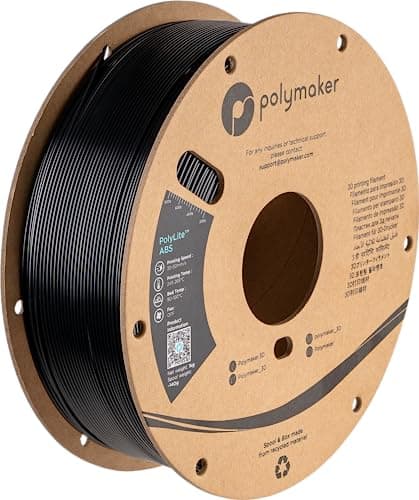 Polymaker PolyLite ABSPolymaker Polymaker PolyLite ABSPolymaker | Best for tough indoor parts | 7.6 | $17.10 - Check price on Amazon |
#1 · Best first spool
Bambu Lab PLA Basic
Bambu Lab · A Bambu Lab printer's first spool
The one spool that removes a variable if you own a Bambu machine: the printer reads the spool's tag and loads the right profile, so a failed first layer is definitely not a settings problem. Buy it once, then buy refills.
#ad Price as of September 21, 2026, from Amazon. Prices change. How we make money.
What it actually is
Bambu Lab's own house PLA. The spool carries a tag the printer reads, so temperature and flow settings are applied without you choosing anything. Refills are the same filament without the reusable spool.
Does it fit this page?
The path of least resistance, and the right first purchase. Bambu publishes 190-230 C at the nozzle, 35-45 C at the bed and under 300 mm/s, and the RFID tag means the printer and the AMS know what is loaded without you telling them. You pay more per kilogram than Overture for that convenience.
What the manufacturer states
| Figure | Value | Source |
|---|---|---|
| Diameter | 1.75 mm | Bambu Lab PLA Basic technical data sheet |
| Spool weight | 1 kg | Bambu Lab PLA Basic technical data sheet |
| Nozzle temperature | 190 - 230 C | Bambu Lab PLA Basic technical data sheet |
| Bed temperature | 35 - 45 C | Bambu Lab PLA Basic technical data sheet |
| Printing speed | Less than 300 mm/s | Bambu Lab PLA Basic technical data sheet |
Read from Bambu Lab, PLA Basic product page and technical data sheet on 2026-09-01. Where a manufacturer does not publish a figure, there is no row for it here.
What is good about it
- The spool tag means the printer picks the profile, so settings stop being a possible cause of failure
- Bambu Lab publishes a technical data sheet with the actual numbers on it
- A low 35 - 45 C bed range, which is gentle on textured PEI plates
- Refills exist, so you are not buying a plastic spool every kilogram
What is not
- Costs more per kilogram than a generic spool of the same plastic
- The tag reading only helps on a Bambu machine — on anything else it is ordinary PLA
- Published speed guidance is under 300 mm/s, below the printer's own rated maximum
- Refills need a spool you already own, so the first purchase has to be the spooled version
Skip this one if
Skip it if you do not own a Bambu printer. Everything you are paying extra for is the tag, and on any other machine the tag does nothing.
What we cannot tell you
We have not printed this filament. Whether the tagged profile is genuinely better than a well-tuned generic profile is not something a data sheet settles.
How it scored for a beginner
- Ease for a beginner10.0
- Published tolerance8.5
- Availability8.0
- Value per kilogram6.5
Beginner fit 8.6 / 10. That is our editorial read of how well this suits someone buying their first printer, taken off the published specifications — not a test result, and not a verdict on absolute quality. It is deliberately not marked up as a rating in this page’s structured data. How we pick.
#2 · Best step up
Bambu Lab PETG Basic
Bambu Lab · PETG on a Bambu printer, with the profile handled for you
The PETG to buy if you own a Bambu machine and want the printer to set its own profile. Bambu Lab publishes a 1.75 mm +/- 0.03 mm diameter, states it works with every AMS, and certifies it to UL GREENGUARD 2904 for indoor emissions. It also says, in its own cautions, to dry it before use.
#ad Price as of September 21, 2026, from Amazon. Prices change. How we make money.
What it actually is
Bambu Lab's own-brand 1 kg PETG spool. The spool carries a tag the printer reads, so the machine loads the material profile rather than asking you to pick one — the same trick as their PLA Basic.
Does it fit this page?
PETG is the first material worth moving to, and Bambu's own is the least fussy route on this machine. Published at 1.75 mm +/- 0.03 mm, stated compatible with all AMS series, and certified to UL GREENGUARD 2904 for indoor emissions - the only spool in our registry carrying that. Bambu states it should be dried before use.
What the manufacturer states
| Figure | Value | Source |
|---|---|---|
| Diameter | 1.75 mm +/- 0.03 mm | Bambu Lab PETG Basic product page |
| Spool size | 1 kg | Bambu Lab PETG Basic product page |
| AMS compatibility | All AMS series | Bambu Lab PETG Basic product page |
| Indoor emissions | Certified to UL GREENGUARD 2904 | Bambu Lab PETG Basic product page |
| Handling | Dry out before use, per Bambu Lab's stated cautions | Bambu Lab PETG Basic product page |
| Format | Sold with a spool or as a refill for a reusable spool | Bambu Lab PETG Basic product page |
Read from Bambu Lab, PETG Basic product page on 2026-09-06. Where a manufacturer does not publish a figure, there is no row for it here.
What is good about it
- The spool tag makes a Bambu printer load the right profile, which removes the one setting a beginner is most likely to get wrong on a new material
- +/- 0.03 mm published diameter tolerance, in line with the mainstream spools on this site
- Certified to UL GREENGUARD 2904 for indoor emissions — a published certification rather than a marketing adjective
- Refill format exists, so the plastic spool does not have to be bought twice
What is not
- The profile advantage is worth nothing on a printer that is not a Bambu
- Bambu Lab does not publish a nozzle or bed temperature range on the product page itself, so we cannot quote one here
- Priced above the generic PETG spools it competes with
- Bambu Lab's own cautions say to dry it before use, which means a dryer or a sealed box is part of the real cost
Skip this one if
Skip it if you do not own a Bambu machine. Everything that makes this spool worth the premium is the tag the printer reads, and on any other printer you are paying for a feature the machine cannot use.
What we cannot tell you
We have not printed this filament. Whether the automatic profile is actually well tuned, and how much stringing remains after Bambu Lab's own recommended dry, need a machine and a spool to answer.
How it scored for a beginner
- Ease for a beginner9.0
- Published data7.5
- Toughness8.5
- Heat resistance8.5
- Value7.5
Beginner fit 8.4 / 10. That is our editorial read of how well this suits someone buying their first printer, taken off the published specifications — not a test result, and not a verdict on absolute quality. It is deliberately not marked up as a rating in this page’s structured data. How we pick.
#3 · Best use of the enclosure
Polymaker ASA
Polymaker · Parts that live outdoors
ABS that survives sunlight. Polymaker publishes a 240-260 C nozzle, a 75-95 C bed and speeds up to 200 mm/s - a wider and faster envelope than its own ABS - and rates it UV and weather resistant, which is the single reason to choose it.
#ad Price as of September 21, 2026, from Amazon. Prices change. How we make money.
What it actually is
A 1 kg spool of 1.75 mm ASA. Chemically it is a close relative of ABS with the weak link swapped out: the component that degrades in ultraviolet light is replaced, so the part does not go chalky in the sun.
Does it fit this page?
This is the spool that justifies buying a P1S over an A1. Polymaker rates it UV and weather resistant and publishes 240-260 C nozzle, 75-95 C bed and up to 200 mm/s - all comfortably inside the P1S's published 300 C nozzle and 100 C plate. An open-frame printer cannot do this properly and an enclosed one can.
What the manufacturer states
| Figure | Value | Source |
|---|---|---|
| Printing temperature | 240 - 260 C | Polymaker ASA published print settings |
| Bed temperature | 75 - 95 C | Polymaker ASA published print settings |
| Printing speed | Up to 200 mm/s | Polymaker ASA published print settings |
| Drying | 70 C for 6 hours | Polymaker ASA published print settings |
| Spool size | 1 kg, 1.75 mm | Polymaker ASA published print settings |
Read from Polymaker, ASA product page and print settings on 2026-09-13. Where a manufacturer does not publish a figure, there is no row for it here.
What is good about it
- UV and weather resistant, per Polymaker's own rating - the one thing ABS cannot do
- A published speed range up to 200 mm/s against 30-50 mm/s for Polymaker's ABS, so it is far less of a wait
- A slightly lower bed range than ABS at 75-95 C, which widens the machines that can run it
- Same solvent-bonding and sanding behavior as ABS for finishing work
What is not
- It still contracts as it cools and still needs an enclosure - being outdoor-rated does not make it open-frame friendly
- The most expensive spool on this site per kilogram
- Emits the same kind of smell as ABS while printing
- Overkill for anything that lives indoors, where PETG does the job for less
Skip this one if
Skip it if the part stays inside. Everything you pay extra for here is ultraviolet resistance, and a shelf in a living room does not test it. Skip it too if your printer is open-frame, for the same reason as ABS.
What we cannot tell you
We have not printed this filament, and we have not left a printed part on a windowsill for a year. The UV claim is Polymaker's, published on their own page, and we are repeating it rather than confirming it.
How it scored for a beginner
- Ease for a beginner4.5
- Published data9.0
- Toughness8.5
- Heat resistance9.0
- Value7.0
Beginner fit 7.9 / 10. That is our editorial read of how well this suits someone buying their first printer, taken off the published specifications — not a test result, and not a verdict on absolute quality. It is deliberately not marked up as a rating in this page’s structured data. How we pick.
#4 · Best for tough indoor parts
Polymaker PolyLite ABS
Polymaker · Parts that must survive heat, on a printer with an enclosure
The classic engineering plastic, and the one that most punishes an open-frame printer. Polymaker publishes a 245-265 C nozzle and a 90-100 C bed, and a printing speed range of 30-50 mm/s, which tells you plainly that this is not a material you rush.
#ad Price as of September 21, 2026, from Amazon. Prices change. How we make money.
What it actually is
A 1 kg spool of 1.75 mm ABS. ABS is tough and heat-resistant and it contracts measurably as it cools, which is why it lifts off an unheated, unenclosed plate and why it is an enclosure-only material in practice.
Does it fit this page?
ABS for parts that need heat resistance and toughness but never see sunlight. Polymaker publishes 245-265 C nozzle, a 90-100 C bed and a conservative 30-50 mm/s. Note the bed figure: 90-100 C sits right at the top of the P1S's published 100 C maximum, so there is no headroom to spare.
What the manufacturer states
| Figure | Value | Source |
|---|---|---|
| Printing temperature | 245 - 265 C | Polymaker PolyLite ABS published print settings |
| Bed temperature | 90 - 100 C | Polymaker PolyLite ABS published print settings |
| Printing speed | 30 - 50 mm/s | Polymaker PolyLite ABS published print settings |
| Drying | 70 C for 6 hours | Polymaker PolyLite ABS published print settings |
| Spool size | 1 kg, 1.75 mm | Polymaker PolyLite ABS published print settings |
Read from Polymaker, PolyLite ABS product page and print settings on 2026-09-13. Where a manufacturer does not publish a figure, there is no row for it here.
What is good about it
- Genuinely heat-resistant in a way no PLA is, which is the whole reason to move up to it
- Tough and machinable - it can be sanded, drilled and glued with solvent in ways PLA resists
- Polymaker publishes the full profile including the bed range, so there is no guessing at 90-100 C
- Cheaper per kilogram than ASA, its outdoor-rated sibling
What is not
- The published 30-50 mm/s speed range is a fraction of what a modern machine can do - ABS parts take much longer
- It needs a 90-100 C bed and an enclosure. On an open frame it will lift, and no setting fixes that
- It emits a noticeable smell while printing, which is why enclosed machines fit carbon filters
- Not UV stable - leave an ABS part outdoors and it goes chalky and brittle
Skip this one if
Skip it entirely if your printer is open-frame. Bambu Lab rates ABS as not recommended on the A series and Creality does not list it for the Ender-3 V3 SE's extruder. Buying it for an open machine is buying a spool you cannot use.
What we cannot tell you
We have not printed this filament. How strong the smell really is in a room with the door shut, and how much warping survives a properly heated chamber, are things only a unit and a spool can answer.
How it scored for a beginner
- Ease for a beginner4.0
- Published data9.0
- Toughness8.5
- Heat resistance9.0
- Value8.5
Beginner fit 7.6 / 10. That is our editorial read of how well this suits someone buying their first printer, taken off the published specifications — not a test result, and not a verdict on absolute quality. It is deliberately not marked up as a rating in this page’s structured data. How we pick.
How these were picked
We have not printed on these machines and we do not pretend to have. What we did was read each manufacturer’s own specification page, take their stated build volume, temperatures and speeds, check that every pick genuinely fits the job in this page’s title, confirm it is still being sold, and pull a live price rather than a remembered one. Every figure names the source it came from, so you can check it yourself in about a minute.
How we pick sets out the full method, including what would change a ranking.
Questions people actually ask
+−Do I have to use Bambu filament in the P1S?
No. Third-party filament works in both the printer and the AMS. What you lose is the RFID tag that sets the profile automatically, so you select the material yourself. Bambu filament is a convenience, not a requirement, and it costs more per kilogram.
+−Can the P1S print ABS and ASA?
Yes — Bambu lists both in its “ideal” filament tier. The enclosure holds the chamber heat those materials need and the activated carbon filter helps with the smell. Watch the bed temperature: Polymaker’s ABS wants 90-100 C and the P1S plate tops out at 100 C.
+−Can I run TPU through the AMS on a P1S?
Feed flexible filament from an external spool holder instead. Multi-spool feeders and TPU are a poor match generally — the filament is soft enough to buckle in the feed path. The P1S itself handles TPU fine.
+−What filament should a new P1S owner buy first?
One spool of Bambu PLA Basic. It removes the profile question entirely on day one, which is when you least want an extra variable. Buy the cheaper third-party spools once you are comfortable.