Roundup
Bambu Lab Alternatives
Bambu makes the smoothest first printer, and plenty of people have good reasons not to buy one. Here is what else is worth owning, and an honest account of what you lose by leaving.
By Scooter M. · Published · Last reviewed
How this page is funded: the buy links below are affiliate links. If you buy through one we earn a commission, at no extra cost to you. It does not change the order of the picks or a word of what we say about them. Full disclosure.
Printers we claim to have tested: 0. Everyone in this category says they tested twenty machines. We have not tested any, and we would rather say so. What we did instead is on this page: the manufacturer’s own published specification for every pick, cited and dated; the arithmetic on what it costs to run, with the inputs shown; a live price rather than a remembered one; and a plain answer on who should skip each machine.
The short answer
The right alternative depends entirely on why you are leaving. If it is price or ecosystem lock-in and you still want the same capability, buy the Elegoo Centauri Carbon 2 Combo — enclosed, multi-color included, and a hotter nozzle than any Bambu. If it is repairability and openness, buy a Creality Ender-3 V3 KE for the parts ecosystem or a Prusa CORE One+ if budget allows. Be clear-eyed about the trade: nothing here matches Bambu’s out-of-box experience or community size.
We have not printed on any of these machines. Everything below comes from each manufacturer’s published specifications, read against what Bambu publishes for the machine you would otherwise be buying.
First, be honest about what you are giving up
This site recommends a Bambu machine as a first printer more often than anything else, so a page about alternatives owes you the reason that is true before it starts listing replacements.
The out-of-box experience. Bambu machines calibrate themselves thoroughly and reliably, and the path from opening the box to holding a printed object is shorter than anyone else’s. That is not a specification and it is the single most valuable thing about a first printer.
The community. Far larger than any brand here except Creality. When something goes wrong at 11pm, the number of people who have already had your exact problem matters enormously.
Profiles that just work. Bambu’s model platform carries print profiles tuned for its own machines, so a downloaded file often prints correctly with no adjustment. Our guide to where to download models covers the wider picture.
If none of those bother you and the only issue is price, read our under-$300 roundup before concluding you need to leave the brand — the A1 mini sits lower than people expect.
How we judged these
Not “which is best”, because that depends on what you are escaping. Four criteria:
1. Does it replace the capability you wanted? An alternative to a P1S needs an enclosure. An alternative to an A1 does not.
2. Is the published data complete? Leaving a well-documented brand for a badly documented one is a downgrade even if the specs look better. We rank a manufacturer that publishes inconvenient figures above one that stays quiet.
3. What does the ownership look like in two years? Parts availability, repairability, whether the firmware is open.
4. Is it actually purchasable? Verified live before writing. Machines we could not confirm as currently buyable were excluded regardless of how good they look.
Match the alternative to your reason
Start from the left column.
| Why you are leaving Bambu | Buy this | What it costs you |
|---|---|---|
| Price, but you want the same capability | Elegoo Centauri Carbon 2 Combo | Smaller community, patchy availability, you print the waste bin yourself |
| You dislike the closed ecosystem | Creality Ender-3 V3 KE | Open frame, so no ABS or ASA; more setup work |
| You want CoreXY as cheaply as possible | FlashForge Adventurer 5M | Smallest plate here; noise and filtration rows left blank |
| The printer shares a room with you | Anycubic Kobra S1 Combo | Fragmented Amazon listings; TPU cannot feed through the ACE Pro |
| You want to repair it for a decade | Prusa CORE One+ | Several times the price of everything else here |
| You only print PLA and want it cheap | Creality Ender-3 V3 SE | Slowest of the group; needs assembling |
The alternatives in detail
1. Elegoo Centauri Carbon 2 Combo — the like-for-like
On published specifications this is the strongest answer. Enclosed CoreXY, the same 256 mm cubed plate as a P1S, a 350 °C nozzle against Bambu’s 300 °C, a 110 °C bed against the P1S’s 100 °C, 121-point leveling, a built-in filter, and the CANVAS multi-material unit included rather than sold separately as Bambu’s AMS is. Our full review has the detail, and the Centauri Carbon against the P1S is the head-to-head.
Honest downsides. The 500 mm/s headline sits next to Elegoo’s own recommended 250 mm/s. The filament waste bin is not in the box. Elegoo publishes no noise figure. Availability has been inconsistent. And the community is a fraction of Bambu’s.
2. Creality Ender-3 V3 KE — the ownership answer
If what bothers you about Bambu is that you are renting an ecosystem rather than owning a machine, this is the practical escape. Klipper-based firmware, a linear rail on the X axis, a 300 °C hot end, 500 mm/s rated, CR Touch leveling with an automatic Z-offset — and behind it the largest parts and community ecosystem in the hobby. Our KE review covers it properly.
Honest downsides. It is an open frame with no chamber heat, so although Creality lists ABS and ASA as supported, tall parts in either will warp. Rated speed is a ceiling, not a promise. And you will do more setup and more tuning than a Bambu asks of you.
3. FlashForge Adventurer 5M — CoreXY, cheaply
A CoreXY frame for well under $300 is unusual, and CoreXY is the layout that lets a machine accelerate hard without shaking a tall print. FlashForge publishes 20,000 mm/s2 maximum acceleration, matching the P1S. Add a 280 °C direct-drive hot end, quick-detach nozzles in four diameters, a flexible PEI plate and 95 percent pre-assembly. Our review goes further.
Honest downsides. The 600 mm/s on the box is the travel speed on FlashForge’s own spec table, not a print speed. The shell row reads “Open”, so ABS and ASA need the separately sold enclosure. FlashForge leaves both the noise and the air filtration rows blank. And 220 mm cubed is the smallest plate here.
4. Anycubic Kobra S1 Combo — the one that publishes noise
Enclosed, four colors included via the ACE Pro, a 320 °C nozzle, a 120 °C plate, and the only machine on this page whose manufacturer publishes decibel figures: 46 dB standard, 44 dB quiet, measured a meter from the front. Bambu publishes no noise specification for any of its machines. The ACE Pro also dries filament while feeding, which folds a separate purchase into the printer. Our review and the Anycubic versus Bambu comparison both cover it.
Honest downsides. Anycubic runs several concurrent Amazon listings for the same machine and they come and go — we have had to re-point a buy link on this site when an official listing went unavailable within three days. TPU cannot feed through the ACE Pro, which Anycubic states plainly to its credit. And the community is smaller than Bambu’s or Creality’s.
5. Prusa CORE One+ — the principled choice
The answer for someone whose objection to Bambu is philosophical rather than financial. Prusa publishes full documentation, states that nothing is glued and the machine comes apart with ordinary tools, and supports ABS, PC and PA in an enclosed chamber. It is built to be repaired and understood for a long time. Our Prusa versus Bambu comparison is the page that argues this properly.
Honest downsides. It costs several times what the other machines here cost, which puts it outside what most first-time buyers should spend. For somebody printing PLA models, almost none of what you are paying for gets used.
What we would not recommend as an alternative
Anything we could not confirm you can buy. Two otherwise-interesting machines are absent for exactly this reason. Bambu’s own X1C and X2D are not sold through its Amazon store, so they are outside how most of our readers buy. And the Creality K1C, which has real demand, has no published specification table we could find on creality.com, its wiki or its store — so this site has no review of it and will not recommend it until that changes.
The original Elegoo Centauri Carbon. Its official listing now shows as used rather than new; buy the second generation instead.
The short version
Elegoo Centauri Carbon 2 Combo if you want a Bambu’s capability for less. Ender-3 V3 KE if you want a machine you can open. Adventurer 5M if CoreXY on a budget is the goal. Kobra S1 Combo if noise and multi-color both matter. Prusa CORE One+ if you are buying for the next decade. And if none of your objections to Bambu survive reading this, the beginner roundup will point you back.
Quick picks
Ranked on how well each one fits the job in this page's title, read off the manufacturer's own published specifications. Tap any row for the full write-up, including who should skip it.
| # | Product | Best for | Beginner fit | Price |
|---|---|---|---|---|
| 1 | 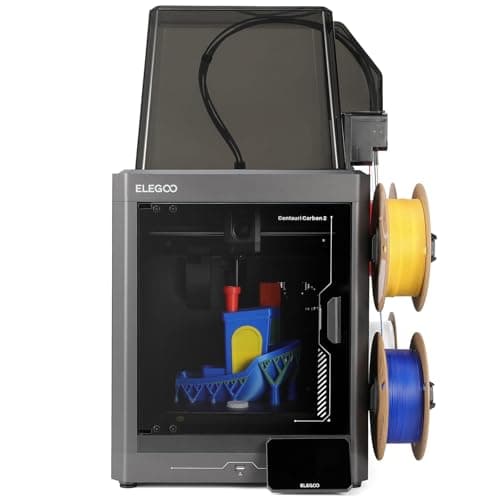 Elegoo Centauri Carbon 2 Combo256 x 256 x 256 mm Elegoo Centauri Carbon 2 Combo256 x 256 x 256 mm | Best like-for-like replacement | 8.4 | $399.00 - Check price on Amazon |
| 2 | 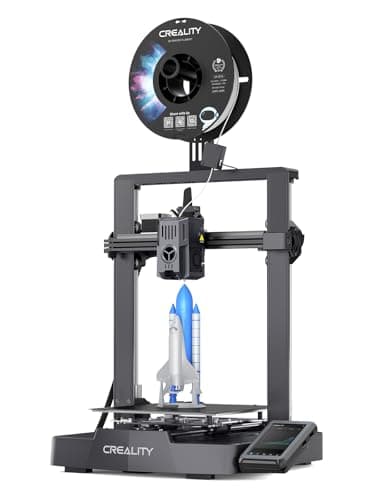 Creality Ender-3 V3 KE220 x 220 x 240 mm Creality Ender-3 V3 KE220 x 220 x 240 mm | Best if you want to own it, not rent it | 8.2 | $246.04 - Check price on Amazon |
| 3 | 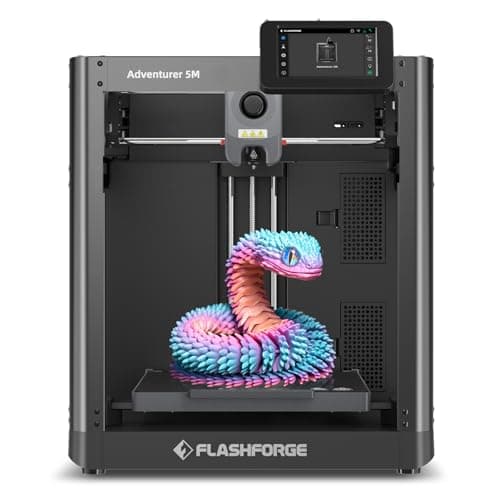 FlashForge Adventurer 5M220 x 220 x 220 mm FlashForge Adventurer 5M220 x 220 x 220 mm | Best CoreXY on a budget | 8.3 | $249.00 - Check price on Amazon |
| 4 | 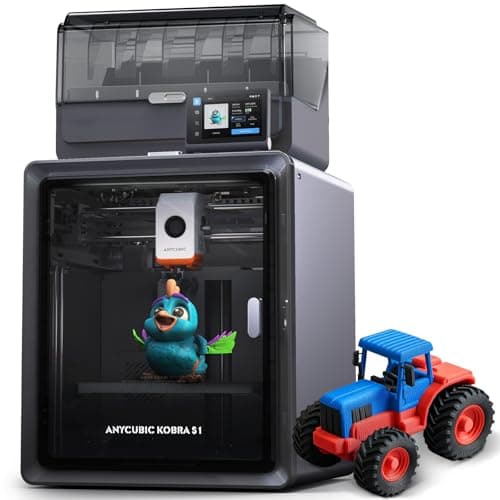 Anycubic Kobra S1 Combo250 x 250 x 250 mm Anycubic Kobra S1 Combo250 x 250 x 250 mm | Best documented for noise | 7.9 | $459.99 - Check price on Amazon |
| 5 | 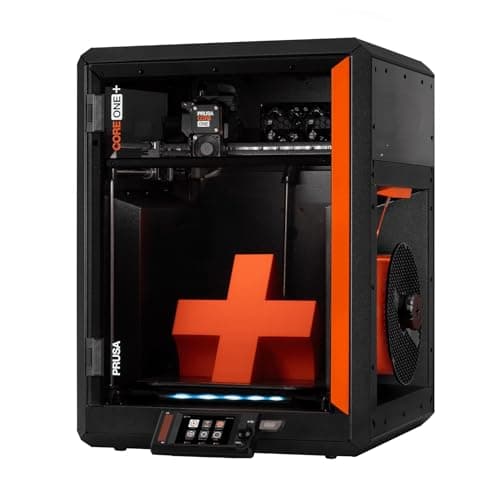 Prusa CORE One+250 x 220 x 270 mm Prusa CORE One+250 x 220 x 270 mm | Best on repairability and openness | 7.4 | $1,549.00 - Check price on Amazon |
#1 · Best like-for-like replacement
Elegoo Centauri Carbon 2 Combo
Elegoo · One enclosed machine that prints everything, including multi-color
An enclosed CoreXY with a 350 C nozzle, 121-point leveling and multi-color included, at a price that used to buy an open frame. The catch is the one Elegoo prints in its own footnotes: the filament waste bin is not in the box, you print it yourself.
#ad Price as of September 27, 2026, from Amazon. Prices change. How we make money.
What it actually is
A fully enclosed CoreXY printer sold with Elegoo's CANVAS multi-material unit. Enclosed means the chamber holds its heat, which is what stops ABS and ASA from curling off the plate.
Does it fit this page?
The closest thing to a P1S plus an AMS from another brand, and cheaper. Enclosed CoreXY, 256 mm cubed, a 350 C nozzle that beats Bambu's published 300 C, a 110 C plate, 121-point leveling, a built-in filter, and Elegoo's CANVAS multi-material unit in the box rather than sold separately. If you want everything a Bambu gives you without buying a Bambu, this is the answer.
What the manufacturer states
| Figure | Value | Source |
|---|---|---|
| Build volume | 256 x 256 x 256 mm | Elegoo Centauri Carbon 2 specification table |
| Printing speed | Up to 500 mm/s; Elegoo's own recommended figure is 250 mm/s | Elegoo Centauri Carbon 2 specification table |
| Acceleration | 10,000 mm/s2 default, 20,000 mm/s2 maximum | Elegoo Centauri Carbon 2 specification table |
| Max nozzle temperature | 350 C | Elegoo Centauri Carbon 2 specification table |
| Max heated bed temperature | 110 C at 25 C ambient | Elegoo Centauri Carbon 2 specification table |
| Printing accuracy | +/- 0.1 mm | Elegoo Centauri Carbon 2 specification table |
| Layer thickness | 0.1 - 0.4 mm, 0.2 mm recommended | Elegoo Centauri Carbon 2 specification table |
| Extruder | Dual-gear direct extruder, 1 fan; brass-hardened steel 0.4 mm nozzle | Elegoo Centauri Carbon 2 specification table |
| Leveling | 121-point auto-leveling | Elegoo Centauri Carbon 2 specification table |
| Build plate | Dual-sided spring steel sheet - textured PEI and a PLA-specific surface | Elegoo Centauri Carbon 2 specification table |
| Heat break | Titanium alloy | Elegoo Centauri Carbon 2 specification table |
| Z axis | 3 lead screws and 3 linear guide rods | Elegoo Centauri Carbon 2 specification table |
| Multi-color | CANVAS capability - included with the Combo, sold separately for the base machine | Elegoo Centauri Carbon 2 specification table |
| Supported filament | Ideal: PLA, PETG, TPU, PLA-CF. Superior: ABS/ABS-CF, ASA/ASA-CF, PET/PET-CF, PETG-CF, PC, PA. Capable: PPS/PPS-CF/PPS-GF, PPA-CF/PPA-GF | Elegoo Centauri Carbon 2 specification table |
| Ambient temperature | 5 - 40 C | Elegoo Centauri Carbon 2 specification table |
| Screen and system | 5-inch color capacitive touchscreen running ELEGOO OS | Elegoo Centauri Carbon 2 specification table |
| Connectivity | USB and Wi-Fi | Elegoo Centauri Carbon 2 specification table |
| Slicing software | ElegooSlicer recommended; Orca and Cura also supported | Elegoo Centauri Carbon 2 specification table |
| Filtration | Built-in nano mineral crystal filter and a chamber temperature regulator fan | Elegoo Centauri Carbon 2 specification table |
Read from Elegoo, Centauri Carbon 2 product page and specification table on 2026-09-21. Where a manufacturer does not publish a figure, there is no row for it here.
What is good about it
- Fully enclosed with a tempered glass door, which is what ABS and ASA actually need
- 350 C nozzle - the highest published figure of any machine on this site under $500
- Multi-color is included rather than an upgrade, unlike most machines at this price
- 121-point leveling and a dual-sided PEI plate, so the first layer is not the owner's problem
- Built-in filter and a chamber regulator fan, which no open-frame machine can offer
What is not
- The 500 mm/s headline sits next to Elegoo's own recommended 250 mm/s - half the number on the box
- The filament waste bin is not supplied; Elegoo's footnote says you print it yourself from a file on the USB drive
- Multi-color printing wastes filament on every color change, and the bin fills fast
- Elegoo publishes no noise figure, which matters more on an enclosed machine that runs fans
- Elegoo's own store has been showing it sold out, so availability has been through Amazon rather than direct
- More machine than a first-time buyer needs if the plan is PLA models and nothing else
Skip this one if
Skip it if you only ever intend to print PLA. You would be paying for a heated chamber, a 350 C nozzle and a multi-material unit to do a job a $249 open frame does just as well.
What we cannot tell you
We have not printed on this machine. How quiet the enclosure really is, how much filament CANVAS wastes per color change, and how long the nano mineral crystal filter lasts are all unpublished and would need a unit in hand.
How it scored for a beginner
- Setup out of the box8.5
- Auto-calibration9.0
- First-layer forgiveness9.0
- Material range9.5
- Running cost7.0
- Published data8.5
Beginner fit 8.4 / 10. That is our editorial read of how well this suits someone buying their first printer, taken off the published specifications — not a test result, and not a verdict on absolute quality. It is deliberately not marked up as a rating in this page’s structured data. How we pick.
#2 · Best if you want to own it, not rent it
Creality Ender-3 V3 KE
Creality · An Ender that keeps up with the fast machines
The SE with the speed problem fixed. Same family, same automatic setup, but rated to 500 mm/s and running a Klipper-style interface. The one to buy if you want an Ender and you do not want to wait around.
#ad Price as of September 27, 2026, from Amazon. Prices change. How we make money.
What it actually is
The faster model in the Ender-3 V3 line. Klipper is firmware that does the motion maths on a more capable processor, which is how a bed-slinger reaches speeds that used to require a CoreXY frame.
Does it fit this page?
The answer if the closed ecosystem is what bothers you. Klipper-based Creality OS, a linear rail on X, a 300 C hot end, 500 mm/s rated, and the largest spare-parts and community ecosystem in desktop 3D printing. You can open it, fix it, modify it and find someone who has already had your exact problem. It is an open frame, so ABS and ASA are effectively out.
What the manufacturer states
| Figure | Value | Source |
|---|---|---|
| Build volume | 220 x 220 x 240 mm | Creality Ender-3 V3 KE product specifications |
| Maximum print speed | 500 mm/s | Creality Ender-3 V3 KE product specifications |
| Leveling | CR Touch auto leveling with strain-sensor Z-offset | Creality Ender-3 V3 KE product specifications |
| Print accuracy | +/- 0.1 mm | Creality Ender-3 V3 KE product specifications |
| Layer height | 0.1 - 0.35 mm | Creality Ender-3 V3 KE product specifications |
| Max nozzle temperature | 300 C, copper nozzle (Creality Lab figure, tested at 25 C room temperature) | Creality Ender-3 V3 KE product page |
| Hot end | 60 W ceramic heater with a bi-metal copper and titanium alloy heatbreak | Creality Ender-3 V3 KE product page |
| Motion | Linear rail on the X axis with a ball-bearing carriage | Creality Ender-3 V3 KE product page |
| Firmware | Creality OS, based on Klipper; input shaping and motion advance | Creality Ender-3 V3 KE product page |
| Part cooling | Two model cooling fans, one on each side of the printhead | Creality Ender-3 V3 KE product page |
| Supported filaments | Hyper PLA, PETG, ABS, TPU 95A, ASA | Creality Ender-3 V3 KE product page |
| Connectivity | LAN and cloud printing; control from Creality Print or the Creality Cloud app over Wi-Fi | Creality Ender-3 V3 KE product page |
Read from Creality, Ender-3 V3 KE product page on 2026-09-19. Where a manufacturer does not publish a figure, there is no row for it here.
What is good about it
- 500 mm/s rated maximum — twice the SE's figure, and level with the A1 series
- Klipper-style firmware and interface, which is what most fast printers now run
- Same Creality parts ecosystem as the rest of the Ender line
- 10 mm shorter in Z than the SE, which almost never matters
What is not
- Costs more than the SE, and the SE is the cheaper mistake if you are unsure
- Rated speed is a ceiling, not a promise — every printer's usable speed is lower
- Still an open frame, with the same material limits
- Slightly less build height than the SE
- Creality lists ABS and ASA as supported, but this is an open frame with no chamber heat - expect warping on anything tall in either
Skip this one if
Skip it if your budget is tight enough that the difference between this and the SE is real money. The SE prints the same objects, more slowly. Speed is the least important thing about a first printer.
What we cannot tell you
We have not printed on this machine. Whether the rated 500 mm/s is usable on real geometry, and how the Klipper interface behaves for someone who has never seen one, are questions a spec sheet does not answer.
How it scored for a beginner
- Setup out of the box7.5
- Auto-calibration8.0
- First-layer forgiveness7.5
- Parts and filament availability10.0
- Running cost8.5
- Help when it goes wrong9.5
Beginner fit 8.2 / 10. That is our editorial read of how well this suits someone buying their first printer, taken off the published specifications — not a test result, and not a verdict on absolute quality. It is deliberately not marked up as a rating in this page’s structured data. How we pick.
#3 · Best CoreXY on a budget
FlashForge Adventurer 5M
FlashForge · A first CoreXY machine without paying CoreXY money
A CoreXY frame, a 280 C direct-drive hot end and a nozzle you swap in three seconds, at the price most brands charge for a bed-slinger. Read FlashForge's own spec table before you believe the 600 mm/s on the box - that number is the travel speed, not the print speed.
#ad Price as of September 27, 2026, from Amazon. Prices change. How we make money.
What it actually is
An open-frame CoreXY printer. CoreXY means the print head moves in both X and Y while the bed only moves down, so there is no heavy bed swinging back and forth - the layout fast printers use.
Does it fit this page?
A CoreXY frame for well under $300, which almost nothing else offers. 220 mm cubed, a 280 C direct-drive hot end, quick-detach nozzles in four diameters, a flexible PEI plate and 95 percent pre-assembled. Read FlashForge's own spec table before believing the 600 mm/s on the box - that figure is the travel speed, not the print speed.
What the manufacturer states
| Figure | Value | Source |
|---|---|---|
| Build volume | 220 x 220 x 220 mm | FlashForge Adventurer 5M specification table |
| Speed | Max travel speed 600 mm/s (FlashForge's spec table states this as TRAVEL speed) | FlashForge Adventurer 5M specification table |
| Acceleration | Max 20,000 mm/s2 | FlashForge Adventurer 5M specification table |
| Extruder | Direct drive, quantity 1 | FlashForge Adventurer 5M specification table |
| Max extruder temperature | 280 C | FlashForge Adventurer 5M specification table |
| Platform temperature | 100 C | FlashForge Adventurer 5M specification table |
| Build plate | Flexible removable PEI steel plate | FlashForge Adventurer 5M specification table |
| Nozzle diameters | 0.25 / 0.4 / 0.6 / 0.8 mm, quick-detach in 3 seconds | FlashForge Adventurer 5M specification table |
| Shell | Open | FlashForge Adventurer 5M specification table |
| Leveling | Automatic Datum Management (ADM) real-time adjustment and auto-leveling | FlashForge Adventurer 5M specification table |
| Display | 4.3-inch touchscreen | FlashForge Adventurer 5M specification table |
| Connectivity | Wi-Fi, Ethernet, USB | FlashForge Adventurer 5M specification table |
| Supported filament | PLA and PETG recommended on the 0.4 mm nozzle; TPU, PLA-CF and PETG-CF on the 0.6 mm nozzle | FlashForge Adventurer 5M specification table |
| Machine size | 363 x 376 x 413 mm excluding the screen and spool holder | FlashForge Adventurer 5M specification table |
| Power | AC 100-120 / 200-240 V, 50/60 Hz, 350 W | FlashForge Adventurer 5M specification table |
| Assembly | 95 percent pre-assembled; only the display and filament holder fit on | FlashForge Adventurer 5M specification table |
| Warranty | 1-year limited on the printer, 3 months on extruder parts | FlashForge Adventurer 5M specification table |
| Noise and air filtration | Both rows are left blank on FlashForge's published spec table | FlashForge Adventurer 5M specification table |
Read from FlashForge, Adventurer 5M product page and specification table on 2026-09-21. Where a manufacturer does not publish a figure, there is no row for it here.
What is good about it
- A CoreXY frame at a bed-slinger price, which is unusual under $300
- 280 C direct-drive hot end - hotter than most machines in this bracket
- Quick-detach nozzles in four diameters, changed without tools
- Flexible PEI plate and a filament run-out sensor, both of which prevent common first-print failures
- 95 percent pre-assembled, so the box-to-first-print path is short
What is not
- The headline 600 mm/s is the TRAVEL speed on FlashForge's own spec table, not a print speed - the machine does not lay plastic that fast
- Open frame, so ABS and ASA will warp; FlashForge's enclosure is a separate purchase and its own FAQ recommends PLA and PETG
- FlashForge leaves both the noise and the air-filtration rows blank on its spec table, so neither can be checked before buying
- 220 mm cube is the smallest build volume of the machines on this site in its price range
- Single extruder, so no multi-color printing without changing filament by hand
Skip this one if
Skip it if you want to print ABS or ASA. This is an open frame and the enclosure is sold separately, so the all-in price stops being competitive. Buy something already enclosed instead.
What we cannot tell you
We have not printed on this machine. How loud it actually is, what print speed it sustains on real geometry, and how well the quick-detach nozzle seals after repeated swaps are all things the spec table does not answer - and FlashForge publishes no noise figure at all.
How it scored for a beginner
- Setup out of the box9.0
- Auto-calibration8.5
- First-layer forgiveness8.0
- Parts and filament availability8.0
- Running cost8.5
- Published data7.0
Beginner fit 8.3 / 10. That is our editorial read of how well this suits someone buying their first printer, taken off the published specifications — not a test result, and not a verdict on absolute quality. It is deliberately not marked up as a rating in this page’s structured data. How we pick.
#4 · Best documented for noise
Anycubic Kobra S1 Combo
Anycubic · Multi-color printing in an enclosure, bought as one box
An enclosed CoreXY printer that ships with its four-color unit in the box, and that unit dries filament while it prints. Anycubic publishes a 320 C nozzle, a 120 C plate and 250 mm cubed. The catches are in its own footnotes: the dryer stops at 55 C, TPU cannot go through it, and eight colors means buying a second one.
#ad Price as of September 27, 2026, from Amazon. Prices change. How we make money.
What it actually is
A fully enclosed CoreXY printer bundled with the ACE Pro, Anycubic's four-spool feeder. The ACE Pro swaps filaments for multi-color prints and heats the spools while it does, so the filament stays dry during long jobs.
Does it fit this page?
Enclosed, four-color in the box via the ACE Pro, and the only machine here whose maker publishes decibel figures - 46 dB standard and 44 dB in quiet mode, measured a meter from the front. Bambu publishes no noise specification at all. The ACE Pro also dries filament as it feeds. TPU cannot go through it, which Anycubic states plainly.
What the manufacturer states
| Figure | Value | Source |
|---|---|---|
| Build volume | 250 x 250 x 250 mm | Anycubic Kobra S1 Combo specification table |
| Construction | Fully enclosed CoreXY | Anycubic Kobra S1 Combo specification table |
| Print speed | 300 mm/s recommended; 600 mm/s maximum | Anycubic Kobra S1 Combo specification table |
| Acceleration | 10,000 mm/s2 recommended; 20,000 mm/s2 maximum | Anycubic Kobra S1 Combo specification table |
| Nozzle | 320 C max; 0.4 mm standard, 0.25 / 0.6 / 0.8 mm sold separately | Anycubic Kobra S1 Combo specification table |
| Plate | 120 C max, PEI spring steel | Anycubic Kobra S1 Combo specification table |
| Supported filaments | PLA, PETG, ABS, ASA, TPU 95A (TPU not compatible with the ACE Pro) | Anycubic Kobra S1 Combo specification table |
| Multi-color | 4 colors with the included ACE Pro; 8 needs a second ACE Pro and an eight-color feeding module | Anycubic Kobra S1 Combo specification table |
| Active drying | Supported in the ACE Pro, up to 55 C | Anycubic Kobra S1 Combo specification table |
| Leveling and calibration | LeviQ 3.0 auto-leveling, Z-offset, flow calibration, resonance compensation | Anycubic Kobra S1 Combo specification table |
| Noise | 46 dB or below standard, 44 dB or below quiet mode, measured 1 m from the front | Anycubic Kobra S1 Combo specification table |
| Weight | Printer 18 kg; ACE Pro 4.6 kg | Anycubic Kobra S1 Combo specification table |
| Dimensions | Printer 400 x 410 x 490 mm; ACE Pro 365.94 x 282.84 x 234.5 mm | Anycubic Kobra S1 Combo specification table |
| Camera | Built in, 480P | Anycubic Kobra S1 Combo specification table |
Read from Anycubic, Kobra S1 Combo product page and specification table on 2026-09-17. Where a manufacturer does not publish a figure, there is no row for it here.
What is good about it
- The four-color unit is in the box, so the Combo price is the multi-color price
- The ACE Pro heats spools while printing, per Anycubic, which keeps filament dry through a long multi-color job
- A 120 C plate and a 320 C nozzle - the highest published plate temperature of any enclosed printer on this site
- Anycubic publishes filament entanglement detection and AI spaghetti detection alongside auto-resume after run-out
What is not
- The ACE Pro dries at 55 C at most, below the 60 C PETG and 70 C ABS and ASA routines filament makers publish
- TPU 95A cannot go through the ACE Pro, per Anycubic's own footnote - flexible filament is single-color only
- Eight colors needs a second ACE Pro and an extra feeding module, not just a second unit
- An 18 kg printer plus a 4.6 kg feeder is a lot of desk, and Anycubic lists a 1-year printer warranty
Skip this one if
Skip it if multi-color is not the reason you are buying. You are paying for a feeder and a box, and a single-color first year is better spent on an open-frame machine and a lot of filament. Skip it too if TPU in multiple colors is the plan, because Anycubic says that combination does not work.
What we cannot tell you
We have not printed on this machine. How reliably the ACE Pro swaps filament over hundreds of changes, whether 55 C drying keeps PETG usable in a humid room, and how the published noise figures compare to a real room are all owner questions.
How it scored for a beginner
- Setup out of the box8.0
- Auto-calibration9.0
- First-layer forgiveness8.5
- Parts and filament availability8.0
- Running cost7.0
- Help when it goes wrong7.5
Beginner fit 7.9 / 10. That is our editorial read of how well this suits someone buying their first printer, taken off the published specifications — not a test result, and not a verdict on absolute quality. It is deliberately not marked up as a rating in this page’s structured data. How we pick.
#5 · Best on repairability and openness
Prusa CORE One+
Prusa Research · Somebody who wants to own the machine, not just its output
The machine people mean when they say they want something they can fix. Prusa publishes a 250 x 220 x 270 mm enclosed CoreXY with an actively controlled chamber up to 55 C, and says plainly that nothing on it is glued and everything comes apart with a screwdriver.
#ad Price as of September 27, 2026, from Amazon. Prices change. How we make money.
What it actually is
A fully enclosed CoreXY printer with a heated, ventilated chamber, built around an all-steel structural enclosure. It is designed to be disassembled and repaired, with spare parts stocked for years, and it costs several times what a first printer should.
Does it fit this page?
The principled alternative, at a price that reflects it. Prusa states nothing is glued and the machine comes apart with ordinary tools, publishes full documentation, and supports ABS, PC and PA. This is the machine for someone who wants to be able to repair and understand their printer for a decade rather than replace it. It costs several times what the others here cost.
What the manufacturer states
| Figure | Value | Source |
|---|---|---|
| Build volume | 250 x 220 x 270 mm (14.9 liters) | Prusa Research CORE One+ product page |
| Motion and frame | Fully enclosed CoreXY; all-steel structural enclosure | Prusa Research CORE One+ product page |
| Chamber | Actively controlled, heats to 55 C, with smart ventilation | Prusa Research CORE One+ product page |
| Materials | ASA, ABS, PC, PA and other advanced materials, plus standard 1.75 mm filament | Prusa Research CORE One+ product page |
| Vibration control | Input Shaper firmware compensation | Prusa Research CORE One+ product page |
| Serviceability | Nothing glued; disassembles with a screwdriver, spare parts stocked for years | Prusa Research CORE One+ product page |
Read from Prusa Research, CORE One+ product page on 2026-09-13. Where a manufacturer does not publish a figure, there is no row for it here.
What is good about it
- An actively heated chamber to 55 C, which is a genuine step beyond the passively warm boxes in the band below
- Built to be repaired: Prusa states nothing is glued, everything comes apart with a screwdriver, and parts are stocked for years
- Prusa publishes 50 percent less desk space than an MK4S in an enclosure with 30 percent more print volume
- Smart ventilation means the door stays shut for PLA rather than being propped open
What is not
- It costs several times what this site's beginner picks cost, and nothing about it makes a first month easier
- 250 x 220 x 270 mm is less floor area than the 256 mm cubed machines it competes with, even though total volume is higher
- The repairability that justifies the price is worth nothing to somebody who never intends to open the machine
- Sold on Amazon by Amazon rather than by Prusa, so warranty and support routing is worth checking before you order
Skip this one if
Skip it if this is your first printer. Everything you are paying for - the chamber, the steel, the serviceability - is aimed at somebody who already knows what they want to print and expects to keep the machine for a decade. Buy an A1 mini and come back in two years.
What we cannot tell you
We have not printed on this machine. Whether the chamber control makes ABS genuinely uneventful, how loud it is, and whether the repairability premium pays back over years are all owner questions we cannot answer from a specification page.
How it scored for a beginner
- Setup out of the box8.0
- Auto-calibration9.0
- First-layer forgiveness8.5
- Parts and filament availability10.0
- Running cost6.0
- Help when it goes wrong9.5
Beginner fit 7.4 / 10. That is our editorial read of how well this suits someone buying their first printer, taken off the published specifications — not a test result, and not a verdict on absolute quality. It is deliberately not marked up as a rating in this page’s structured data. How we pick.
How these were picked
We have not printed on these machines and we do not pretend to have. What we did was read each manufacturer’s own specification page, take their stated build volume, temperatures and speeds, check that every pick genuinely fits the job in this page’s title, confirm it is still being sold, and pull a live price rather than a remembered one. Every figure names the source it came from, so you can check it yourself in about a minute.
How we pick sets out the full method, including what would change a ranking.
Questions people actually ask
+−What is the best Bambu Lab alternative?
The Elegoo Centauri Carbon 2 Combo, if you want comparable capability: enclosed CoreXY, 256 mm cubed, a 350 °C nozzle that beats Bambu’s published 300 °C, and a multi-material unit included rather than sold separately. If your objection is the closed ecosystem rather than the price, a Creality Ender-3 V3 KE gets you a machine you can open, repair and modify.
+−Is there a cheaper printer that is as good as a Bambu A1?
On published specifications, the FlashForge Adventurer 5M gets you a CoreXY frame for less, and the Creality Ender-3 V3 SE is cheaper still. Neither matches the A1’s out-of-box experience, which is the thing that matters most on a first printer and the thing no spec sheet shows.
+−What do you lose by not buying Bambu?
Three things, none of them a specification: the most reliable self-calibration in the category, a very large owner community, and downloadable model profiles tuned for the machine. Those are real and they are why this site recommends Bambu as a first printer more often than anything else.
+−Is there an open-source alternative to Bambu Lab?
Prusa is the brand most associated with openness and repairability — it publishes full documentation and states that its CORE One+ comes apart with ordinary tools and nothing glued. It costs considerably more. Creality machines are not open source but are straightforward to open, modify and repair, which covers most of the same practical ground for much less.