Head to head
Elegoo vs Creality
Two brands that both undercut Bambu Lab and arrive at it differently. One has the largest spare-parts ecosystem in the hobby. The other publishes the better spec sheet and gets you into an enclosure for less.
By Scooter M. · Published · Last reviewed
How this page is funded: the buy links below are affiliate links. If you buy through one we earn a commission, at no extra cost to you. It does not change the order of the picks or a word of what we say about them. Full disclosure.
Printers we claim to have tested: 0. Everyone in this category says they tested twenty machines. We have not tested any, and we would rather say so. What we did instead is on this page: the manufacturer’s own published specification for every pick, cited and dated; the arithmetic on what it costs to run, with the inputs shown; a live price rather than a remembered one; and a plain answer on who should skip each machine.
The short answer
Buy Elegoo if you want the better specification for the money. Buy Creality if you expect to tinker, repair or modify. Elegoo publishes more complete data and its Centauri Carbon 2 gets you a fully enclosed, 350 °C, multi-color machine for around what an open-frame Creality plus upgrades costs. Creality’s advantage is not a spec: it is the largest spare-parts and community ecosystem in desktop 3D printing, and for a first machine that is worth real money.
We have not printed on any of these machines. This is a brand-level comparison built from what each company publishes, and from what we found while verifying their products for this site over several months.
The machines each brand leads with
Published manufacturer figures for the machines a beginner actually chooses between.
| Elegoo Centauri Carbon 2 | Creality Ender-3 V3 KE | Elegoo Neptune 4 | |
|---|---|---|---|
| Frame | Enclosed CoreXY | Open bed-slinger | Open bed-slinger |
| Build volume | 256 x 256 x 256 mm | 220 x 220 x 240 mm | 225 x 225 x 265 mm |
| Max nozzle | 350 C | 300 C | 300 C |
| Max plate | 110 C at 25 C ambient | Not published as a figure | Not published as a figure |
| Speed | 500 mm/s max, 250 recommended | 500 mm/s | 500 mm/s |
| Leveling | 121-point auto | CR Touch with strain-sensor Z-offset | 121-point mesh |
| Multi-color | CANVAS included with Combo | No | No |
| Filtration | Built-in filter and chamber fan | None | None |
Where Elegoo wins
It publishes more. This is the clearest pattern we have found across months of verifying products for this site. Elegoo publishes proper parameter tables — chamber temperatures, humidity limits, nozzle material requirements. Its ABS spool is the only one in our registry that publishes a chamber temperature, and its glow PLA is the only glow filament anywhere in our registry that publishes a hardened steel nozzle requirement. That habit of documentation is worth something when a print fails.
Enclosed, sooner, for less. The Centauri Carbon 2 Combo is a fully enclosed CoreXY machine with a 350 °C nozzle, a built-in filter and multi-color included. Creality’s comparably priced offering is an open frame. If enclosure is on your list, Elegoo is the cheaper route — see the enclosed printer roundup.
Honest about its own numbers. Elegoo publishes 500 mm/s as a maximum and 250 mm/s as its own recommendation, in the same table. We would rather a manufacturer did that than print only the bigger number.
It covers resin too. If miniatures are the goal, Elegoo makes the Mars 5 Ultra, and Creality has no equivalent we recommend. Our miniatures roundup explains why that matters for fine detail.
Where Creality wins
Parts, everywhere, forever. The Ender line is the most widely owned family of printers in the hobby, and the practical effect is that every part is available from multiple sellers and every failure has already been documented by someone. That is not a specification and it is genuinely valuable on a first machine.
Repairability and modification. Creality machines are designed to be opened. If your interest in 3D printing includes improving the printer itself, this is the brand that supports it — the same argument that leads people to Prusa, at a much lower price.
The cheapest machine we would still recommend. The Ender-3 V3 SE remains the bottom of the range on this site, and the V3 KE adds Klipper firmware and a linear rail for not much more.
Accessories for the machine you own. Creality is the brand behind both the add-on enclosure and the air purifier we cover, which fit printers from any brand.
Where each brand loses ground
Elegoo. Availability is inconsistent — the Centauri Carbon 2 has shown sold out on Elegoo’s own store with stock moving through Amazon, and the original Centauri Carbon is now listed used rather than new. The community is far smaller than Creality’s. And the Carbon 2’s filament waste bin is not in the box; Elegoo expects you to print it.
Creality. It publishes noticeably less. We could not find a complete published specification table for the K1C at all — not on creality.com, not on its wiki, not on its store — which is why this site has no K1C review despite real demand for one. Its enclosure page markets “constant temperature printing” with no temperature published anywhere, and its air purifier publishes a 99 percent filtration figure without the particle size it refers to. Creality also runs many overlapping Amazon listings, which makes working out what you are buying harder than it should be.
So which brand
First printer, wants it to work, no interest in tinkering: neither, honestly — the Bambu A1 is still the smoothest first machine, as our Bambu versus Creality comparison sets out. If Bambu is ruled out on price or on principle, see our Bambu alternatives page.
Wants enclosed and multi-color on a fixed budget: Elegoo. The Centauri Carbon 2 Combo is the most capability per dollar either brand offers.
Expects to learn the machine, not just use it: Creality. The parts, the documentation written by owners and the modification community are the reason.
Wants miniatures: Elegoo, and specifically resin.
What we would buy for this
Chosen from the same registry as our roundups, on the manufacturer’s own published figures and a live price.
Elegoo Centauri Carbon 2 Combo
Elegoo · One enclosed machine that prints everything, including multi-color
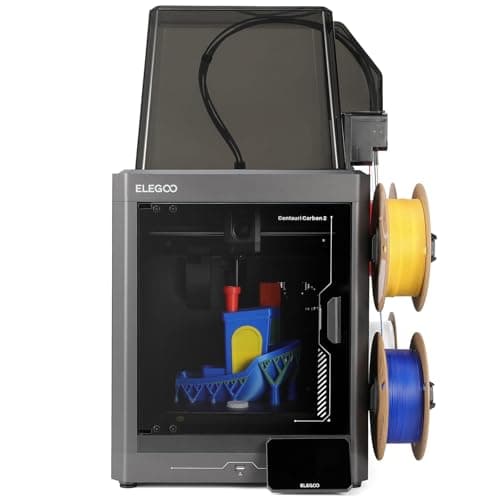
An enclosed CoreXY with a 350 C nozzle, 121-point leveling and multi-color included, at a price that used to buy an open frame. The catch is the one Elegoo prints in its own footnotes: the filament waste bin is not in the box, you print it yourself.
#ad Price as of September 27, 2026, from Amazon. Prices change. How we make money.
What it actually is
A fully enclosed CoreXY printer sold with Elegoo's CANVAS multi-material unit. Enclosed means the chamber holds its heat, which is what stops ABS and ASA from curling off the plate.
What the manufacturer states
| Figure | Value | Source |
|---|---|---|
| Build volume | 256 x 256 x 256 mm | Elegoo Centauri Carbon 2 specification table |
| Printing speed | Up to 500 mm/s; Elegoo's own recommended figure is 250 mm/s | Elegoo Centauri Carbon 2 specification table |
| Acceleration | 10,000 mm/s2 default, 20,000 mm/s2 maximum | Elegoo Centauri Carbon 2 specification table |
| Max nozzle temperature | 350 C | Elegoo Centauri Carbon 2 specification table |
| Max heated bed temperature | 110 C at 25 C ambient | Elegoo Centauri Carbon 2 specification table |
| Printing accuracy | +/- 0.1 mm | Elegoo Centauri Carbon 2 specification table |
| Layer thickness | 0.1 - 0.4 mm, 0.2 mm recommended | Elegoo Centauri Carbon 2 specification table |
| Extruder | Dual-gear direct extruder, 1 fan; brass-hardened steel 0.4 mm nozzle | Elegoo Centauri Carbon 2 specification table |
| Leveling | 121-point auto-leveling | Elegoo Centauri Carbon 2 specification table |
| Build plate | Dual-sided spring steel sheet - textured PEI and a PLA-specific surface | Elegoo Centauri Carbon 2 specification table |
| Heat break | Titanium alloy | Elegoo Centauri Carbon 2 specification table |
| Z axis | 3 lead screws and 3 linear guide rods | Elegoo Centauri Carbon 2 specification table |
| Multi-color | CANVAS capability - included with the Combo, sold separately for the base machine | Elegoo Centauri Carbon 2 specification table |
| Supported filament | Ideal: PLA, PETG, TPU, PLA-CF. Superior: ABS/ABS-CF, ASA/ASA-CF, PET/PET-CF, PETG-CF, PC, PA. Capable: PPS/PPS-CF/PPS-GF, PPA-CF/PPA-GF | Elegoo Centauri Carbon 2 specification table |
| Ambient temperature | 5 - 40 C | Elegoo Centauri Carbon 2 specification table |
| Screen and system | 5-inch color capacitive touchscreen running ELEGOO OS | Elegoo Centauri Carbon 2 specification table |
| Connectivity | USB and Wi-Fi | Elegoo Centauri Carbon 2 specification table |
| Slicing software | ElegooSlicer recommended; Orca and Cura also supported | Elegoo Centauri Carbon 2 specification table |
| Filtration | Built-in nano mineral crystal filter and a chamber temperature regulator fan | Elegoo Centauri Carbon 2 specification table |
Read from Elegoo, Centauri Carbon 2 product page and specification table on 2026-09-21. Where a manufacturer does not publish a figure, there is no row for it here.
What is good about it
- Fully enclosed with a tempered glass door, which is what ABS and ASA actually need
- 350 C nozzle - the highest published figure of any machine on this site under $500
- Multi-color is included rather than an upgrade, unlike most machines at this price
- 121-point leveling and a dual-sided PEI plate, so the first layer is not the owner's problem
- Built-in filter and a chamber regulator fan, which no open-frame machine can offer
What is not
- The 500 mm/s headline sits next to Elegoo's own recommended 250 mm/s - half the number on the box
- The filament waste bin is not supplied; Elegoo's footnote says you print it yourself from a file on the USB drive
- Multi-color printing wastes filament on every color change, and the bin fills fast
- Elegoo publishes no noise figure, which matters more on an enclosed machine that runs fans
- Elegoo's own store has been showing it sold out, so availability has been through Amazon rather than direct
- More machine than a first-time buyer needs if the plan is PLA models and nothing else
Skip this one if
Skip it if you only ever intend to print PLA. You would be paying for a heated chamber, a 350 C nozzle and a multi-material unit to do a job a $249 open frame does just as well.
What we cannot tell you
We have not printed on this machine. How quiet the enclosure really is, how much filament CANVAS wastes per color change, and how long the nano mineral crystal filter lasts are all unpublished and would need a unit in hand.
How it scored for a beginner
- Setup out of the box8.5
- Auto-calibration9.0
- First-layer forgiveness9.0
- Material range9.5
- Running cost7.0
- Published data8.5
Beginner fit 8.4 / 10. That is our editorial read of how well this suits someone buying their first printer, taken off the published specifications — not a test result, and not a verdict on absolute quality. It is deliberately not marked up as a rating in this page’s structured data. How we pick.
Creality Ender-3 V3 KE
Creality · An Ender that keeps up with the fast machines
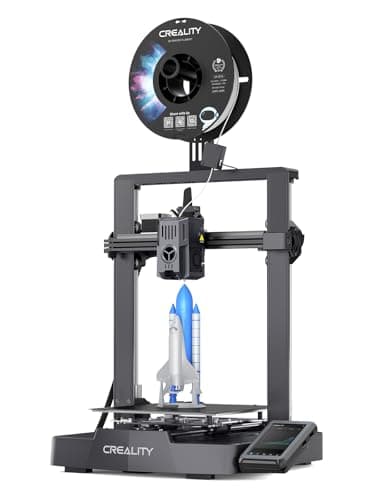
The SE with the speed problem fixed. Same family, same automatic setup, but rated to 500 mm/s and running a Klipper-style interface. The one to buy if you want an Ender and you do not want to wait around.
#ad Price as of September 27, 2026, from Amazon. Prices change. How we make money.
What it actually is
The faster model in the Ender-3 V3 line. Klipper is firmware that does the motion maths on a more capable processor, which is how a bed-slinger reaches speeds that used to require a CoreXY frame.
What the manufacturer states
| Figure | Value | Source |
|---|---|---|
| Build volume | 220 x 220 x 240 mm | Creality Ender-3 V3 KE product specifications |
| Maximum print speed | 500 mm/s | Creality Ender-3 V3 KE product specifications |
| Leveling | CR Touch auto leveling with strain-sensor Z-offset | Creality Ender-3 V3 KE product specifications |
| Print accuracy | +/- 0.1 mm | Creality Ender-3 V3 KE product specifications |
| Layer height | 0.1 - 0.35 mm | Creality Ender-3 V3 KE product specifications |
| Max nozzle temperature | 300 C, copper nozzle (Creality Lab figure, tested at 25 C room temperature) | Creality Ender-3 V3 KE product page |
| Hot end | 60 W ceramic heater with a bi-metal copper and titanium alloy heatbreak | Creality Ender-3 V3 KE product page |
| Motion | Linear rail on the X axis with a ball-bearing carriage | Creality Ender-3 V3 KE product page |
| Firmware | Creality OS, based on Klipper; input shaping and motion advance | Creality Ender-3 V3 KE product page |
| Part cooling | Two model cooling fans, one on each side of the printhead | Creality Ender-3 V3 KE product page |
| Supported filaments | Hyper PLA, PETG, ABS, TPU 95A, ASA | Creality Ender-3 V3 KE product page |
| Connectivity | LAN and cloud printing; control from Creality Print or the Creality Cloud app over Wi-Fi | Creality Ender-3 V3 KE product page |
Read from Creality, Ender-3 V3 KE product page on 2026-09-19. Where a manufacturer does not publish a figure, there is no row for it here.
What is good about it
- 500 mm/s rated maximum — twice the SE's figure, and level with the A1 series
- Klipper-style firmware and interface, which is what most fast printers now run
- Same Creality parts ecosystem as the rest of the Ender line
- 10 mm shorter in Z than the SE, which almost never matters
What is not
- Costs more than the SE, and the SE is the cheaper mistake if you are unsure
- Rated speed is a ceiling, not a promise — every printer's usable speed is lower
- Still an open frame, with the same material limits
- Slightly less build height than the SE
- Creality lists ABS and ASA as supported, but this is an open frame with no chamber heat - expect warping on anything tall in either
Skip this one if
Skip it if your budget is tight enough that the difference between this and the SE is real money. The SE prints the same objects, more slowly. Speed is the least important thing about a first printer.
What we cannot tell you
We have not printed on this machine. Whether the rated 500 mm/s is usable on real geometry, and how the Klipper interface behaves for someone who has never seen one, are questions a spec sheet does not answer.
How it scored for a beginner
- Setup out of the box7.5
- Auto-calibration8.0
- First-layer forgiveness7.5
- Parts and filament availability10.0
- Running cost8.5
- Help when it goes wrong9.5
Beginner fit 8.2 / 10. That is our editorial read of how well this suits someone buying their first printer, taken off the published specifications — not a test result, and not a verdict on absolute quality. It is deliberately not marked up as a rating in this page’s structured data. How we pick.
Elegoo Neptune 4
Elegoo · The most specification per dollar
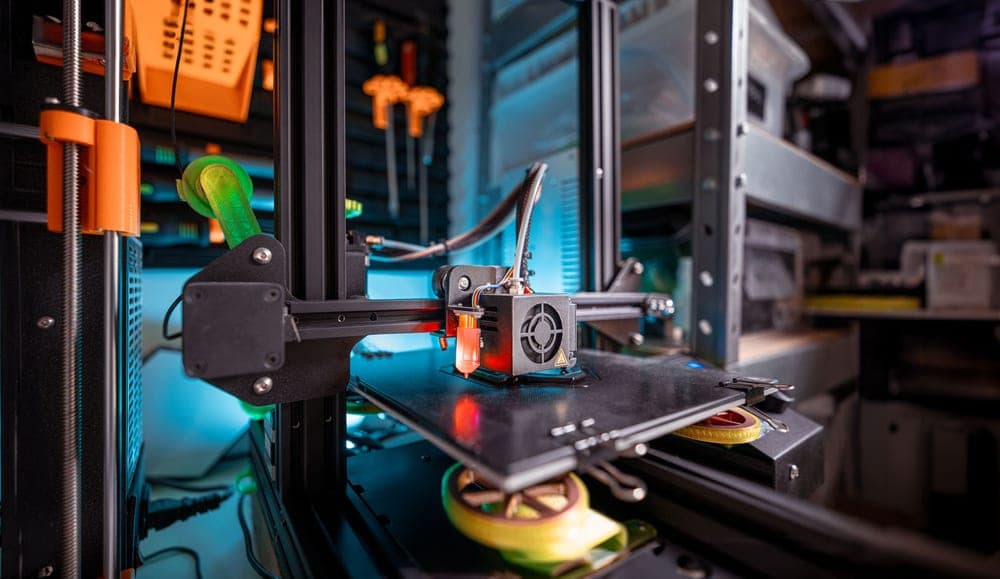
A lot of printer for the money: Klipper out of the box, a 300 C nozzle and a 121-point leveling mesh. It sits between the Ender and the Bambu on ease, and ahead of both on raw specification per dollar.
#ad We do not hold a current price for this product, so we do not show one. How we make money.
What it actually is
An open-frame bed-slinger shipped with Klipper firmware already installed, so the speed features that normally require a firmware project are there on day one.
What the manufacturer states
| Figure | Value | Source |
|---|---|---|
| Build volume | 225 x 225 x 265 mm | Elegoo Neptune 4 product specifications |
| Maximum print speed | 500 mm/s | Elegoo Neptune 4 product specifications |
| Auto bed leveling | 121 points (11 x 11) | Elegoo Neptune 4 product specifications |
| Max nozzle temperature | 300 C | Elegoo Neptune 4 product specifications |
| Supported filaments | PLA, TPU, PETG, ABS, ASA, nylon | Elegoo Neptune 4 product specifications |
| Firmware | Klipper, pre-installed | Elegoo Neptune 4 product specifications |
Read from Elegoo, Neptune 4 product page on 2026-09-01. Where a manufacturer does not publish a figure, there is no row for it here.
What is good about it
- 265 mm of build height, the tallest of the open-frame machines here
- 300 C nozzle and a materials list that includes ABS, ASA and nylon
- Klipper already installed, so the speed features work without a firmware project
- 121-point leveling mesh, which is a genuinely dense map of a warped plate
What is not
- Open frame, so the ABS and ASA on the materials list are aspirational without an enclosure
- A smaller community than Creality's, so fewer people have already hit your problem
- Klipper is more powerful and less familiar than the interfaces beginners usually meet
- More assembly than a Bambu, less than an old Ender
Skip this one if
Skip it if you want the fewest possible decisions. Klipper rewards curiosity and this machine hands you a lot of it on day one. If you want to press print and walk away, that is what the A1 mini is for.
What we cannot tell you
We have not printed on this machine. Real print quality at the rated speed, bed flatness out of the box, and how much Klipper tuning is actually needed are not published figures.
How it scored for a beginner
- Setup out of the box7.5
- Auto-calibration9.0
- First-layer forgiveness8.0
- Parts and filament availability8.0
- Running cost8.5
- Help when it goes wrong7.5
Beginner fit 8.1 / 10. That is our editorial read of how well this suits someone buying their first printer, taken off the published specifications — not a test result, and not a verdict on absolute quality. It is deliberately not marked up as a rating in this page’s structured data. How we pick.
How these were picked
We have not printed on these machines and we do not pretend to have. What we did was read each manufacturer’s own specification page, take their stated build volume, temperatures and speeds, check that every pick genuinely fits the job in this page’s title, confirm it is still being sold, and pull a live price rather than a remembered one. Every figure names the source it came from, so you can check it yourself in about a minute.
How we pick sets out the full method, including what would change a ranking.
Questions people actually ask
+−Is Elegoo better than Creality?
On published specifications and on documentation quality, yes — Elegoo publishes fuller parameter tables and its Centauri Carbon 2 gets you enclosed, multi-color and a 350 °C nozzle for around what a comparable Creality open frame costs. Creality wins on spare parts, repairability and the size of its owner community, which matter more than a spec sheet when something breaks.
+−Which brand is cheaper?
Creality, at the bottom of the range — the Ender-3 V3 SE is the cheapest machine this site would still recommend. Elegoo is better value in the middle of the range, where the Centauri Carbon 2 Combo includes an enclosure and a multi-material unit that Creality would charge extra for.
+−Why is there no Creality K1C review on this site?
Because Creality publishes no complete specification table for it that we could find — not on creality.com, not on its wiki, and not on its own store, where the page carries only marketing claims. Every figure in this site’s product registry has to come from the manufacturer’s own published page, so we did not write the review rather than fill the gaps from retailer copy.
+−Does Elegoo make resin printers too?
Yes, and it is a real advantage if miniatures are your goal. The Mars 5 Ultra is the resin machine we cover; Creality has no equivalent we recommend.