Roundup
The Best 3D Printer Brand
There is no best brand, there are five brands that win different arguments. Each entry here is the machine that brand leads with, the thing it genuinely does better than the others, and the thing it does worse.
By Scooter M. · Published · Last reviewed
How this page is funded: the buy links below are affiliate links. If you buy through one we earn a commission, at no extra cost to you. It does not change the order of the picks or a word of what we say about them. Full disclosure.
Printers we claim to have tested: 0. Everyone in this category says they tested twenty machines. We have not tested any, and we would rather say so. What we did instead is on this page: the manufacturer’s own published specification for every pick, cited and dated; the arithmetic on what it costs to run, with the inputs shown; a live price rather than a remembered one; and a plain answer on who should skip each machine.
The short answer
There is no single best brand. Buy Bambu Lab for a first printer, Creality if you expect to repair and tinker, Prusa if you intend to keep the machine for a decade, Elegoo for the most specification per dollar, and Anycubic if you want a manufacturer that publishes its limitations. For most people reading this, the answer is Bambu Lab and the machine is an A1 mini.
We have not printed on any of these machines. What we have done is verify every product in our registry against live listings every month for thirteen months, and read every manufacturer specification page we cite. That turns out to be a surprisingly good way to judge a brand, because what a company publishes — and what it quietly leaves out — is consistent and it is checkable.
How we judged a brand, as opposed to a machine
Four criteria, stated before the ranking:
- What it publishes. Does a spec page give you nozzle and plate temperatures, a filament list, a leveling point count? Those are the figures you check a filament against before you buy.
- Whether you can get parts in two years. Stated policy counts. So does an installed base big enough that the market provides parts whether the manufacturer does or not.
- How much the machine does for you. Automation removes the decisions that make beginners quit.
- Channel honesty. Is the thing still actually purchasable, new, at the price the brand implies? We found three failures of this in thirteen months, all documented below.
The five brands, compared on what they publish
Based on each manufacturer's own published pages for the machine it leads with, read between 2026-09-01 and 2026-10-18. 'No' means the manufacturer does not publish the figure, not that the machine lacks the feature.
| Bambu Lab | Creality | Elegoo | Prusa | Anycubic | |
|---|---|---|---|---|---|
| Publishes nozzle temp | Yes | Yes | No (Centauri 2) | Yes | Yes |
| Publishes plate temp | Yes | Yes | No (Centauri 2) | Yes | Yes |
| Publishes dimensions and weight | Yes (A1 family) | No (K2 Plus) | No (Centauri 2) | Yes | Partly |
| Publishes rated power | Yes | No (K2 Plus) | No | Yes | Partly |
| Publishes a filament list | Yes, ideal and not-recommended | Yes | No (Centauri 2) | Yes | Yes, with caveats |
| Written repair commitment | No | No | No | Yes | No |
| Generic parts fit | No | Yes | Partly | Yes | Partly |
| Multi-color available | Yes (AMS) | Yes (CFS) | Yes (CANVAS) | Yes (MMU3/INDX) | Yes (ACE Pro) |
Bambu Lab: buy it first, understand the trade
Bambu wins the decision that matters most for a first printer and it wins it clearly. Automatic bed leveling, automatic Z-offset probing and automatic flow calibration before every print removes exactly the three steps that historically defeated beginners. Its slicer ships profiles tuned to the machine and the spool. Its model library is enormous. It also publishes dimensions, weight and rated power, which is how we were able to do the running-cost arithmetic on the setup cost page.
The trade is proprietary parts and one channel. On the A1 family the nozzle is part of a hotend assembly rather than a separate screw-in part, so what is a two-dollar item on an Ender is a bigger order here. And we found a clean example of channel risk: the Bambu Lab A2L is a current product that Bambu does not sell through Amazon at all. Not discontinued — just absent from the channel most buyers use.
Within the brand, which Bambu to buy first is its own decision, and Bambu Lab alternatives covers what to get if you would rather not.
Creality: the parts answer, with a caveat
Creality’s advantage is not on any spec sheet. The Ender line is the most widely owned family of printers in the hobby, and the effect is that parts are everywhere, generic replacements fit, and every failure has already been documented by somebody. For a first machine that is genuinely valuable, and it is most of why the Ender-3 V3 SE is the cheapest machine we would hand to a friend.
The caveat is that ubiquity protects parts, not models. We verified the Ender-3 V3 KE discontinued on Amazon in October 2026, barely two years after launch. And at the top of the range Creality’s documentation gets worse rather than better: for the $1,199 K2 Plus it publishes no machine dimensions, no weight, no rated power and no chamber temperature, and leaves TPU off its own supported-filament list. Creality does not publish those three figures for the cheap Ender either — the point is that it omits them on a machine large and heavy enough that they decide whether you can site it at all, in a price band where Bambu and Prusa both publish them.
Elegoo: the most machine for the money, and a documentation wobble
Elegoo gets you into a fully enclosed, multi-color CoreXY machine for roughly what an open-frame competitor costs, which is the cheapest route to an enclosure we have found — see the enclosed roundup. It is also the only brand here that makes both filament and resin machines we would recommend, which matters if miniatures are the goal: the Mars 5 Ultra and the Saturn 4 Ultra 16K have no Creality or Bambu equivalent.
On filament, Elegoo publishes the best parameter tables in our whole registry. Its ABS is the only spool we have found that publishes a chamber temperature, and its glow PLA is the only glow filament anywhere in our registry that publishes a hardened steel nozzle requirement. See the ABS roundup and the glow roundup.
But its printer documentation has slipped, and its channel is the messiest of the five. The Centauri 2 Combo publishes no nozzle temperature, no plate temperature and no leveling point count, where the Carbon 2 it replaced published all three. Meanwhile the original Centauri Carbon is now offered Used on Amazon and the Centauri Carbon 2 Combo has no Amazon listing at all. We document that whole tangle on Kobra S1 vs Centauri.
Prusa: the only written promise about the future
Prusa publishes two sentences no other manufacturer here does: “Nothing is glued. Everything comes apart with a screwdriver,” and “We keep spare parts in stock for years after release.” It sells the CORE One+ as an assembly kit as well as assembled, which means the documentation for building it is the documentation for fixing it. On how long a printer lasts that is the strongest case available.
Two honest marks against it. It costs several times beginner money, and the repairability you are paying for is worth nothing if you never open the case. And we found the largest price gap of any machine we track: on 18 October 2026 Prusa’s own store listed the assembled CORE One+ at $1,202.78 and the kit from $925, while the Amazon listing was $1,549.00. We earn commission on Amazon links and we would still tell you to check Prusa’s store first. Prusa vs Bambu Lab takes the argument further.
Anycubic: the brand that tells you what its things cannot do
Anycubic is the smallest ecosystem here and it does one thing better than the other four: it publishes honest numbers. On the Kobra S1 Combo it states a recommended 300 mm/s next to a maximum 600 mm/s, and a recommended 10,000 mm/s² next to a maximum 20,000. Almost nobody else publishes the recommended figure, because the big number markets better.
It also names its own limitations in the same breath as its features: TPU 95A is on the supported list, and Anycubic says plainly that TPU will not feed through the ACE Pro multi-material unit. That is the behavior we want from a manufacturer, and it is rarer than it should be.
The cost is ecosystem. Fewer models, fewer sellers, less written help when something goes wrong, and only one Anycubic machine we currently recommend. Anycubic vs Bambu Lab is the head-to-head.
Which brand, in one line each
- First printer, no strong feelings: Bambu Lab.
- You want to tinker, repair and upgrade: Creality.
- You want enclosed and multi-color for the least money: Elegoo.
- You intend to own the same machine in ten years: Prusa.
- You want a manufacturer that publishes its limits: Anycubic.
- Miniatures: Elegoo, on resin, and nobody else is close.
- A child is the actual user: see the kids page — the brand question changes shape entirely.
What we cannot tell you
We have not printed on any of these machines, so we cannot rank these brands on build quality, failure rates or how their support teams behave. Those are the things long-term owners care most about and we will not manufacture an opinion about them. What we can report is what each brand publishes, what it commits to in writing, and what we watched happen to its products in a channel we check every month — which is more than most brand rankings are built on.
If you have not yet picked a shape of machine, how to choose a 3D printer runs the six decisions in the order that matters, and brand is the fifth of them rather than the first.
Quick picks
Ranked on how well each one fits the job in this page's title, read off the manufacturer's own published specifications. Tap any row for the full write-up, including who should skip it.
| # | Product | Best for | Beginner fit | Price |
|---|---|---|---|---|
| 1 | 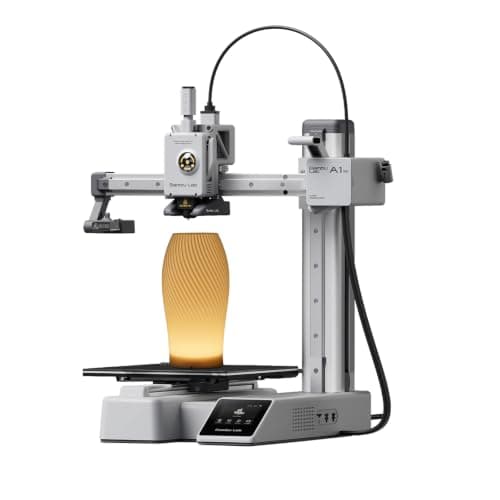 Bambu Lab A1 mini180 x 180 x 180 mm Bambu Lab A1 mini180 x 180 x 180 mm | Best brand for a first printer | 9.2 | $249.00 - Check price on Amazon |
| 2 | 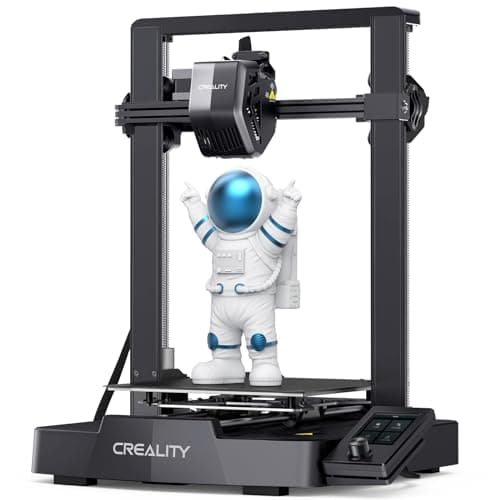 Creality Ender-3 V3 SE220 x 220 x 250 mm Creality Ender-3 V3 SE220 x 220 x 250 mm | Best brand for parts and repairs | 8.0 | $199.00 - Check price on Amazon |
| 3 | 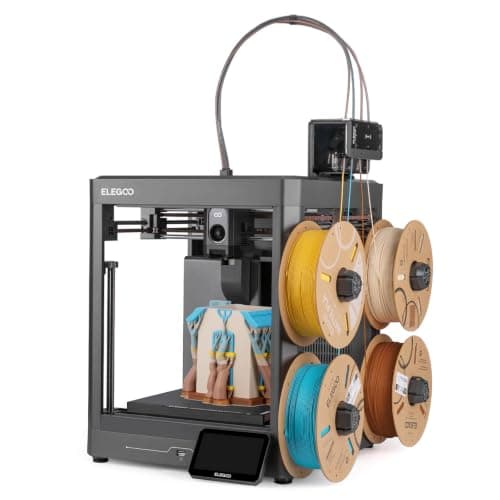 Elegoo Centauri 2 Combo256 x 256 x 256 mm Elegoo Centauri 2 Combo256 x 256 x 256 mm | Best brand for specification per dollar | 8.2 | $328.99 - Check price on Amazon |
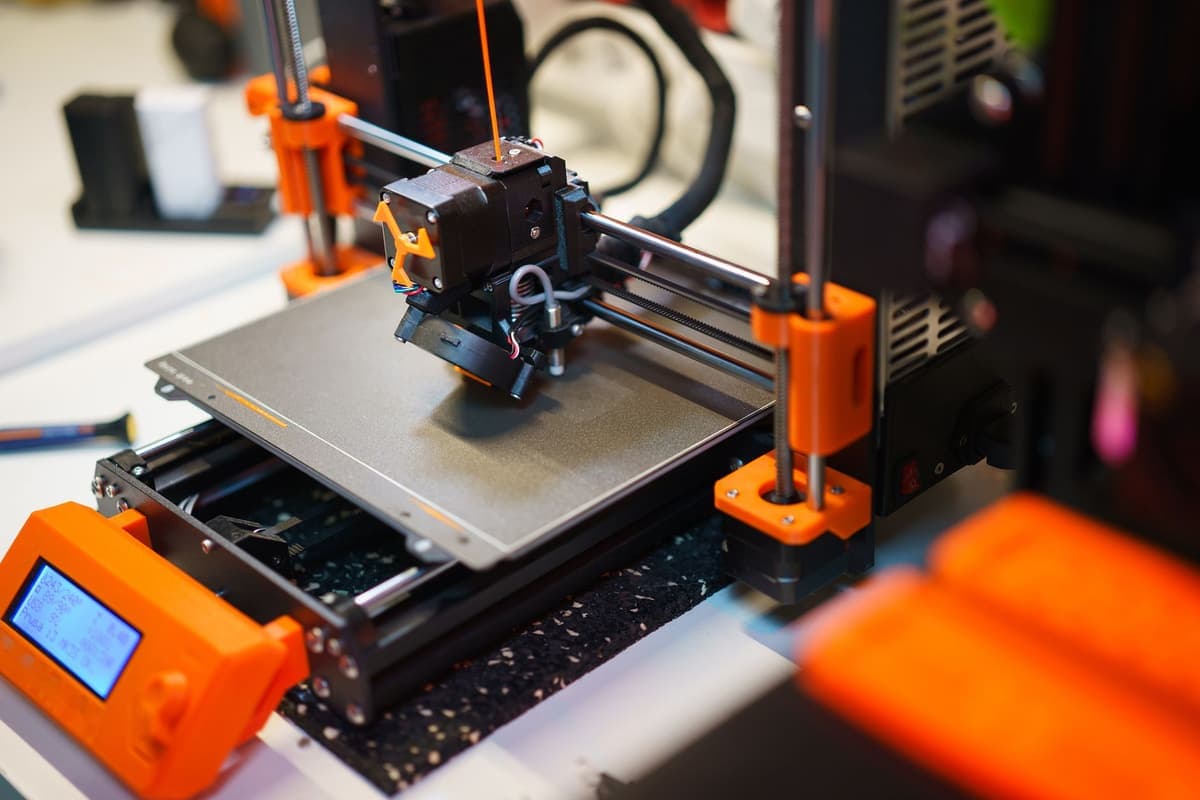
| 4 | 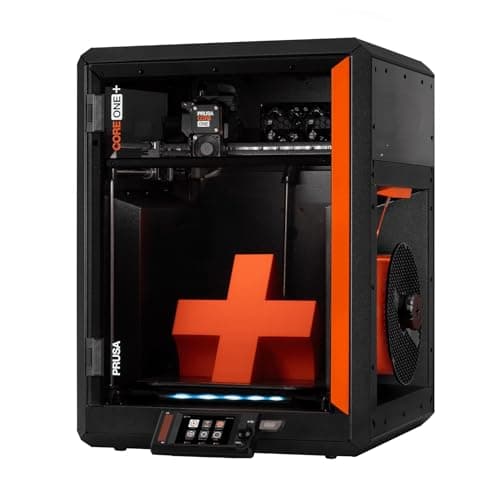 Prusa CORE One+250 x 220 x 270 mm Prusa CORE One+250 x 220 x 270 mm | Best brand for keeping a machine | 7.4 | $1,549.00 - Check price on Amazon |
| 5 | 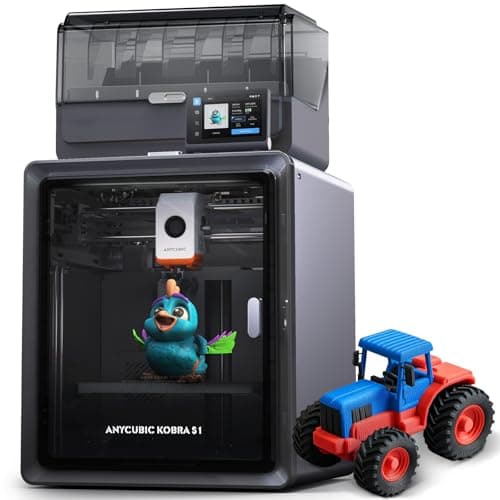 Anycubic Kobra S1 Combo250 x 250 x 250 mm Anycubic Kobra S1 Combo250 x 250 x 250 mm | Best brand for honest numbers | 7.9 | $449.99 - Check price on Amazon |
#1 · Best brand for a first printer
Bambu Lab A1 mini
Bambu Lab · A genuine first printer
The one to get if you have never done this before. It calibrates itself before every print — bed mesh, Z-offset, flow, resonance — so the part of 3D printing that used to defeat beginners is a step you never see. The build volume is the price you pay.
#ad Price as of October 19, 2026, from Amazon. Prices change. How we make money.
What it actually is
A small open-frame filament printer. Filament is a 1.75 mm plastic string on a spool; the machine melts it and draws your object one layer at a time. Open-frame means there is no box around it, which is fine for PLA and a limitation for materials that warp.
Does it fit this page?
Bambu publishes automatic bed leveling, automatic Z-offset probing and automatic flow calibration, and its slicer ships profiles tuned for its own machines and its own filament. For somebody who has never done this, that combination is worth more than any specification.
What the manufacturer states
| Figure | Value | Source |
|---|---|---|
| Build volume | 180 x 180 x 180 mm | Bambu Lab A1 mini technical specifications |
| Max hot end temperature | 300 C | Bambu Lab A1 mini technical specifications |
| Max build plate temperature | 80 C | Bambu Lab A1 mini technical specifications |
| Max toolhead speed | 500 mm/s | Bambu Lab A1 mini technical specifications |
| Max toolhead acceleration | 10,000 mm/s2 | Bambu Lab A1 mini technical specifications |
| Filaments rated ideal | PLA, PETG, TPU, PVA | Bambu Lab A1 mini technical specifications |
| Filaments not recommended | ABS, ASA, PC, PA, PET, carbon/glass fiber reinforced | Bambu Lab A1 mini technical specifications |
| Machine dimensions | 347 x 315 x 365 mm | Bambu Lab A1 mini technical specifications |
| Net weight | 5.5 kg | Bambu Lab A1 mini technical specifications |
| Max power | 150 W | Bambu Lab A1 mini technical specifications |
Read from Bambu Lab, A1 mini technical specifications on 2026-09-01. Where a manufacturer does not publish a figure, there is no row for it here.
What is good about it
- Full auto-calibration on every print, per Bambu Lab's own specification — no paper-under-the-nozzle ritual
- Rated ideal for PLA, PETG, TPU and PVA, which covers everything a beginner should print in year one
- 150 W maximum power draw is the lowest of any printer on this site, so running cost is trivial
- 5.5 kg and 347 mm wide — it fits on a desk without rearranging the room
What is not
- 180 mm cubed is genuinely small. A full-size helmet or a large cosplay prop will not fit
- Bambu Lab rates ABS, ASA, PC and fiber-reinforced filaments as not recommended on this machine
- The multi-color AMS lite is a separate purchase, so the headline price is not the multi-color price
- Bambu Lab's own Amazon store lists this machine bundled with an LED lamp kit rather than on its own, so the price on our button is for that bundle. The bare printer is sold direct on Bambu Lab's store
- Open frame, so it is at the mercy of a draft from a window or an air conditioning vent
Skip this one if
Skip it if you already know the thing you want to print is bigger than a shoebox, or if you specifically want ABS or a carbon-fiber-filled filament. Bambu Lab itself lists those materials as not recommended here, and buying a machine you intend to use outside its rated envelope is how a first printer becomes a frustrating one.
What we cannot tell you
We have not printed on this machine. Long-term reliability, real-world noise in a quiet room, and how the textured plate holds up after a year are all things we cannot honestly report without owning one.
How it scored for a beginner
- Setup out of the box9.5
- Auto-calibration10.0
- First-layer forgiveness9.5
- Parts and filament availability9.0
- Running cost10.0
- Help when it goes wrong9.0
Beginner fit 9.2 / 10. That is our editorial read of how well this suits someone buying their first printer, taken off the published specifications — not a test result, and not a verdict on absolute quality. It is deliberately not marked up as a rating in this page’s structured data. How we pick.
#2 · Best brand for parts and repairs
Creality Ender-3 V3 SE
Creality · The smallest sensible amount of money
The cheap way in, and a genuinely modern one: auto bed leveling with CR Touch, automatic Z-offset from a strain sensor, and a direct-drive extruder. You will still learn more about your printer than an A1 owner does. Whether that is a feature or a cost is the whole decision.
#ad Price as of October 19, 2026, from Amazon. Prices change. How we make money.
What it actually is
An open-frame bed-slinger — the plate moves back and forth under a head that moves side to side and up. It is the classic hobby-printer layout, and this generation added the automatic setup steps the older Enders famously lacked.
Does it fit this page?
The Ender line is the most widely owned family of printers in the hobby, so every part is sold by multiple sellers, generic replacements fit, and every failure mode has already been written up by somebody. That is not a spec and it is worth real money.
What the manufacturer states
| Figure | Value | Source |
|---|---|---|
| Build volume | 220 x 220 x 250 mm | Creality Ender-3 V3 SE product specifications |
| Maximum print speed | 250 mm/s | Creality Ender-3 V3 SE product specifications |
| Typical print speed | 180 mm/s | Creality Ender-3 V3 SE product specifications |
| Acceleration | 2,500 mm/s2 | Creality Ender-3 V3 SE product specifications |
| Leveling | CR Touch auto leveling with strain-sensor Z-offset | Creality Ender-3 V3 SE product specifications |
| Extruder | Sprite direct extruder | Creality Ender-3 V3 SE product specifications |
| Filament diameter | 1.75 mm | Creality Ender-3 V3 SE product specifications |
Read from Creality, Ender-3 V3 SE product page on 2026-09-01. Where a manufacturer does not publish a figure, there is no row for it here.
What is good about it
- 220 x 220 x 250 mm is larger in every axis than the A1 mini
- Automatic bed leveling and Z-offset, which is the thing older Enders did not have
- The largest parts and community ecozystem of any machine here, by a distance
- Some assembly is required, and you will understand your printer better for it
What is not
- 250 mm/s maximum and 2,500 mm/s2 acceleration — a fraction of the A1's rated figures
- Not fully assembled out of the box, so first-print day is longer
- No filament run-out safety net of the kind Bambu specifies on the A1 series
- More of the tuning is yours to do, which is the trade for the price
Skip this one if
Skip it if the reason you are buying a printer is that you want to print things, not to own a printer. This machine is excellent value and it will ask more of you than an A1 mini will. If your patience for troubleshooting is low, spend the difference.
What we cannot tell you
We have not printed on this machine. How often the auto leveling needs re-running, the quality of the bundled build surface after a hundred prints, and assembly time for someone who has never built one are all outside what the specification tells you.
How it scored for a beginner
- Setup out of the box7.0
- Auto-calibration8.0
- First-layer forgiveness7.5
- Parts and filament availability10.0
- Running cost9.0
- Help when it goes wrong10.0
Beginner fit 8.0 / 10. That is our editorial read of how well this suits someone buying their first printer, taken off the published specifications — not a test result, and not a verdict on absolute quality. It is deliberately not marked up as a rating in this page’s structured data. How we pick.
#3 · Best brand for specification per dollar
Elegoo Centauri 2 Combo
Elegoo · One enclosed machine that prints everything, including multi-color
Elegoo's replacement for the Centauri Carbon 2 Combo, and it arrived cheaper: an enclosed CoreXY rated to 500 mm/s with the CANVAS multi-material unit in the box. Read the spec table below for what it actually says, because Elegoo publishes less about this machine than it did about the one it replaces.
#ad Price as of October 19, 2026, from Amazon. Prices change. How we make money.
What it actually is
A fully enclosed CoreXY printer sold with Elegoo's CANVAS multi-material unit, so multi-color printing is in the box rather than an upgrade. Enclosed means the chamber holds its heat, which is what stops ABS and ASA curling off the plate.
Does it fit this page?
Elegoo gets you into a fully enclosed, multi-color CoreXY machine for roughly what an open-frame competitor costs, and it also makes the best-documented filament in our registry. Its printer documentation has slipped recently, which we say so below.
What the manufacturer states
| Figure | Value | Source |
|---|---|---|
| Build volume | 256 x 256 x 256 mm | Elegoo Centauri 2 Combo product page |
| Maximum speed | 500 mm/s | Elegoo Centauri 2 Combo product page |
| Maximum acceleration | 20,000 mm/s2 | Elegoo Centauri 2 Combo product page |
| Motion system | CoreXY on a rigid aluminum frame | Elegoo Centauri 2 Combo product page |
| Calibration | Full-auto calibration, described as right out of the box | Elegoo Centauri 2 Combo product page |
| Multi-color | CANVAS multi-material unit, included with the Combo | Elegoo Centauri 2 Combo product page |
| Chamber camera | Built in, for watching a print remotely | Elegoo Centauri 2 Combo product page |
| Filament run-out | Run-out alert | Elegoo Centauri 2 Combo product page |
| Power-loss recovery | Yes | Elegoo Centauri 2 Combo product page |
| Nozzle maintenance | Heatbed nozzle wiper, and a spare wiper in the box | Elegoo Centauri 2 Combo product page |
| Vibration handling | Active vibration compensation | Elegoo Centauri 2 Combo product page |
Read from Elegoo, Centauri 2 Combo product page on 2026-10-14. Where a manufacturer does not publish a figure, there is no row for it here.
What is good about it
- Multi-color is included rather than an upgrade, which is still unusual at this price
- Fully enclosed, which is what ABS and ASA actually need
- 500 mm/s and 20,000 mm/s2 both published, on a CoreXY frame rather than a moving bed
- A chamber camera, run-out alert and power-loss recovery, none of which the open frames here offer
- It launched below the price of the Centauri Carbon 2 Combo it replaces
What is not
- Elegoo publishes noticeably less about this machine than about the Carbon 2 it replaces - no nozzle or plate temperature, no leveling point count, no accuracy figure and no supported-filament matrix on its product page
- Rated speed is a ceiling, not a promise, and Elegoo published a recommended 250 mm/s for the previous model
- Multi-color printing wastes filament on every color change
- Elegoo publishes no noise figure, which matters more on an enclosed machine that runs fans
- Elegoo's own store has been showing it sold out, so availability has been through Amazon rather than direct
- More machine than a first-time buyer needs if the plan is PLA models and nothing else
Skip this one if
Skip it if you only ever intend to print PLA. You would be paying for a heated chamber and a multi-material unit to do a job a $249 open frame does just as well. Skip it too if you want the fuller specification sheet Elegoo published for the Carbon 2 - this page is thinner because its source is.
What we cannot tell you
We have not printed on this machine, and Elegoo publishes less about it than we would like. The nozzle and plate temperature ceilings, the leveling point count, the printing accuracy and the supported-filament list are all absent from its product page, so we do not state them - and we will not copy them across from the Carbon 2, which is a different machine.
How it scored for a beginner
- Setup out of the box8.5
- Auto-calibration8.5
- First-layer forgiveness8.5
- Material range8.5
- Running cost7.0
- Published data6.5
Beginner fit 8.2 / 10. That is our editorial read of how well this suits someone buying their first printer, taken off the published specifications — not a test result, and not a verdict on absolute quality. It is deliberately not marked up as a rating in this page’s structured data. How we pick.
#4 · Best brand for keeping a machine
Prusa CORE One+
Prusa Research · Somebody who wants to own the machine, not just its output
The machine people mean when they say they want something they can fix. Prusa publishes a 250 x 220 x 270 mm enclosed CoreXY with an actively controlled chamber up to 55 C, and says plainly that nothing on it is glued and everything comes apart with a screwdriver.
#ad Price as of October 19, 2026, from Amazon. Prices change. How we make money.
What it actually is
A fully enclosed CoreXY printer with a heated, ventilated chamber, built around an all-steel structural enclosure. It is designed to be disassembled and repaired, with spare parts stocked for years, and it costs several times what a first printer should.
Does it fit this page?
Prusa is the only manufacturer in our registry that commits in writing to repairability: nothing glued, everything apart with a screwdriver, spare parts stocked for years. You pay several times beginner money for that, so it only counts if you will use it.
What the manufacturer states
| Figure | Value | Source |
|---|---|---|
| Build volume | 250 x 220 x 270 mm (14.9 liters) | Prusa Research CORE One+ product page |
| Motion and frame | Fully enclosed CoreXY; all-steel structural enclosure | Prusa Research CORE One+ product page |
| Chamber | Actively controlled, heats to 55 C, with smart ventilation | Prusa Research CORE One+ product page |
| Materials | ASA, ABS, PC, PA and other advanced materials, plus standard 1.75 mm filament | Prusa Research CORE One+ product page |
| Vibration control | Input Shaper firmware compensation | Prusa Research CORE One+ product page |
| Serviceability | Nothing glued; disassembles with a screwdriver, spare parts stocked for years | Prusa Research CORE One+ product page |
Read from Prusa Research, CORE One+ product page on 2026-09-13. Where a manufacturer does not publish a figure, there is no row for it here.
What is good about it
- An actively heated chamber to 55 C, which is a genuine step beyond the passively warm boxes in the band below
- Built to be repaired: Prusa states nothing is glued, everything comes apart with a screwdriver, and parts are stocked for years
- Prusa publishes 50 percent less desk space than an MK4S in an enclosure with 30 percent more print volume
- Smart ventilation means the door stays shut for PLA rather than being propped open
What is not
- It costs several times what this site's beginner picks cost, and nothing about it makes a first month easier
- 250 x 220 x 270 mm is less floor area than the 256 mm cubed machines it competes with, even though total volume is higher
- The repairability that justifies the price is worth nothing to somebody who never intends to open the machine
- Sold on Amazon by Amazon rather than by Prusa, so warranty and support routing is worth checking before you order
Skip this one if
Skip it if this is your first printer. Everything you are paying for - the chamber, the steel, the serviceability - is aimed at somebody who already knows what they want to print and expects to keep the machine for a decade. Buy an A1 mini and come back in two years.
What we cannot tell you
We have not printed on this machine. Whether the chamber control makes ABS genuinely uneventful, how loud it is, and whether the repairability premium pays back over years are all owner questions we cannot answer from a specification page.
How it scored for a beginner
- Setup out of the box8.0
- Auto-calibration9.0
- First-layer forgiveness8.5
- Parts and filament availability10.0
- Running cost6.0
- Help when it goes wrong9.5
Beginner fit 7.4 / 10. That is our editorial read of how well this suits someone buying their first printer, taken off the published specifications — not a test result, and not a verdict on absolute quality. It is deliberately not marked up as a rating in this page’s structured data. How we pick.
#5 · Best brand for honest numbers
Anycubic Kobra S1 Combo
Anycubic · Multi-color printing in an enclosure, bought as one box
An enclosed CoreXY printer that ships with its four-color unit in the box, and that unit dries filament while it prints. Anycubic publishes a 320 C nozzle, a 120 C plate and 250 mm cubed. The catches are in its own footnotes: the dryer stops at 55 C, TPU cannot go through it, and eight colors means buying a second one.
#ad Price as of October 19, 2026, from Amazon. Prices change. How we make money.
What it actually is
A fully enclosed CoreXY printer bundled with the ACE Pro, Anycubic's four-spool feeder. The ACE Pro swaps filaments for multi-color prints and heats the spools while it does, so the filament stays dry during long jobs.
Does it fit this page?
Anycubic publishes recommended figures next to maximum figures, and names the limitations of its own accessories in the same sentence as the features. It is the smallest ecosystem of the five, which is the price of that.
What the manufacturer states
| Figure | Value | Source |
|---|---|---|
| Build volume | 250 x 250 x 250 mm | Anycubic Kobra S1 Combo specification table |
| Construction | Fully enclosed CoreXY | Anycubic Kobra S1 Combo specification table |
| Print speed | 300 mm/s recommended; 600 mm/s maximum | Anycubic Kobra S1 Combo specification table |
| Acceleration | 10,000 mm/s2 recommended; 20,000 mm/s2 maximum | Anycubic Kobra S1 Combo specification table |
| Nozzle | 320 C max; 0.4 mm standard, 0.25 / 0.6 / 0.8 mm sold separately | Anycubic Kobra S1 Combo specification table |
| Plate | 120 C max, PEI spring steel | Anycubic Kobra S1 Combo specification table |
| Supported filaments | PLA, PETG, ABS, ASA, TPU 95A (TPU not compatible with the ACE Pro) | Anycubic Kobra S1 Combo specification table |
| Multi-color | 4 colors with the included ACE Pro; 8 needs a second ACE Pro and an eight-color feeding module | Anycubic Kobra S1 Combo specification table |
| Active drying | Supported in the ACE Pro, up to 55 C | Anycubic Kobra S1 Combo specification table |
| Leveling and calibration | LeviQ 3.0 auto-leveling, Z-offset, flow calibration, resonance compensation | Anycubic Kobra S1 Combo specification table |
| Noise | 46 dB or below standard, 44 dB or below quiet mode, measured 1 m from the front | Anycubic Kobra S1 Combo specification table |
| Weight | Printer 18 kg; ACE Pro 4.6 kg | Anycubic Kobra S1 Combo specification table |
| Dimensions | Printer 400 x 410 x 490 mm; ACE Pro 365.94 x 282.84 x 234.5 mm | Anycubic Kobra S1 Combo specification table |
| Camera | Built in, 480P | Anycubic Kobra S1 Combo specification table |
Read from Anycubic, Kobra S1 Combo product page and specification table on 2026-09-17. Where a manufacturer does not publish a figure, there is no row for it here.
What is good about it
- The four-color unit is in the box, so the Combo price is the multi-color price
- The ACE Pro heats spools while printing, per Anycubic, which keeps filament dry through a long multi-color job
- A 120 C plate and a 320 C nozzle - the highest published plate temperature of any enclosed printer on this site
- Anycubic publishes filament entanglement detection and AI spaghetti detection alongside auto-resume after run-out
What is not
- The ACE Pro dries at 55 C at most, below the 60 C PETG and 70 C ABS and ASA routines filament makers publish
- TPU 95A cannot go through the ACE Pro, per Anycubic's own footnote - flexible filament is single-color only
- Eight colors needs a second ACE Pro and an extra feeding module, not just a second unit
- An 18 kg printer plus a 4.6 kg feeder is a lot of desk, and Anycubic lists a 1-year printer warranty
Skip this one if
Skip it if multi-color is not the reason you are buying. You are paying for a feeder and a box, and a single-color first year is better spent on an open-frame machine and a lot of filament. Skip it too if TPU in multiple colors is the plan, because Anycubic says that combination does not work.
What we cannot tell you
We have not printed on this machine. How reliably the ACE Pro swaps filament over hundreds of changes, whether 55 C drying keeps PETG usable in a humid room, and how the published noise figures compare to a real room are all owner questions.
How it scored for a beginner
- Setup out of the box8.0
- Auto-calibration9.0
- First-layer forgiveness8.5
- Parts and filament availability8.0
- Running cost7.0
- Help when it goes wrong7.5
Beginner fit 7.9 / 10. That is our editorial read of how well this suits someone buying their first printer, taken off the published specifications — not a test result, and not a verdict on absolute quality. It is deliberately not marked up as a rating in this page’s structured data. How we pick.
How these were picked
We have not printed on these machines and we do not pretend to have. What we did was read each manufacturer’s own specification page, take their stated build volume, temperatures and speeds, check that every pick genuinely fits the job in this page’s title, confirm it is still being sold, and pull a live price rather than a remembered one. Every figure names the source it came from, so you can check it yourself in about a minute.
How we pick sets out the full method, including what would change a ranking.
Questions people actually ask
+−What is the best 3D printer brand overall?
For a first printer, Bambu Lab — because its machines calibrate bed, Z-offset and flow by themselves and its slicer ships tuned profiles. But there is no single winner: Creality is the parts and repair answer, Prusa the longevity answer, Elegoo the most specification per dollar, and Anycubic the most honest published numbers. Pick the argument you care about first.
+−Which 3D printer brand is most reliable?
We have not run long-term reliability testing and will not pretend otherwise. On the measurable proxies: Prusa makes the only written commitment to repairability and spare parts, and Creality has the largest installed base so parts are easiest to obtain. Our lifespan page explains why parts availability, not wear, is what actually ends a printer’s life.
+−Is Bambu Lab worth the money over Creality?
For a first printer, yes — the automation removes the steps that make people quit, and the price gap at the entry level is smaller than people expect. For somebody who enjoys tinkering, no: Creality gives you generic parts, a huge community and a machine you can modify. Our Bambu Lab vs Creality page works through it.
+−Which brand is cheapest for an enclosed printer?
Elegoo, by a clear margin — the Centauri 2 Combo is an enclosed CoreXY machine with multi-color included for roughly open-frame money. The honest catch is that Elegoo publishes no nozzle or plate temperature for it, so you cannot check it against a filament’s requirements before buying. See the enclosed roundup.
+−Does the brand matter more than the machine?
It matters later. The machine decides your first month; the brand decides your second year, because it governs parts, slicer profiles and how much written help exists when something breaks. That is why we rank brand as the fifth of six decisions on how to choose a 3D printer rather than the first.